Wappler Version : 3.7.4
Operating System : Mac
Server Model: NodeJS
Database Type: MySql8
Hosting Type: Docker, AWS, External Managed AWS DB.
Expected behavior
What do you think should happen?
I should be able to apply changes, refresh schema etc. just like I do with the MySql8 DB's within the Docker deployment on local and staging.
Actual behavior
What actually happens?
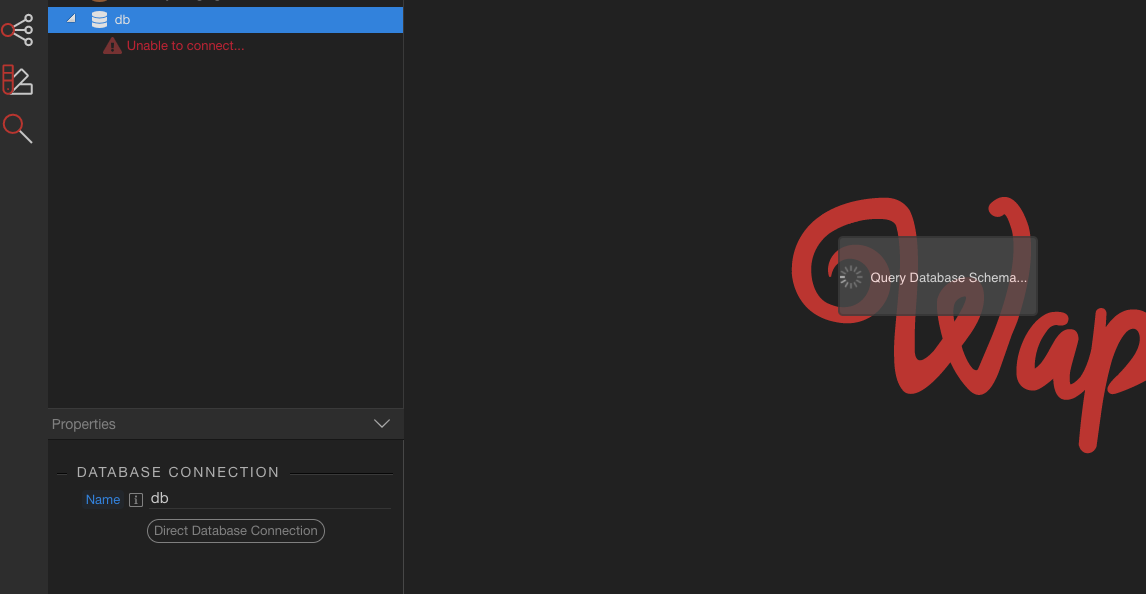
When I try to apply a change - the apply change is green, but when I try to 'refresh' the schema, or it auto-refreshes after applying the change it just presents an error connecting to DB, and the refresh schema loader hangs - I have to restart Wappler. The issue repeats itself each time. Pretty urgent issue as I cannot update production DB currently with DB changes/new schema.
I am able to after reloading Wappler update data in the tables, but getting the new schema fails.
@George the error is under the DB connection - error connecting to DB. I cannot produce a error from the console as Wappler just hangs, I can’t then access any of the menu’s etc. to report the bug. Any ideas?
The detailed database connection error should be displayed in tge properties panel, when you click on the error under the db connection name.
Further you don’t need to access any of the menus for report, just restart with with loving and then find the debug log file as described in the link Adobe and add it here.
And lastly make sure your db is running and no other general connectivity are occurring.
When I click the refresh schema button - this is the error I get, I cannot click on the error to get more detail in the properties panel as the whole of Wappler hangs, and I need to restart. Here is a screenshot.
Did you change some of the db connection settings? I see an error in the log:
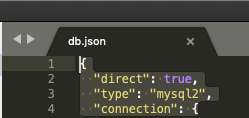
Unsupported driver used: Client_MySQL2
Also I see like 4 different database connections:
blog-db,crm_db,db,recruiterly_staging_db
while on your screen shot I see only one.
Maybe you have a big mismatch between the Server Connect - Globals Database Connections list and the one defined in the Database Manager? You usually should have exactly the same.
Hi @George I’ve been running this DB for 3 + months, I have not changed it once. Noting I tagged you in another post with another user who is experiencing the exact same issue as me.
I have 4 different DB’s, yes, I just didn’t share in the screen shot as I don’t necessarily want to share names of our DBs and our project like you just have… All are well defined and work correctly.
Blod_db handles our blog posts/cms.
crm_db handles our CRM DB project.
DB handles our main database, users information etc.
staging is redundant, and is not used.
I’ve checked globals and server connect db connection - both have exactly the same information.
I am also able to ‘test’ the connection and it returns a ‘Database Connection OK’ response. When I restart Wappler the Schema appears (but not updated) - and I can edit data within Wappler DB Manager, and the app works fine with the DB - it’s just the schema update/request error that hangs in Wappler.
Yes I see that when a connection goes very wrong (as in your case of the fatal error), we didn’t clear the loader spinner always. Will improve that but then you will be just getting the same error:
Connection to the DB, refresh schema etc. work for Development, and Staging Environments. It only fails on Production. The only difference with Production over Dev and Staging is that Production uses an external AWS DB.
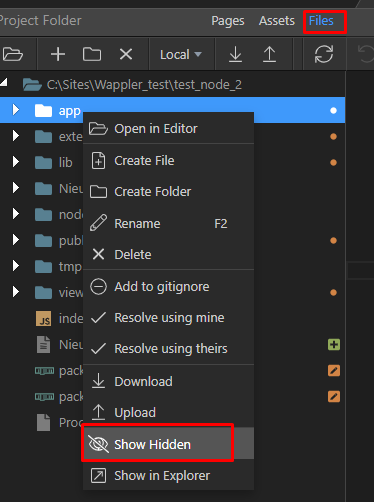
Side note: how do I reveal hidden files/folders within Wappler file view? I can do this on Mac but not within Wappler.
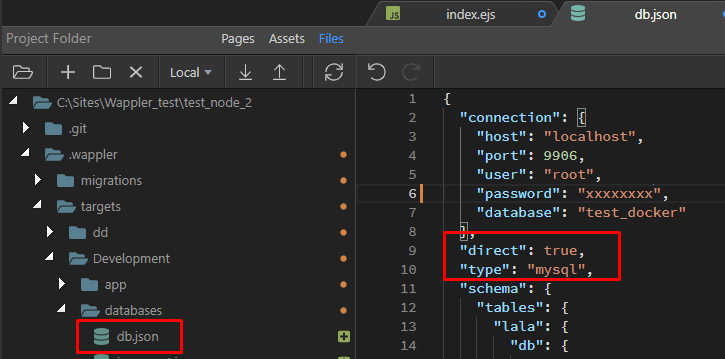
As for your settings seems your remote database doesn’t handle mysql2 (MySQL 8) - try changing it to just mysql and save the file, and try db refresh then.
I'm not sure I follow this? As I mention above, this external DB has been in production for 3 + months, no changes - it's a AWS RDS MySql DB and does indeed support MySQL8 (since 2018), and has been working fine until very recently.
I have logged into AWS, and checked and the MySql I'm using does indeed fully support MySql8.
Anyway I found all the problems - there was indeed a bug indeed of fetching the schema when using the MySQL 8 database type, since the last Wappler update.
And that together with the endlessly stying loader, made it difficult to debug.
So those problems will be solved in the next update:
Database Manager
Improved schema fetching on MySQL 8 db type, was giving wrong unsupported errors since the previous update
Improved error reporting on connection errors
Make sure the Query Schema loader is always removed on errors