Wappler Version : v7.5.2 Windows 11 NodeJS Database Type: mysql
Expected behavior
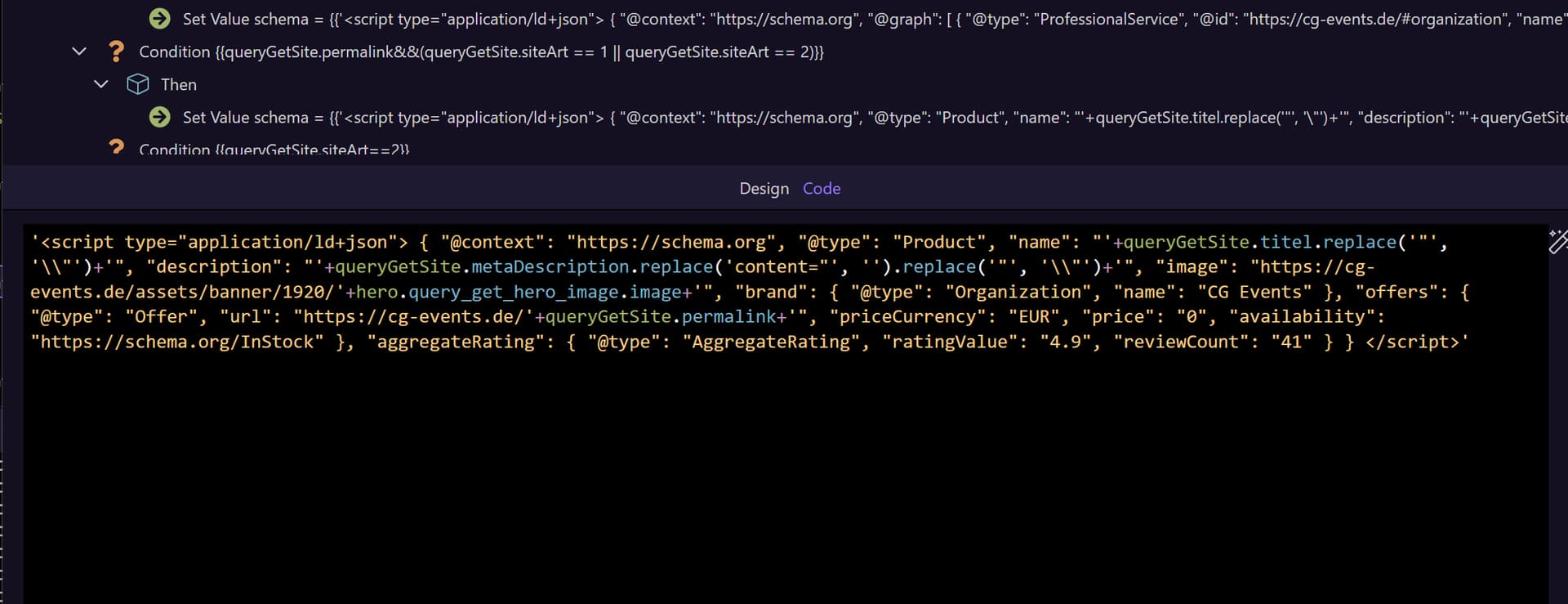
The Goal: I am building a dynamic Server-Side Schema.org Generator for my website. Depending on the page type (Homepage, Service, Product), I need to construct a specific JSON-LD string dynamically within a Server Action.
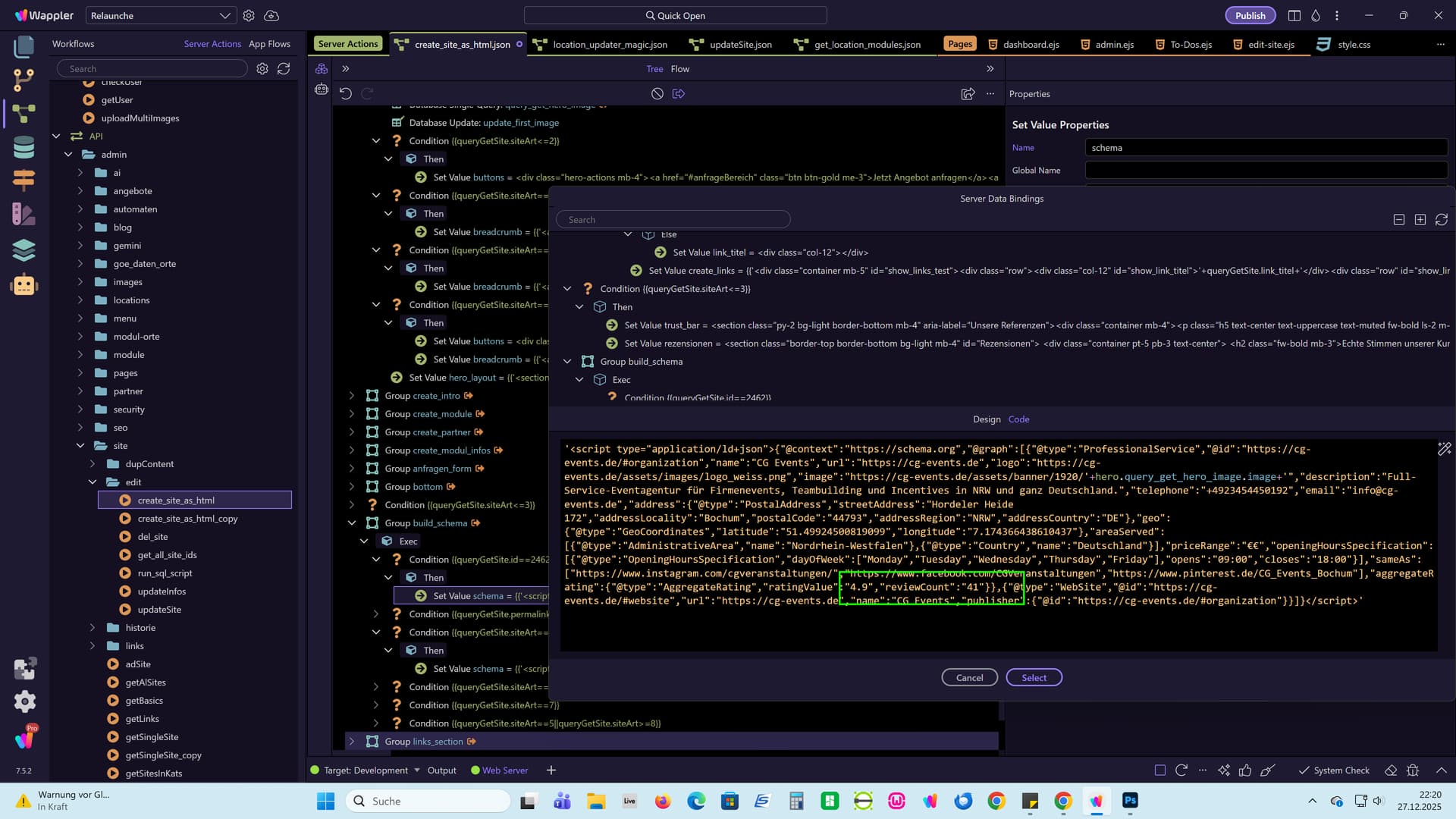
'<script type="application/ld+json">{"@context":"https://schema.org","@graph":[{"@type":"ProfessionalService","@id":"https://cg-events.de/#organization","name":"CG Events","url":"https://cg-events.de","logo":"https://cg-events.de/assets/images/logo_weiss.png","image":"https://cg-events.de/assets/banner/1920/'+hero.query_get_hero_image.image+'","description":"Full-Service-Eventagentur für Firmenevents, Teambuilding und Incentives in NRW und ganz Deutschland.","telephone":"+4923454450192","email":"info@cg-events.de","address":{"@type":"PostalAddress","streetAddress":"Hordeler Heide 172","addressLocality":"Bochum","postalCode":"44793","addressRegion":"NRW","addressCountry":"DE"},"geo":{"@type":"GeoCoordinates","latitude":"51.49924500819099","longitude":"7.174366438610437"},"areaServed":[{"@type":"AdministrativeArea","name":"Nordrhein-Westfalen"},{"@type":"Country","name":"Deutschland"}],"priceRange":"€€","openingHoursSpecification":[{"@type":"OpeningHoursSpecification","dayOfWeek":["Monday","Tuesday","Wednesday","Thursday","Friday"],"opens":"09:00","closes":"18:00"}],"sameAs":["https://www.instagram.com/cgveranstaltungen/","https://www.facebook.com/CGVeranstaltungen","https://www.pinterest.de/CG_Events_Bochum"],"aggregateRating":{"@type":"AggregateRating","ratingValue":"4.9","reviewCount":"41"}},{"@type":"WebSite","@id":"https://cg-events.de/#website","url":"https://cg-events.de","name":"CG Events","publisher":{"@id":"https://cg-events.de/#organization"}}]}</script>'
What should happen: When I use the "Set Value" step to create these JSON strings, they often contain nested objects (e.g. for aggregateRating or provider), which naturally end with double curly braces }}. I expect Wappler to save these strings exactly as typed, treating the }} as part of the text string, not as the closing tag of a Wappler expression.
Actual behavior
The Bug: The Wappler Expression Editor seems to misinterpret the }} inside a quoted string as the end of a Wappler binding expression.
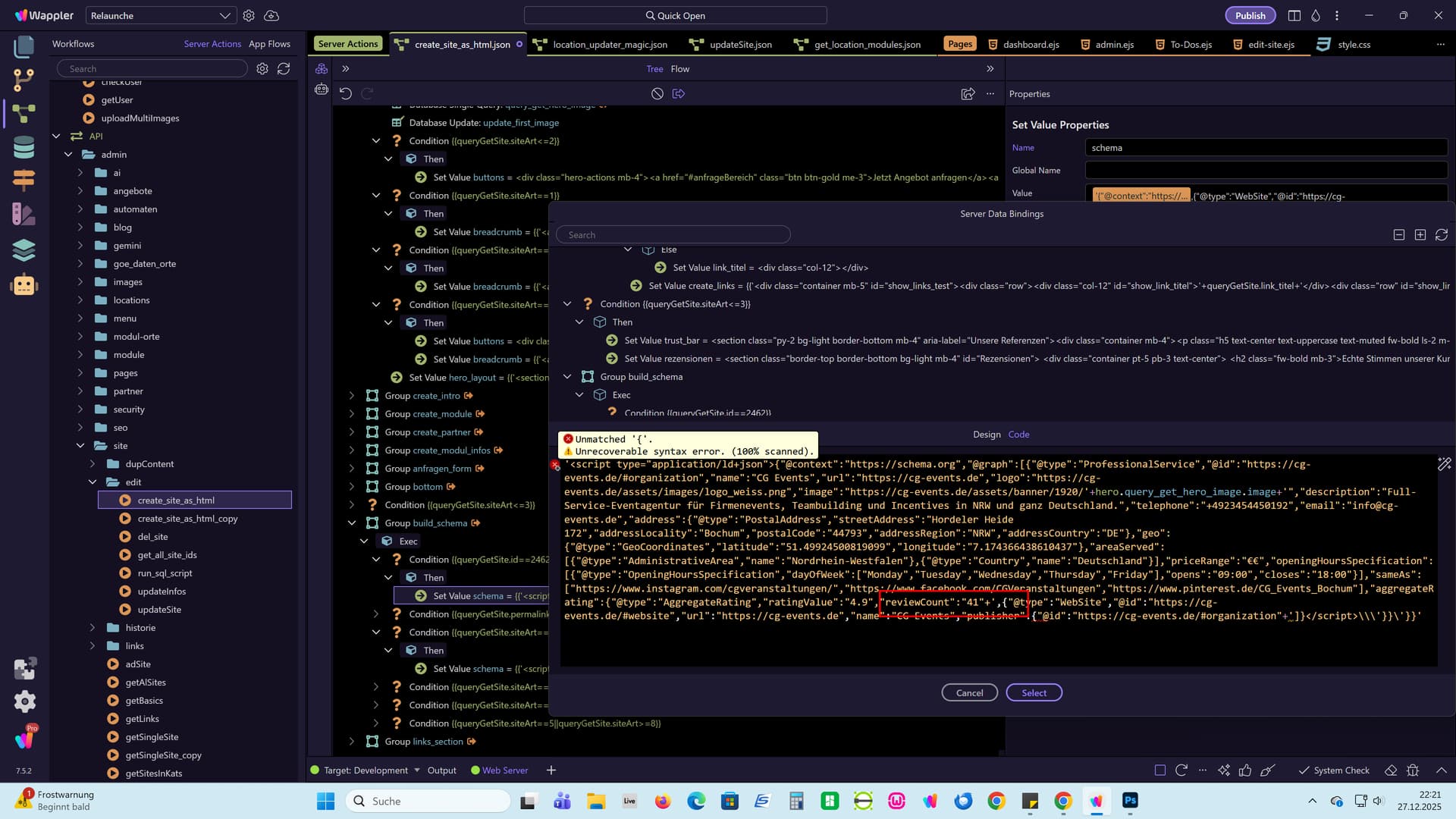
After saving the Server Action and reopening the "Set Value" step, the code is truncated/cut off exactly at the }} position.
-
Original Input:
'... "reviewCount": "41"}}' -
After Save:
'..."reviewCount":"41"+',{"
This results in a malformed string in the server action code (json), causing a Status 500 "Lexer Error: Unexpected token" on the frontend because the string is no longer properly closed. This prevents me from generating valid nested Schema markup server-side.
How to reproduce
-
Create a new Server Action (NodeJS).
-
Add a Set Value step (Name:
schemaTest). -
In the Value field, paste this simple string test case (make sure to include the single quotes):
'{"data": {"count": 41}}' -
Save the Server Action (Ctrl+S).
-
Click on another step or refresh the Server Action panel, then click on the
schemaTeststep again to view the code. -
Observation: The code has been corrupted/truncated. The closing
}}'is missing, breaking the syntax.
Workarounds tried: I tried escaping (\}), splitting strings ('}' + '}'), and different quoting styles, but the editor consistently corrupts the string upon saving/reopening.
Am I doing something wrong again?
Thanks for your help!!