Set Value step reformats the content of the text inside

Wappler Version : 7.5.2
Operating System : Windows 11
Server Model: NodeJS
Database Type: Postgres
Hosting Type: AWS

I need to be able to construct a sql statement from a bunch of different conditions. To accomplish this, I must be able to use a variable (let’s call it sqlStatement), concatenate SQL clauses in it, and then execute it by placing it in a custom sql query step as follows:

Given the type of application, sometimes the query ends up having 200-300 lines of SQL code and because of the way these queries are generated I just CANNOT put it in the body of the Database Custom Query step.

The approach I’m using works well from the perspective of the interaction with the database.

My problem is with the Set Value step.

Expected behavior

The expected behaviour is that if in this step I select a format like SQL, using the selector on the top right corner, and put SQL code in the body of the step
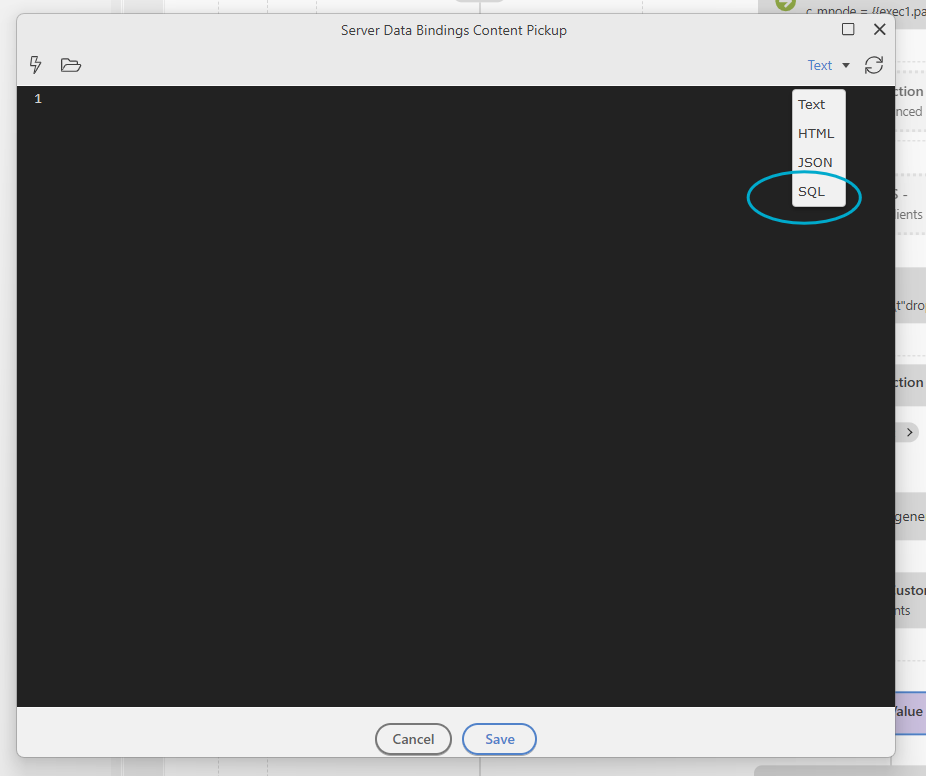
when I open the step it again, the text inside it would be formatted as the SQL code I typed, properly maintaining the indentations and the colour-coding of the keywords. For example, something like this:
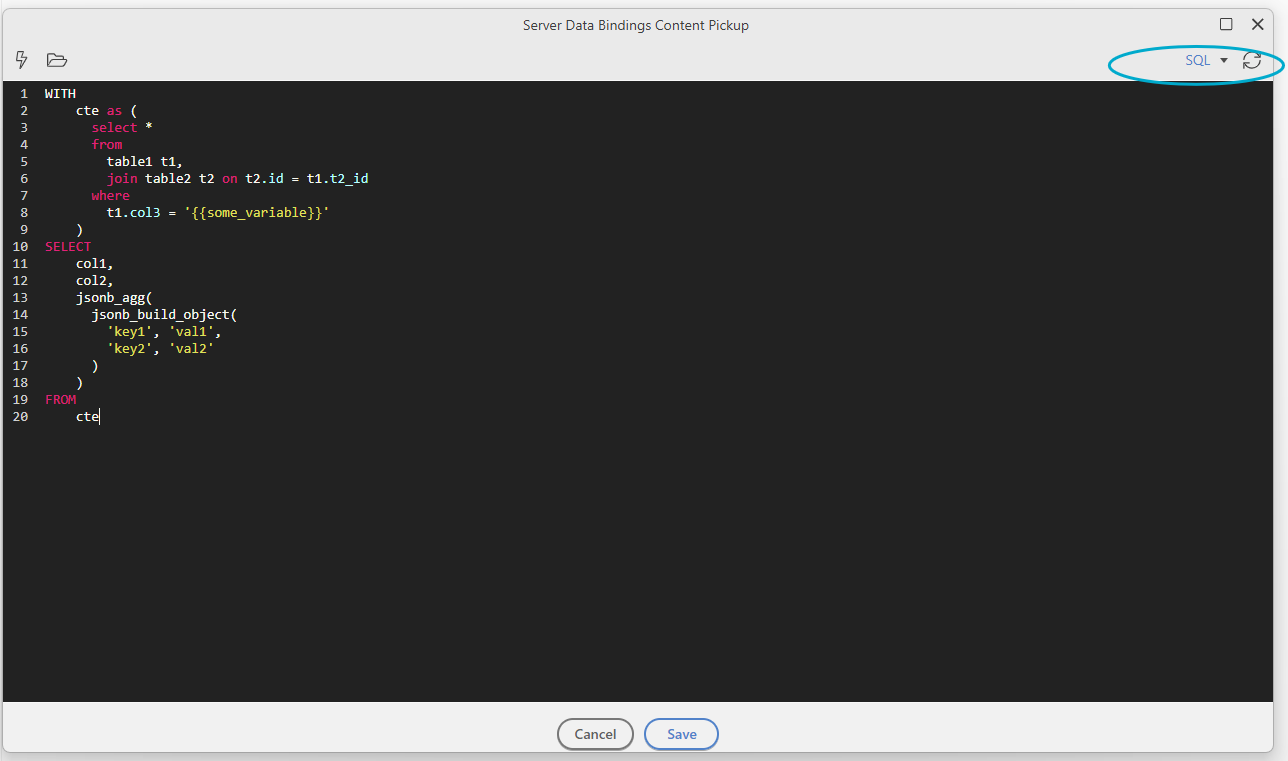
Actual behavior

When you open the step for editing it, however, my SQL code looks like this:
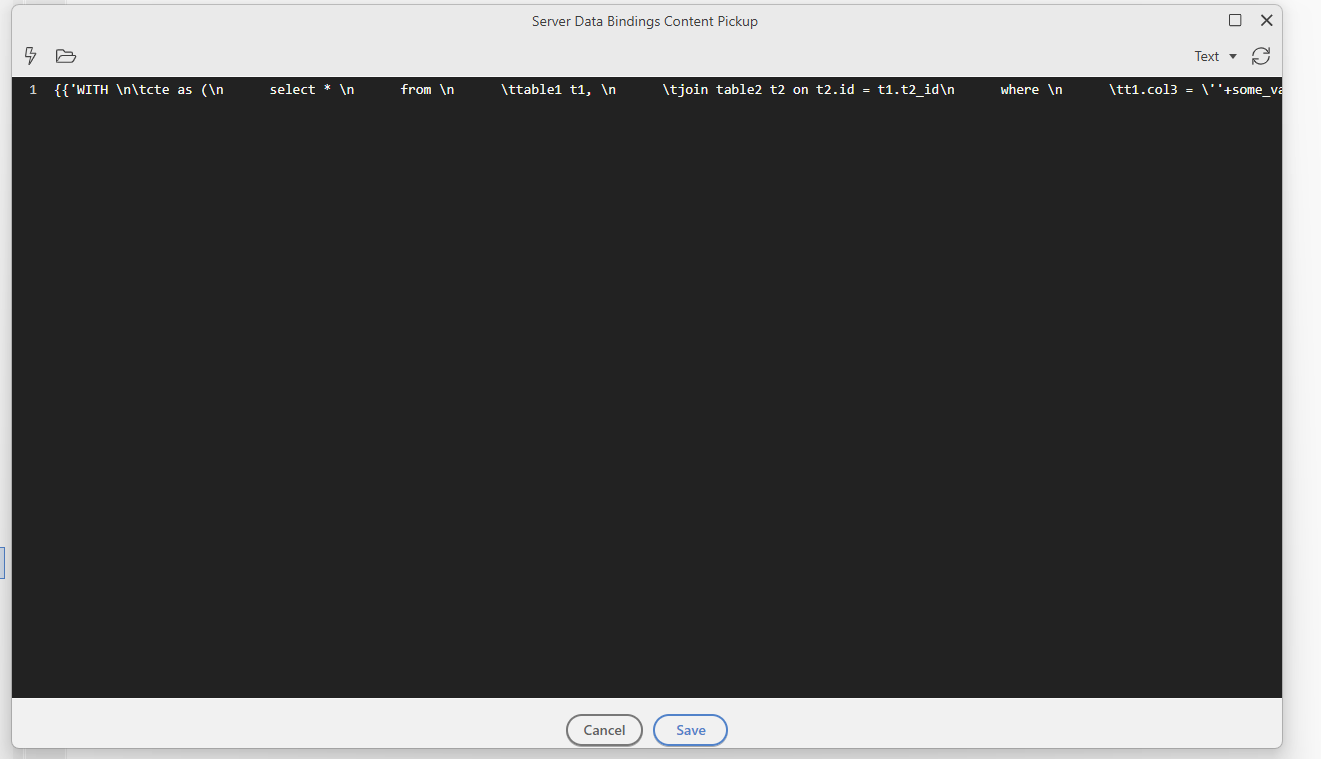
This step always had a problem, but 7.5.2 had made it way worse for me.

Prior to 7.5.2, the step “forgot” that the text was SQL and when I re-opened the step, its text came indented but not colour-coded.
If by accident I saved the step, the text would be formatted “weirdly”, as shown above. Note that the selector shows “Text” instead of SQL.

This was rather annoying but there WAS a workaround: I needed to select SQL in the dropdown and then save the step again. The next time I opened it, the selector would show Text but the code would be readable and indented, albeit with no colour-coding. This was bad but it was not the end of the world for me, because I had a workaround and as soon as I selected SQL, the code would become colour-coded again.

With 7.5.2, this bad situation became really worse, because the workaround no longer works. This is not only annoying. With queries with more than 3 lines, the code is totally unreadable.

How to reproduce

  1. Put a Set Value step
  2. Open it (with the “pencil” icon)
  3. Select SQL
  4. Put your SQL code with your desired white space
  5. Save the content
  6. Reopen the step to see your code shown as one long line.

One additional thought:

Would it be better if Wappler used the same editors for the front and the back end code, instead of using one editor for the Set Value step that is different from the one used when creating a page (the one that behaves like Microsoft’s VS-Code) ?

Hi @aschoijett, I don’t want to take anything away from your bug report, but have you considered moving this logic into a database view? It can give you a cleaner, safer, and far more maintainable setup.

With 200–300 lines of SQL, it’s usually a sign that the heavy lifting is better handled directly in Postgres rather than inside a Set Value step. Postgres handles views extremely well, especially materialized ones or those built on well‑indexed tables.

If you shift the core logic into a view, your Server Connect query becomes something much simpler, like:

SELECT * FROM my_view WHERE some_filter = :param

Hi Ben,

Thank you for your response.

Yes, we definitely considered DB views, but many of these sql statements cannot be adapted to them.

Merry Christmas and a plentiful and healthy 2026!

Alex

1 Like

This is a great use case for AI @aschoijett. Yeah yeah I know, damn AI hahaha, most of us have had enough of the AI thing, but can't deny its use when you focus upon a specific task. SQL is one thing just about all the models are superb at across the board. Have you tried prompting your schema and exactly what you want to do using AI? Really can be surprising the solutions it comes up with for incredibly complex queries. Has opened my eyes to a few new methods I had never considered, and always managed to optimise the query beautifully even for huge data set retrievals.

However this does not resolve your Bug Report of course...

Thx Cheese.

Many of my queries are built with a little help from my AI friends.

The success is mixed. Simpler queries, no problem. Actually, great results.

With more complex ones, not as good. Example:

Alex: Please optimize the query below for performance are readability. (Long and complex query with several CTEs follows )

AI: This is great Alex. I see that you can write long queries. Let me show you how we can make this query perform more efficiently and be easier to maintain. Here is a new query that will improve the performance by doing blah and it is also more readable. (A new query follows, with about 2/3 of the lines of the original one)

Alex: Great!

But…The result set produced by the “optimized” query was different from that of the original query!

And on closer inspection, a colleague noticed that the main contributor to the reduction was the removal of newlines.

So, I have to use the Ronald Reagan doctrine of “Trust and Verify”. Thoroughly.

Darn. I can’t check my brain at the door yet. :smiley:

Alex

1 Like

Just say no!

:face_with_open_eyes_and_hand_over_mouth:

I just noticed that the problem occurs when the text includes wappler variables (those represented as {{my_var}} and not when it does not.

For example, using a simple query like this:

SELECT
col1,
col2
FROM

works “OK” (which means that although after reopening the step it does not colour-code the statement, it keeps the whitespace)

If, however, I use variables in the text, like this:

SELECT
COALESCE(col1, ‘{{var_1}}’),
col2
FROM

then the problem shows in all its ugliness: the text is formatted as one line, whitespaces escaped, variables concatenated, etc. –and although this would be irrelevant at this point, the text is not colour-coded either.

I hope this helps the team isolate the problem and fix it.

Many thanks!

Alex

There is an associated issue here:

As soon as I open a step for inspection, and likely because wappler is changing its value on the fly, it thinks that the file is changed and shows the blue circle in the tab.
Hope this helps,

Alex

Encountered this bug a couple of days ago with JSON in set value, and ignored it thinking that it was probably my code or something.
But turns out, this is a serious bug in 7.5.2.

The pencil-editor option was working well, along with the code view of the bolt-editor.
But now both show broken text with line breaks \n and concatenated bindings.
I have to either manually rebuild the whole JSON (sql in above case) in Wappler, or manipulate it from code view.

Also, just clicking inside the text area input, messes up the well-formatted and saved value. And marks it as a change to be saved (blue-circle as Alex has noted above).

@Teodor / @George I know you guys are on a break - but please do look into this urgently when you guys start working again.

I believe my bug report is exactly what you mentioned.

1 Like

@George Any update on this? Are you guys back from winter break?

We are back and working hard on the upcoming update. I had a look at the problem and know the issue, but it will take some time to have a proper fix for this since it need some refactoring of some internal components within Wappler.

Thank you for the update. Hopefully this will be part of release next week, if not this weeks.

Hi @patrick
I see another update without any mention of this issue.
Any progress on this?

1 Like

I identified the problem and know what the issue is, but fixing it seems difficult and we are working on it. The problem is not specific to the setValue but is with the picker UI control, it converts expressions like Hello {{world}} to {{'Hello ' + world}}.

I noticed multiple problems, the one in this post is that the formatted SQL code was converted to a single expression and when you edit again it didn't convert it back again which makes it difficult to edit.

Other problems I notice is that the conversion sometimes is not correct, a simple example is a + b = {{a+b}} becomes {{'a + b = ' + a+b}}. I'm working on fixing this first since it actual corrupts some expressions.

2 Likes

Fixed in Wappler 7.6.2