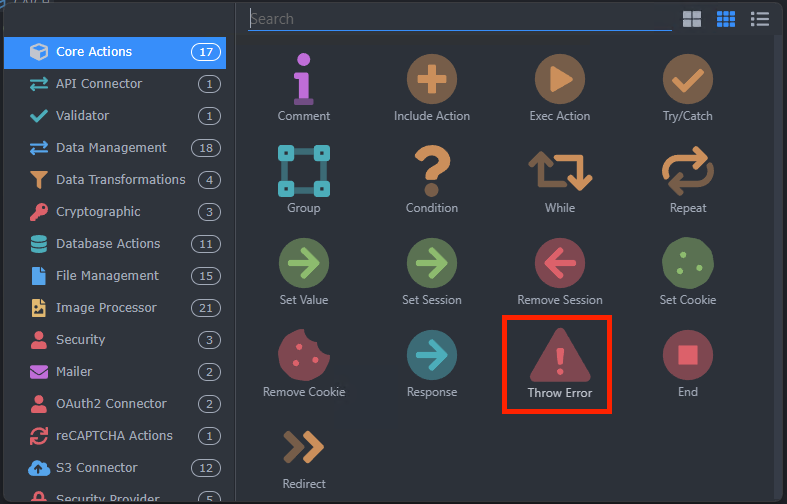
This feature request is for the creation of a Raise Exception (throw error) server step
It allows to intentionally trigger a Catch inside a Try/Catch statement
This feature request is for the creation of a Raise Exception (throw error) server step
It allows to intentionally trigger a Catch inside a Try/Catch statement
You could spin up a custom module easily, meanwhile. 
I know buddy, I know
I avoid creating modules because I don’t like doing the .hjson 
Kind of true. It is a bit of a hassle.
But worth it when you use the module gazillion times in various projects.
Asked Claude to make one for me.
Seems to work 
throw-error.hjson:
[
  {
    "type": "throw_error",
    "module": "throw-error",
    "action": "throwError",
    "groupTitle": "Error Handling",
    "groupIcon": "fas fa-lg fa-exclamation-triangle comp-exec",
    "title": "Throw Error",
    "icon": "fas fa-lg fa-exclamation-circle comp-exec",
    "properties": [
      {
        "group": "Error",
        "variables": [
          {
            "name": "actionName",
            "optionName": "name",
            "title": "Name",
            "baseName": "error",
            "type": "text",
            "required": true,
            "defaultValue": ""
          },
          {
            "name": "message",
            "optionName": "message",
            "title": "Error Message",
            "type": "text",
            "required": true,
            "defaultValue": "",
            "serverDataBindings": true,
            "help": "The error message to throw"
          }
        ]
      }
    ]
  }
]
throw-error.js:
// JavaScript Document

exports.throwError = async function (options) {
    options = options || {};
    const message = options.message || "Custom error thrown from the extension.";
    throw new Error(message);
};
I love the way a custom module can be so simple yet so effective. Nice one karh, looks good to me.
You going to npm it?
He doesn't have time, feel free to do it 
Will do
For info, it takes about 2 minutes, it is really simple but i will add it to npm repository for you and publish npm link here.
Will call it "wappler-raise-exception-throw-error"
(Custom extension (node) - Raise Exception (throw error) step by Karh/Apple)
Sorry, yes @Apple is right.
Wanted to see if I have time anyway and thus didn't reply yet.
@Hyperbytes Could you outline the steps to npm it for future reference? Thanks!
Hi Karh
It is all here.
just create your structure in a folder like this

open terminal
select your root directory, in this case
cd src10-throwerror\wappler-throw-error
Login to npm via
npm login
once logged in you can test with
npm publish ./ --access=public --dry-run
and upload with
npm publish ./ --access=public
dont forget the mandatory package.json file, example
{
    "name": "wappler-raise-exception-throw-error",
    "version": "1.0.3",
    "description": "Raise Exception (throw error) step",
    "license": "MIT",
    "author": {
        "name": "Karh / Apple - @karh"
    },
    "keywords": [
        "wappler-extension",
        "server-connect",
        "wappler-raise-exception-throw-error",
        "node"
    ],
    "dependencies": {}
}
changelog, licence and readme are optional
one small tip for package.json, the "name" must be a lower case or npm publish will throw an error