I have an action that modifies the value of a field in a record.
On the record list page, I have a column with a button that, when clicked, should first open a box with a confirmation/cancel request and, if successful, perform the update action.
What is the most correct solution with the current version of Wappler?
Use a page flow for this on the front end, its been designed for this type of scenario.
Thank You
But how do I use it?
I have a button in a table cell.
And now in the same cell I've inserted PageFlow.
But do I need to use the button or PageFlow?
Im remote from my office right now, I'll try and paste an example when I get back..
I tried using PageFlow, but apparently not correctly.
1-
First of all, the first question is where to upload PageFlow.
2-
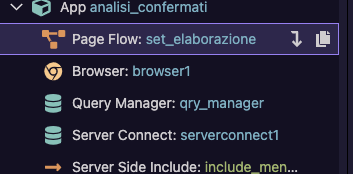
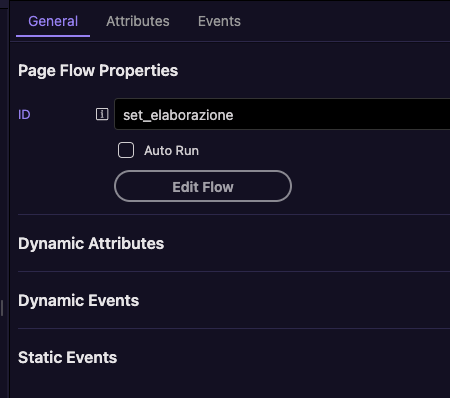
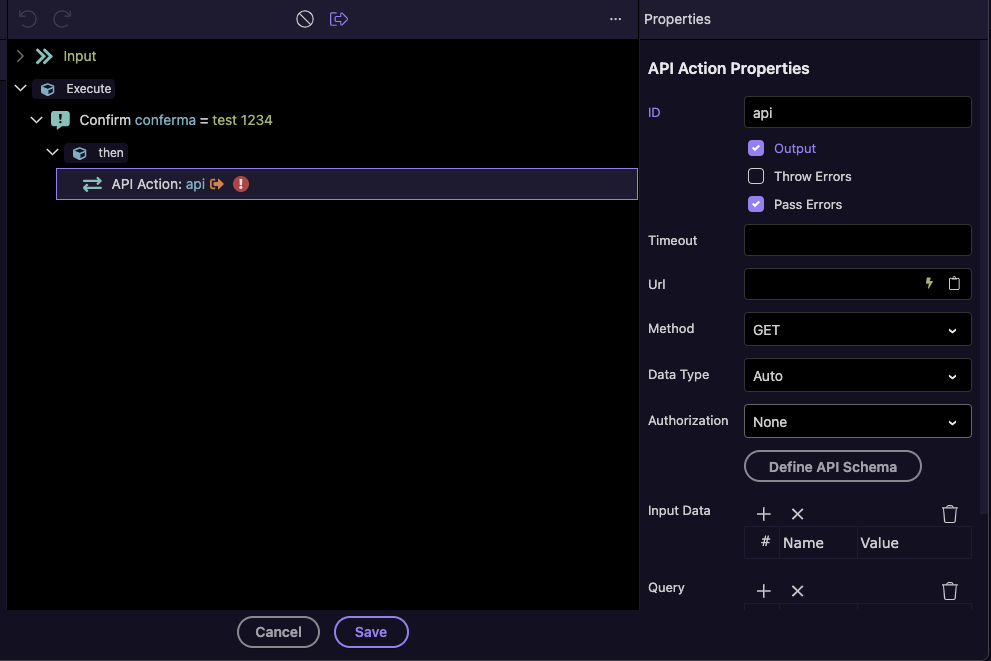
In any case, once uploaded, I can't configure it because it doesn't recognize the database.
3-
Then I have to use the button in the list record box to update the field after requesting confirmation.
Is there a tutorial?
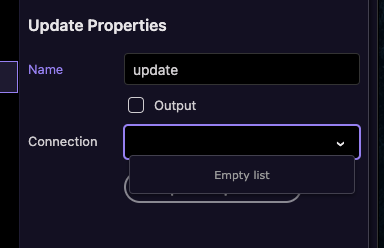
To do it with a page flow (your best option):
To so it with a simple confirmation (your fastest option):
OK, now I'll see if I can solve this problem.
However, my requirement is a little different, because the buttons for each record in the list don't need to directly delete the record, but only modify a field in the record (essentially, a status change from Confirmed to Canceled). A cron job then automatically starts, modifying other parameters in other database tables.
So the required procedure is:
- Ask for confirmation
- Update the field
- Refresh the page
Well it is the same no matter if you require update or delete. The logic remains the same, instead of delete action create an update action and call it.
Yes Teodor, in fact I have already performed the procedure using an update. Now I have to check if it works.
Everything seems fine, but it's not working.
I have to double-check the entire procedure to find the error.
One strange issue is that the Cancel button text still has a flashing vertical bar at the end.
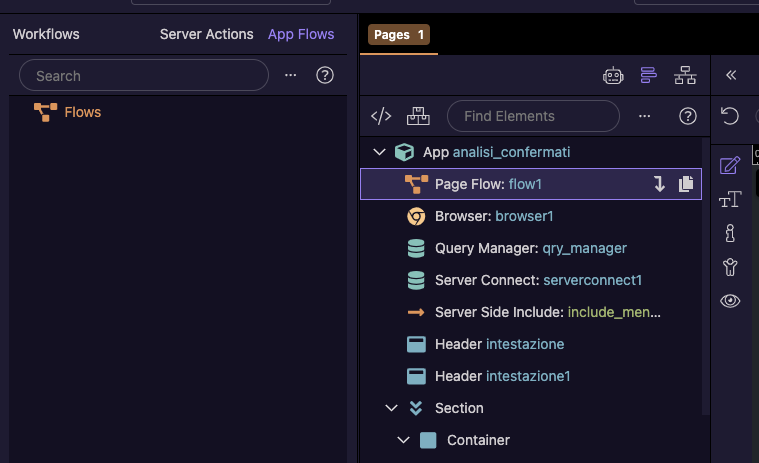
You need a page flow, created in the App Structure on the page and not an App Flow.
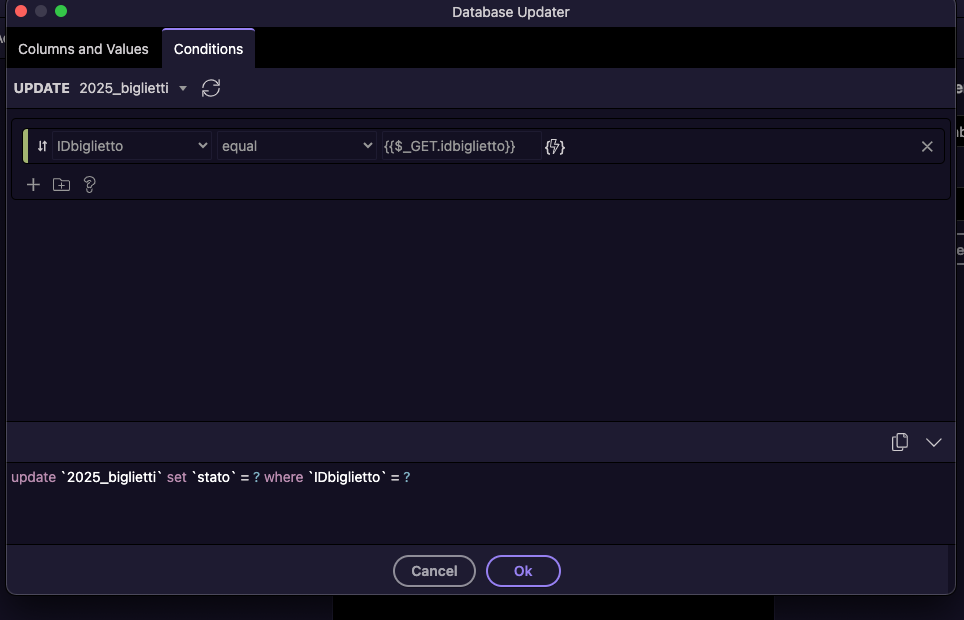
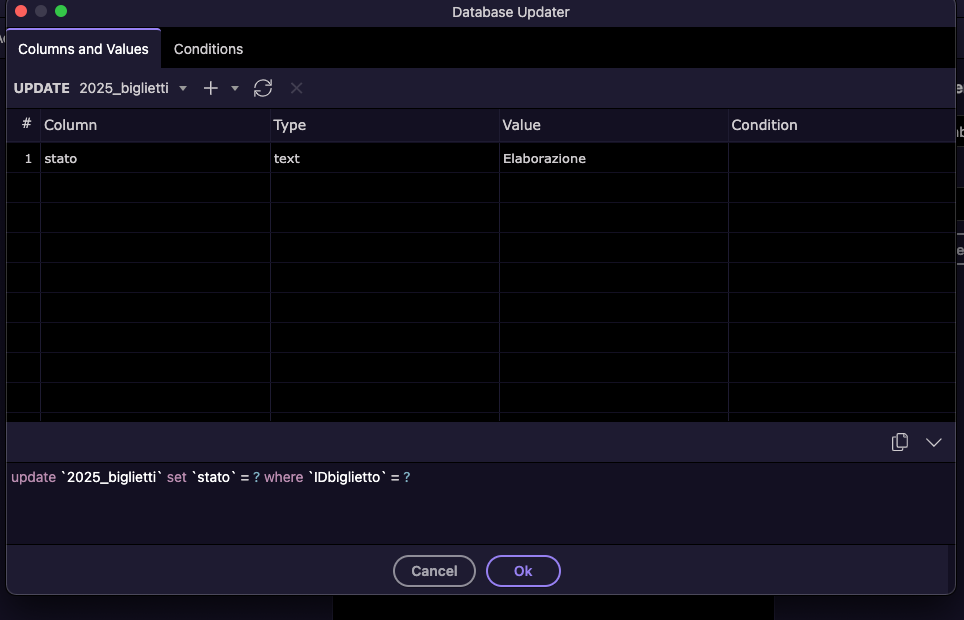
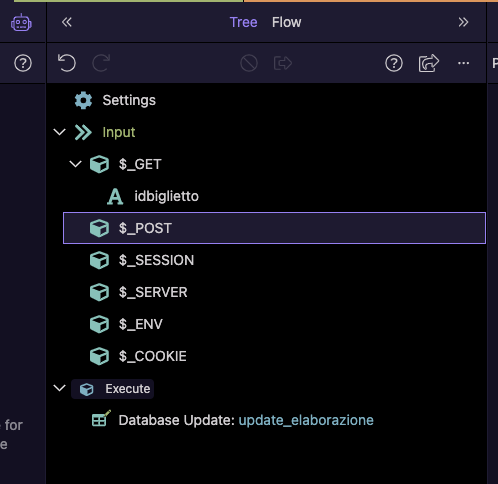
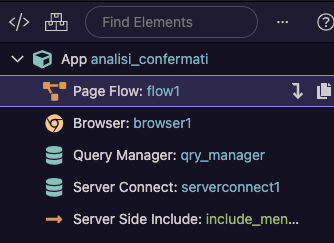

Seems to me this is overly complicated if I understand correctly. Why not just add a confirm checkbox to your update form that is required?
Everything looks correct. You need to pass the value to the IDbigletto parameter on button click. Server Connect step in your flow needs to be enabled also, on your screenshot it is disabled.
Teodor
I don't understand, it seems like the Server Connect connection is correct. Or maybe I need to enable the credentials?
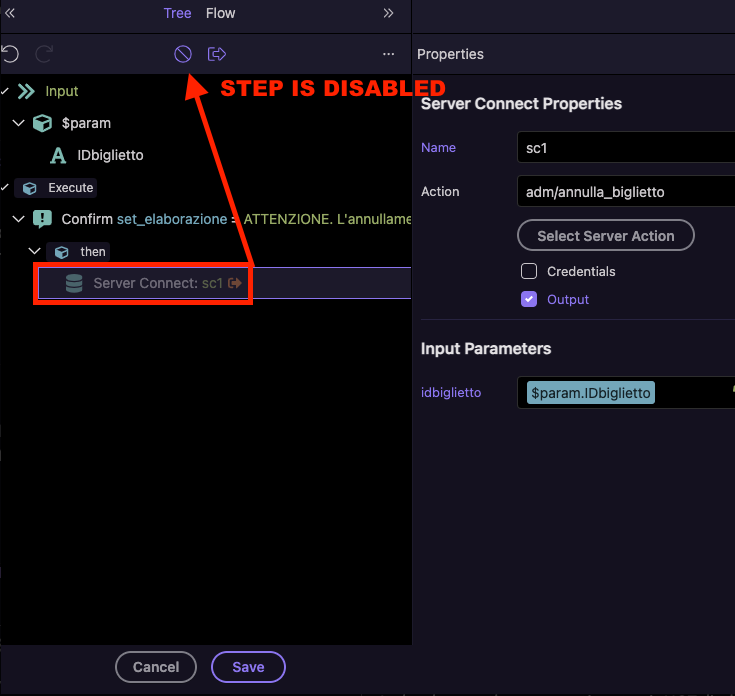
Ok, that was the problem, now the update works.
But it should restart the page to hide the updated record.
What do I need to do in this procedure to achieve this?
i don't understand what do you mean here, can you please explain a bit more detailed?