Wappler Version : 4.4.5
Operating System : W10
Server Model: NodeJS
Database Type: MySQL
Continuing the discussion from our earlier post: Argon2 Secure Login - 401 Error
Getting same error as before. Argon hash stored in the DB seems correct. But when entering the actual password, it fails with 401.
As suggested in previous post, I have re-created the lib folder. I have also installed/updated/cleaned packages. But no luck.
This time, entering the hash from DB in password field does not work either… so something else is breaking this time.
Please help.
Similar to as shown in the docs. Only difference is my server action for Signup has a couple more steps - irrelevant to Argon. Security restrict and login same as in doc.
I checked the logs as well, and there is no error being shown.
You are missing the point. The point here is that Wappler is failing to update the file when upgrading project from an older version of Wappler to newer.
I don’t see any changes with regards to the way Wappler updates its files in 4.5.0 & 4.5.1, given that I am on 4.4.5. So updating to latest version will not do anything.
Also, this change was actually done in 4.4.5 as you have pointed in my previous post: Argon2 Secure Login - 401 Error.
So Wappler should have updated the file when lib was deleted and re-created automatically since I am on 4.4.5.
If you chose to ignore it, nothing I can do about it. I have reported the issue that I have been able to reproduce reliably.

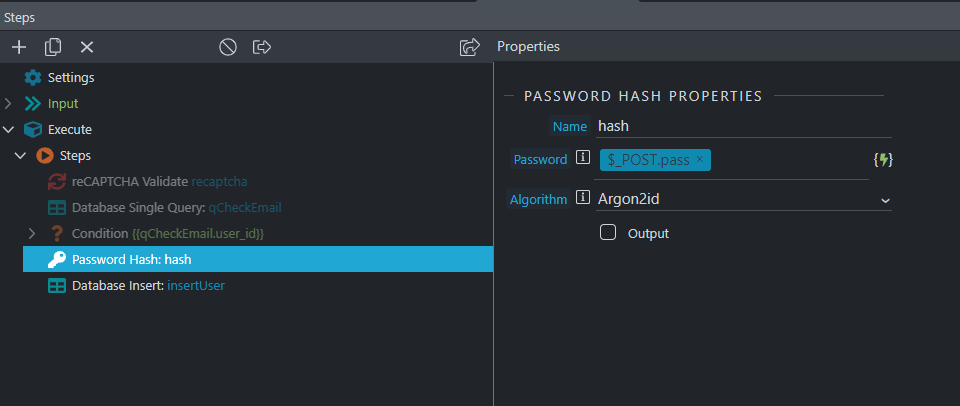

 !
!