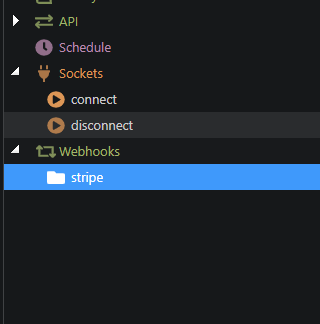
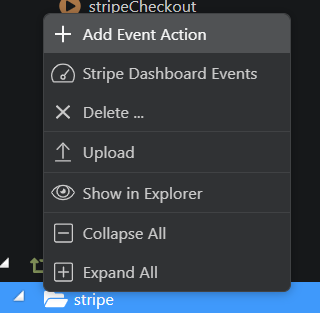
i am trying to add a stripe event webhook , the stripe folder is added ,but i am unable to add the event action i wanted to it … clicking the action doesn’t add anything to the folder.
i tried deleting the folder and its content as suggested by someone on the forum ,it doesn’t delete either… but if i refresh the whole serverconnect it disappears.
what can i do ?
Fred_K
August 29, 2021, 12:10pm
2
Do you right click on the Stripe folder to see that Add Event Action option?
Fred_K
August 29, 2021, 4:48pm
4
Maybe a bugged installation…?
I have v4.0.1,i will uninstall and install it to see if it helps
Fred_K
August 29, 2021, 4:51pm
6
Edit the title of your post to Unable to add/remove stripe event action to its folder so everyone understands the issue.
I uninstalled and installed… I still experience same issue…
I am using windows
Fred_K
August 29, 2021, 5:31pm
8
Are you able to capture a video of your screen trying to do it?
George
August 29, 2021, 5:53pm
10
Please restart Wappler with logging, reproduce the problem and attach the debug log. See:
Updated for Wappler Version 5.0 and higher
We have a built-in bug reporting in Wappler that auto post a topic in this forum together with the debug log.
Starting from version 1.1.0 the logging isn’t available per default, so you need to restart Wappler with logging.
You can do that by clicking on the Wappler’s tray icon (Windows right click) and then choose “Restart with Logging”
Then reproduce your problem and choose to submit a bug report from the Wappler menu File / Submit error report … o…
OS info
Operating System : Windows 10.0.18363
Wappler Version : 4.0.1
Problem description
Unable to add/remove stripe event action to its folder
Steps to reproduce
1.Go to server connect > webhook
report1630260322549.zip (74.3 KB)