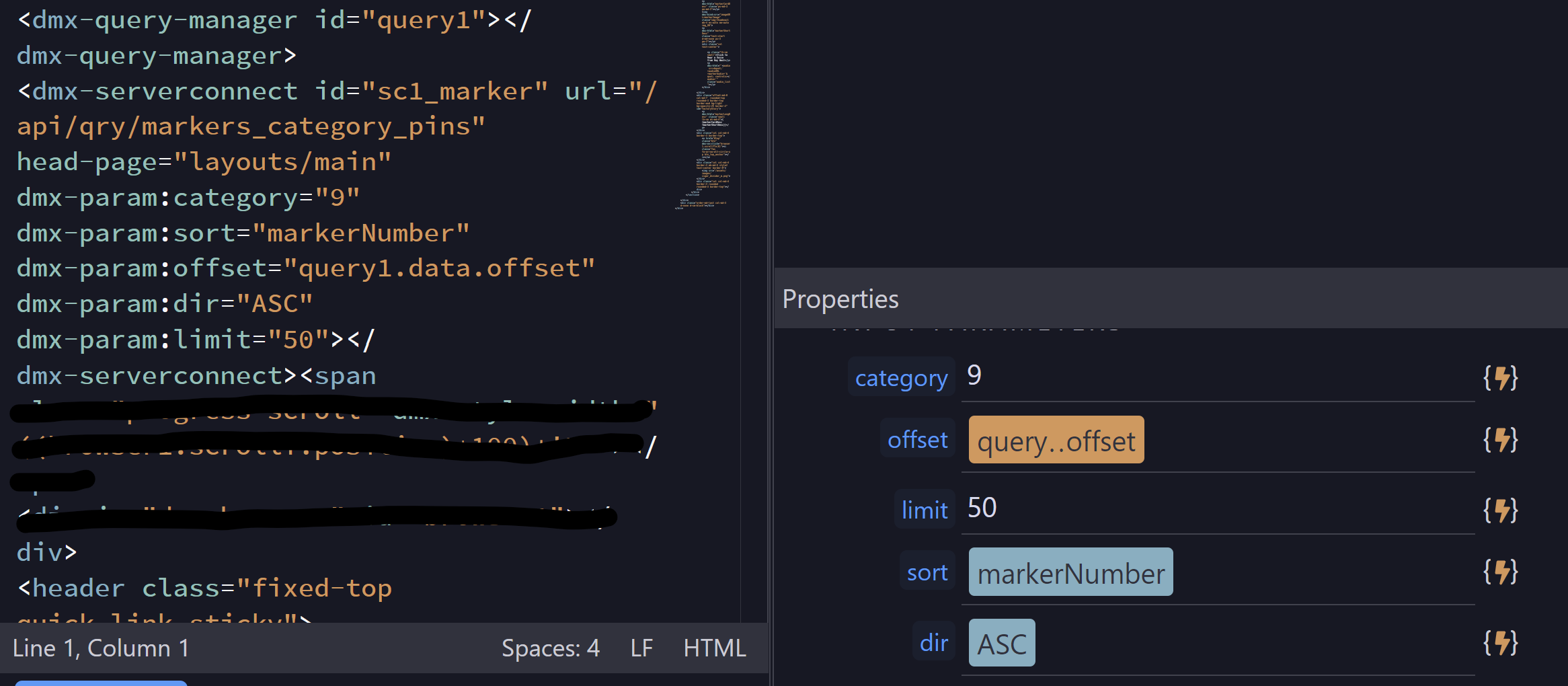
I trying to set the paged query $GET variables working from manual/static entries and not using a form input within the server connect properties on a page:
But it’s not what I need. I want to manually type the field name for sort and ASC for direction. It’s not working, the data is presented as it’s in the database without requested sorting.
If its a field, then the binding looks correct. You just need to ensure that this value is actually available. The pickers still have edge cases where it fails to show correct bindings.. although it is much improved.
Typing asc in the properties panel should work fine. No need to go into data picker for that.
Confirmation to doing something correct is appreciated
Looks like this is one of those edge cases. I’m tried various combinations and still no result. I’m fortunate the sorting application is limited to two fields so I just created a second API.
Workarounds - developer skillsets and applications