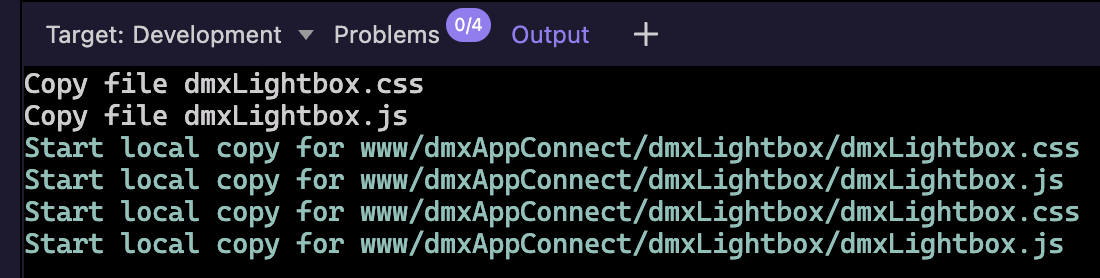
If I change a file and am working on a development target running locally (MAMP) where the files are just saved directly to the folder, when I select a file and click to upload it, this is what I get:
Can you explain how is your project set up as i don't understand how to recreate the issue.
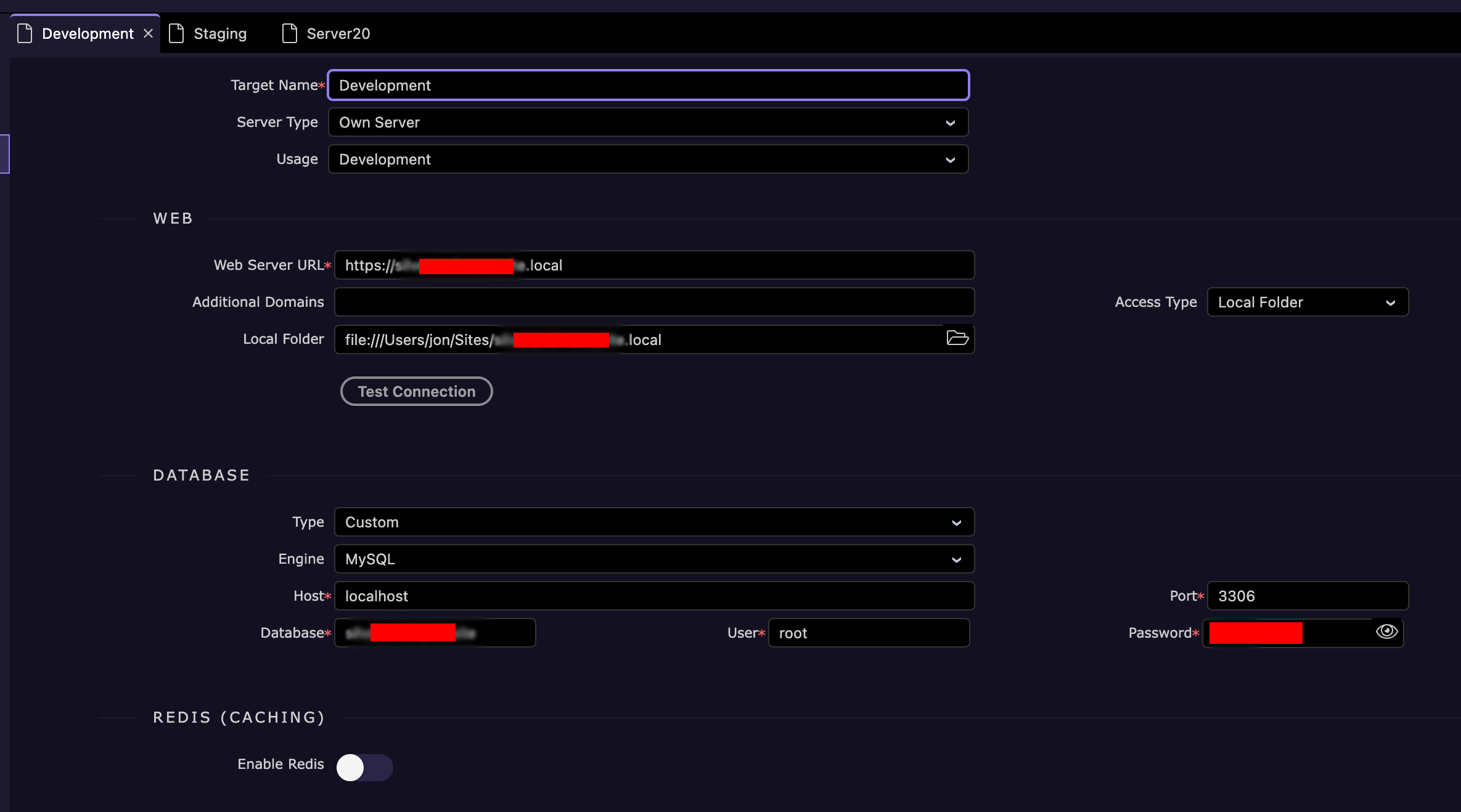
What type of project is this? What dev environment is it using - Wappler local server, Own Server?
How is your dev target setup?
How is your Wamp related? IS it another target different than the dev target?
Show some screenshots of your project and target setup please.
So i don't understand what do you upload to MAMP if you already work in that folder?
When you work in the MAMP folder there is no need to upload anything, as you are already saving the file there.
I save to my project folder and have the MAMP site as one of my targets. All my projects are within a folder called WapplerProjects. I then have MAMP running where all those sites are within a separate folder. I set one of my targets as Local Folder and point it to one of the MAMP sites.
In previous Wappler versions it has always worked fine. When I save a file it automatically copies it to the local folder target. This has stopped working in the last few versions of Wappler.
Aah, this is interesting. I have a www folder within the www folder of the MAMP site which contains all the site files, too.
I think this must be happening when I publish. However, it should also copy each individual file every time it is saved.
As I understand it, a development target should copy/upload each file as it is updated/saved/created. Staging and Production targets shouldn’t do this, instead they should be uploaded manually or published.
The www folder within the www folder isn’t copied to when I save. However, when I publish to Development it publishes to www/www (the www folder within the www folder).
I’ve looked in my target settings and there’s no mention of a www folder.
To clarify… as per original post. If I save a file it uploads/saves to the local folder correctly. If I right-click on a file and select ‘Upload’ it doesn’t save/copy it.
But this has also revealed another issue which should probably go into a new thread. When I publish to the Development target (local folder), everything is published to a www folder within the www folder.
So can you please remove the nested www folder in your MAMP site folder and try uploading a single file?
Does it then create the www folder with the file inside?