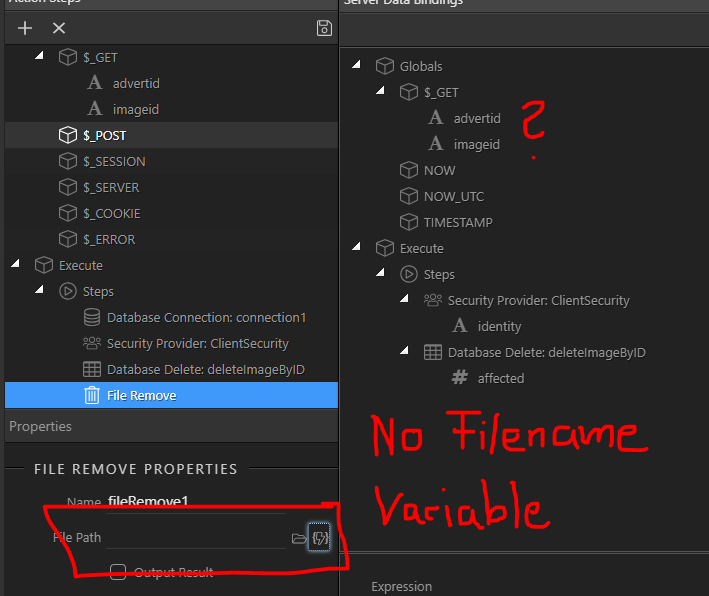
I have a Gallery List. There I got Imagename, ImageID. Below the Images I got a Button called “DELETE IMAGE”. Now that Delete Image calls a Server Delete Action. That works. But how to pass a variable like the Filename back to the ServerActions? So I can delete the Filename? Now I’m using ImageID to make a proper delete Statement in SQL.
Hi, first of all you need a server connect form with POST variables instead of how you are doing it currently with GET vars.
Using GET and onclick is not secure as using a form, and anybody can run the action and delete everything (as you said).
Okay changed the system now from _GET to _POST and putted the Delete Submit Button als the Post Delete Database Records
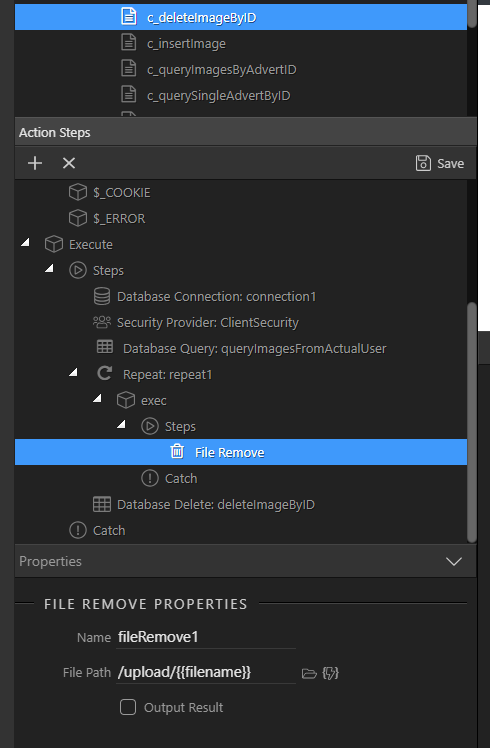
But I don’t get it with the delete file. I need to query my files from the User, then repeat query statement/loop action and then delete? hmm if you got a Screenshot or so, that would help alot…
Yes, exactly you need to query the files table. Just follow the steps i provided in my previous answer ...
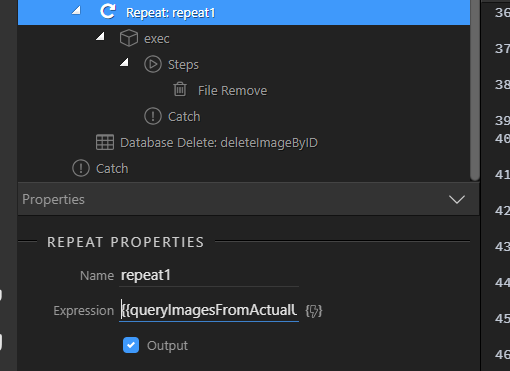
In Server Connect, whenever you want to access a property from a query in a step after it you need to use the repeat step. It does not matter if your query returns one or many records. And in your case you need the name/path saved in the query ... and you filter it by the id passed by the POST var.
It’s not a workaround
You need to get your path from somewhere - and your path is in the database. We don’t know which column is it stored in, is it a path or a name? You always need to query the table before any manipulation like this.
I use static Upload Path like “/upload” thats it. I dont get the query before the repeat. Do I need to filter that? I mean I want to get back the filename, as I have already/know the path… But in my Query before the Repeat I’m getting back all images from that user. Is that statement to delete all images from the user… ? Looks like…
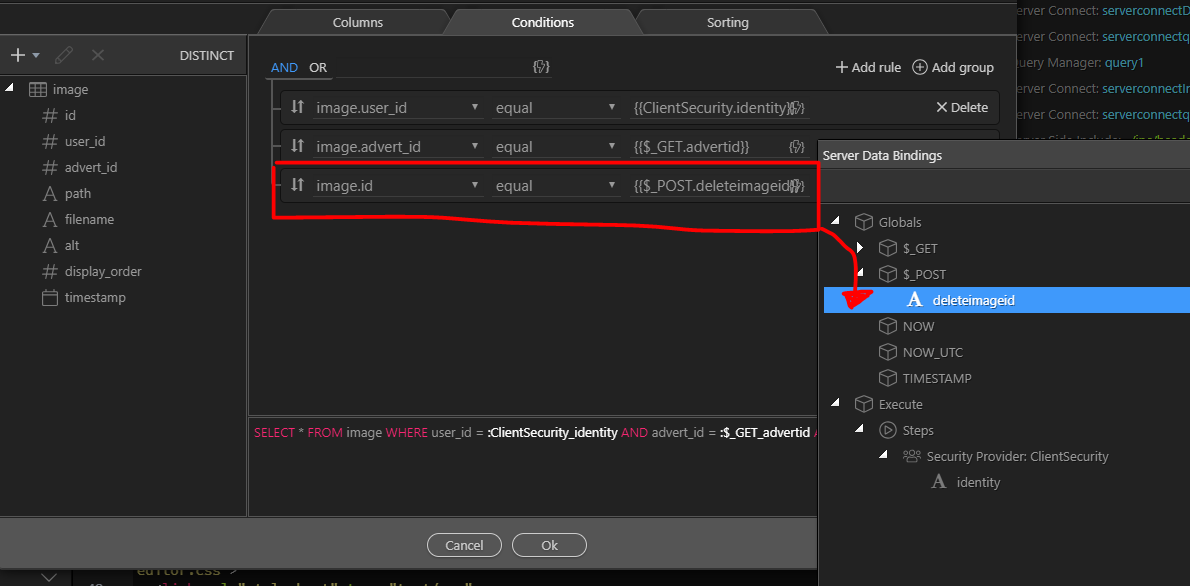
Freddy, you need a query which is filtered by the FILEID (or whatever your file identity column is called) so that it returns only the file you want to delete. It is the same FILEID you are using in the delete record step!
Then you repeat your query (which is already filtered) and in the repeat step you add the file remove with the path returned by the query…
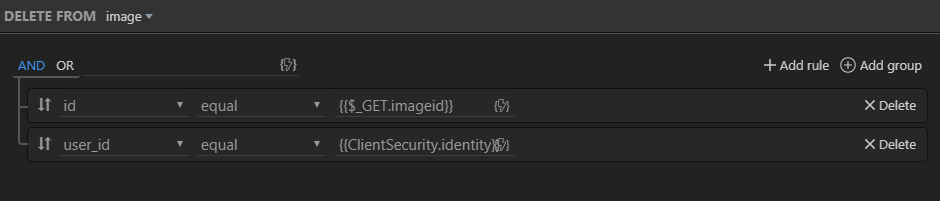
That also looks alot safer to me as a delete NEEDS to have:
logged user, advert id and image id.
Okay Update. I tried it now. Enabled all the Outputs, but not getting any errors. DB Delete statement works greatly, but Fileremoval gives me nothing back / debug infos. I try another way.
Nothing happens… maybe I have some shitty reload stuff on my DELETE button So I get no debug infos? I mean I could fix that If debug would show me some output…
So looks not so bad. But fileremoval isnt working. I saw smth strange, that after Upload of my files, the file had the same OLD date as the original one. For example 2016 etc …