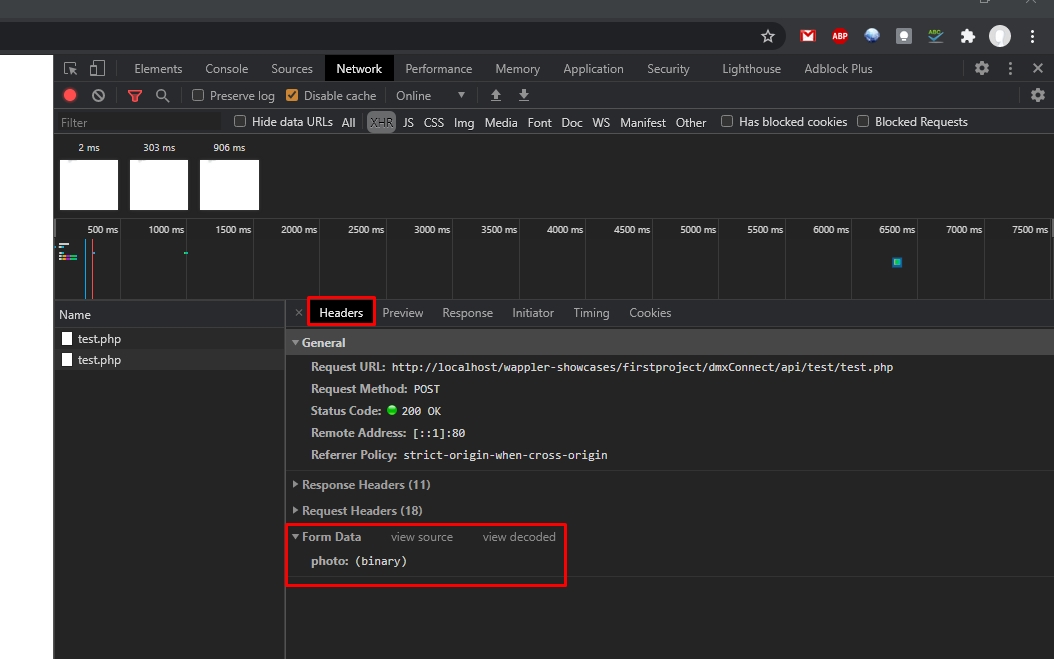
Hi all,
The default image disappears after uploading a new image.
The new image appears in the /assets/userphotos folder, but does not display on the webpage of course.
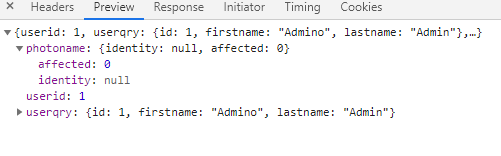
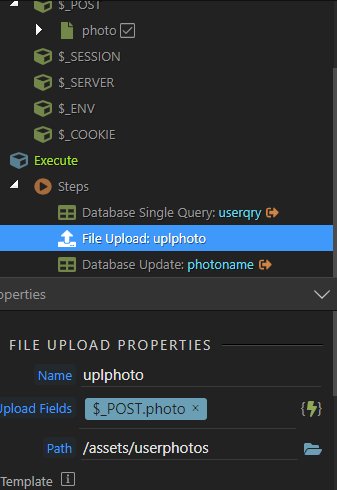
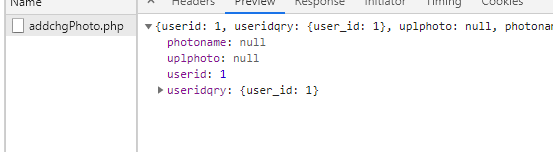
As per the dev tool, my DB update action ‘photoname’ has no identity.
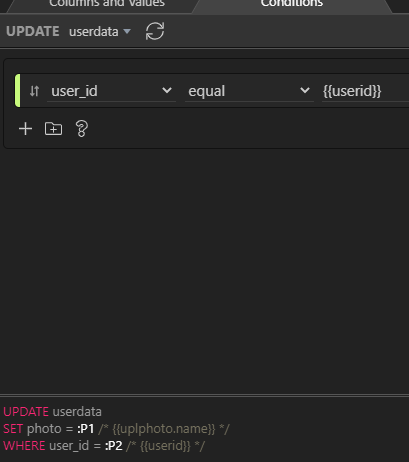
Yet I fetch the logged in ‘userid’ from the security identity:
Yes Ben I’ve made sure the same name is on both sides.
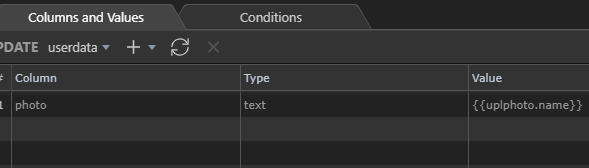
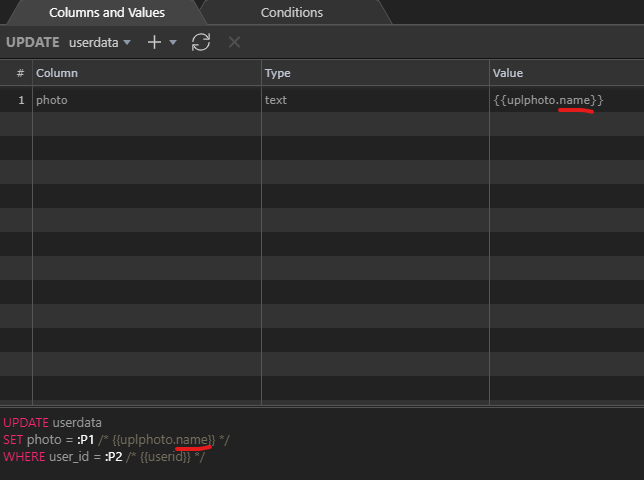
The problem happens when the DB update action tries to write the image name and its ext to the DB field.
Something in my syntax in the upload or dB update actions for image ID, name and extension feels wrong…
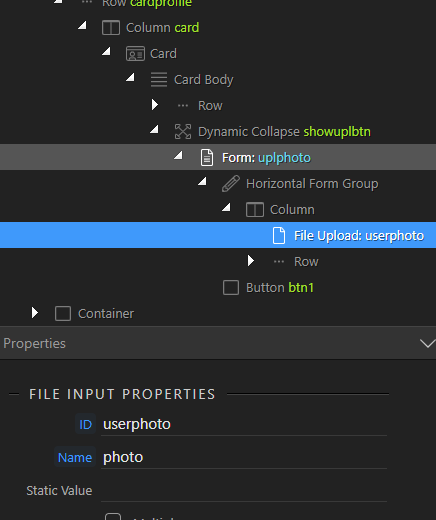
How are you displaying this image to your page looking at your file upload you use POST.photo have you tried editing this to the name value or path value returned by POST.photo
This POST var was auto generated when I did the input import from the form.
That POST var does contain 4 “sub” vars including name, type, etc…
Hope that answers your question.
No I did not because none of the doc or video tutorials showed that. They all instructed to use the “main” POST photo var.
But that’s a good question and I will test it tomorrow and revert. (1am here now)
Does anyone know how to create the template for renaming the image file too? Say I want it to be {userID}-{GUUID}.{ext}. What’s the exact syntax?
Thanks for this Ben,
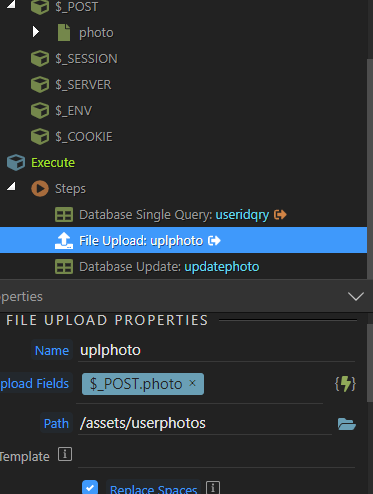
How do you get a working id in your POST var? I imported this POST input from the form in the app structure.
Anyway I tried different writings but still get nothing but “pic” written in my DB field.
@Sorry_Duh This is where something is wrong, the DB update does not return the photo name after the upload (I did pick the sub var ‘name’ for my global fields).
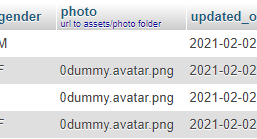
Upload to correct folder works, but DB update won’t write the image name in the photo field yet I’ve followed the tutorials strictly (the update does overwrite the field: removes the default avatar and leaves the field blank).
Sorry i lost the track reading your posts in the topic.
What is the exact issue here with the update record? Is it that the value that should be stored in the database is not stored?
EDIT: I think i see the issue. You should be using the upload step > name, not the $_POST > name … it is the upload step returning the uploaded file name!
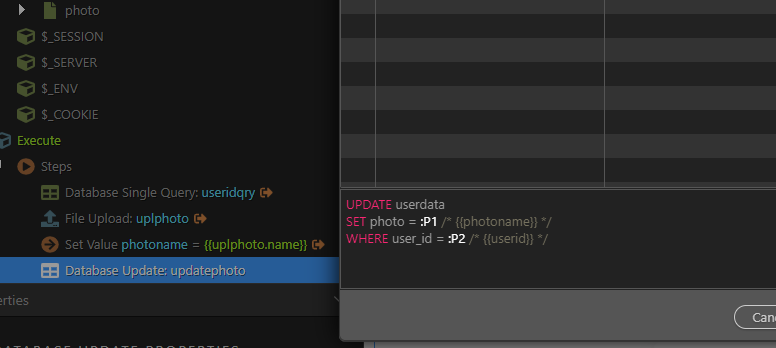
So what if you create a set value step, enable output for it and use the {{uplphoto.name}} as a value for it? Do you see the value there, when you run the upload (under Network > XHR > Response) in the browser dev tools?
Yeah I did see this trick in one of Brian’s old tutorials but i get NULL so I thought it was not necessary anymore with the newer versions. In his tutorial Ken does not use Set Value so I’m really confused.
I asked you to add the setvalue step just to check if a value is returned by the upload step or not … It’s not necessary for the process of updating record.



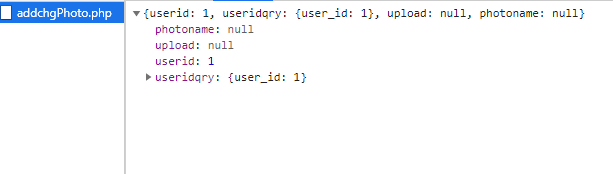
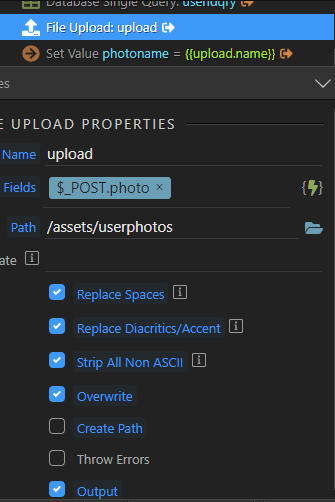
 Please let me check the issue.