Yes essentially its just creating a new web project regardless if you have chosen mobile or not.. nothing for mobile is loading
Aren't you simply creating a new project by opening the projects dialog from within Wappler window and clicking the New Project button?
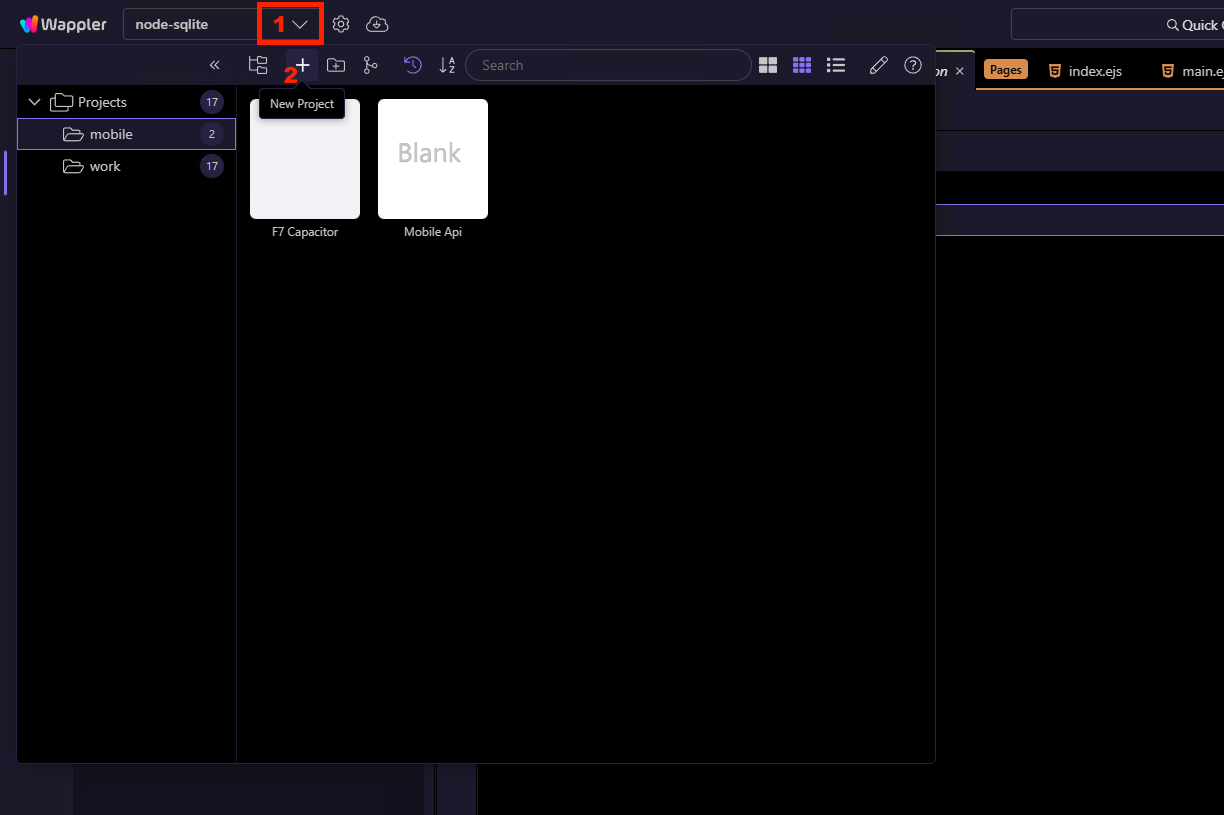
For me it happens by creating a new project from within Wappler or using the Mac OS Wappler icon (top right hand corner in Mac bar) where you click it and can either swap between projects or create a new project from there. I think @franse is referring to the Mac OS bar Wappler dropdown
So what's inside the project.json file after you create a mobile project the way shown in my screenshot? Enable hidden files in file manager and you can find the file in the .wappler folder:

This is what the project file looks like when I choose capacitor and bootstrap
{
"projectName": "Blank Mobile Project",
"designFramework": "bootstrap5",
"useRouting": true,
"routingHandler": "appConnect",
"routingFile": "/js/routes.js",
"styleFile": "/css/style.css",
"assetsFolder": "/assets",
"frameworks": \[
{
"name": "appConnect",
"type": "local"
},
{
"name": "cordova",
"type": "local"
},
{
"name": "bootstrap5",
"type": "local"
}
\]
}
But aren't you selecting Capacitor as a runtime, when creating the project? Cordoba is old and deprecated.
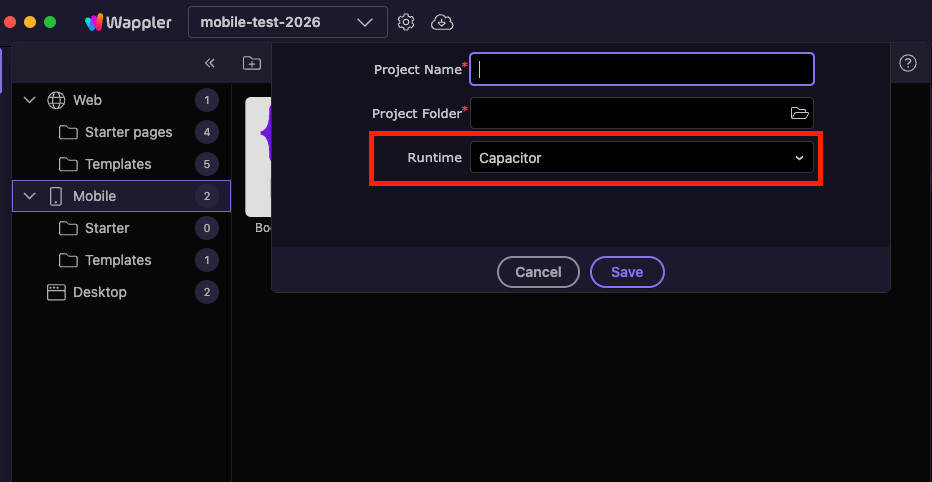
This is how the project.json normally looks for such a project:
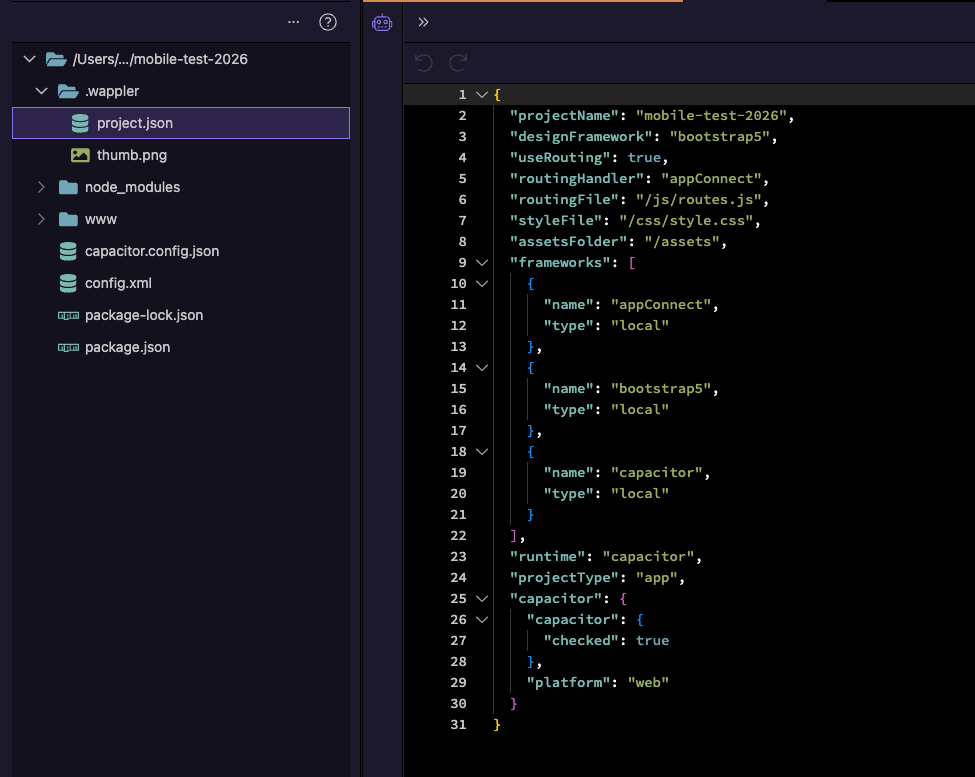
Yes I am, that’s the issue. It ignores the options that I pick being capacitor .. and by the way even if you do choose Cordova still does the same thing
Yes mine does not generate that. I am using the latest version of Wappler now as well. That’s why I wasn’t sure if it’s a Wappler bug or something is in my Wappler application support files that is causing it to generate the wrong project file each time. But now since @franse has experienced it I think it’s a Wappler and Mac OS bug
Have you tried reinstalling Wappler from scratch then, probably something is corrupted in your Wappler install?
you two are reporting two totally different issues.
Yes I renamed the Wappler application support folder and reinstalled Wappler again and problem still remained.. also did it on another MacBook so the chances are slim that both MacBooks have corrupt Wappler folders
Please reinstall Wappler from scratch as explained here:
Just did that now (kept Configuration folder and just deleted the rest) reinstalled new version, problem still remains.. still creates the same project
{
  "projectName": "Blank Mobile Project",
  "designFramework": "bootstrap5",
  "useRouting": true,
  "routingHandler": "appConnect",
  "routingFile": "/js/routes.js",
  "styleFile": "/css/style.css",
  "assetsFolder": "/assets",
  "frameworks": [
    {
      "name": "appConnect",
      "type": "local"
    },
    {
      "name": "cordova",
      "type": "local"
    },
    {
      "name": "bootstrap5",
      "type": "local"
    }
  ]
}
Please restart Wappler in debug mode, create a new mobile project, and then browse to the debug log file and attach it to this topic: