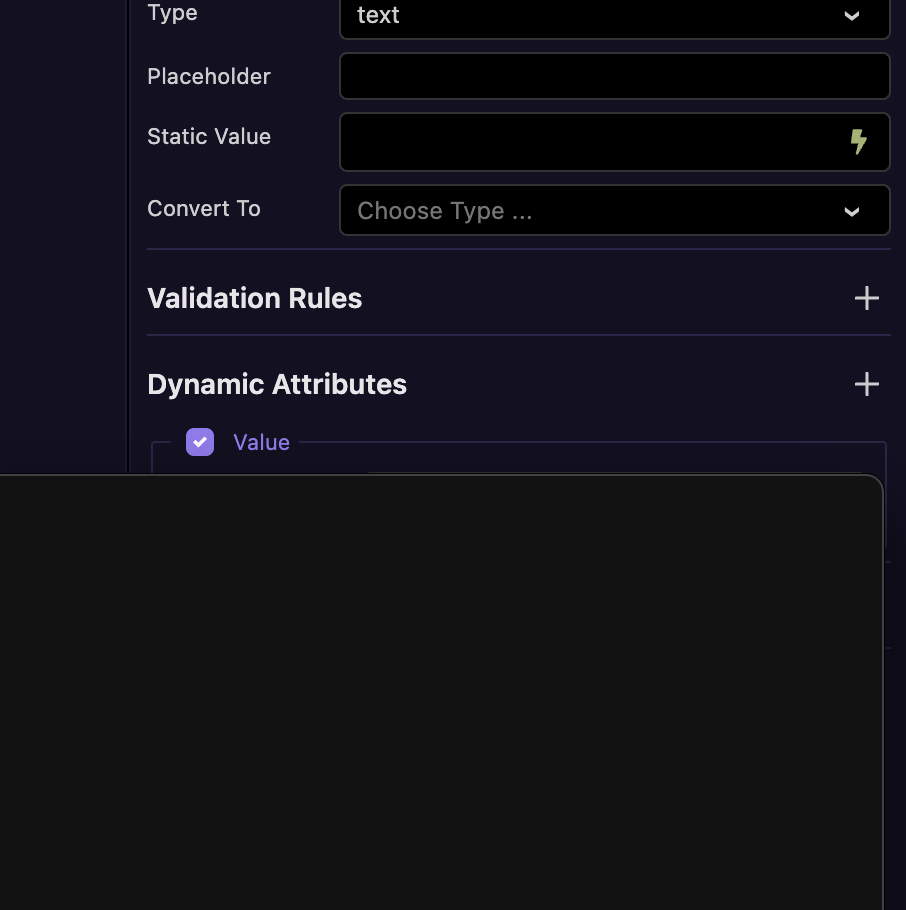
This has been happening for most of my time working in the betas and I keep thinking it's just a temporary blip, restart and try again and often it's OK again. However, it's happening quite a bit now and I've just hit a scenario which I can't get out of without quitting and starting up again.
When working on a page, if I click on the lightning icon, the first time nothing happens. The second time I get a black window appear with absolutely nothing in it. Then, if I click outside of it it disappears and then I click the lightning a third time I get the window appear correctly.
However, this time I get the black empty window but can't get rid of it. If I click and drag the top portion (where an imaginary top bar might be) I can drag it around the screen but there's no way to do anything else.
I've been meaning to pop about this many times but I'm always buried in work and manage to crack on with it but not this time (without restarting, which I'm now about to do).
I generally have 2 or 3 projects open at once so I don't know whether that's part of the issue. I will reduce to one and see how that affects it.
I think this is also related in that I often have a scenario where clicking on the lightning doesn't do anything at all. A restart is the only option.
I've managed to replicate it and it does seem to be when having more than one project open. A single project works fine but once I open a second one, the lightning icon just opens a blank black window and I can't close it. If I close that project so I'm back to the original project, the lightning icon doesn't do anything so I have to quit completely.