Wappler Version : 7.7.7
Operating System :win 11
Server Model: node
Database Type: MariaDB
Hosting Type: custom
Expected behavior
What do you think should happen?
database querys should look in selected development target
Actual behavior
What actually happens?
Wappler is looking at production target
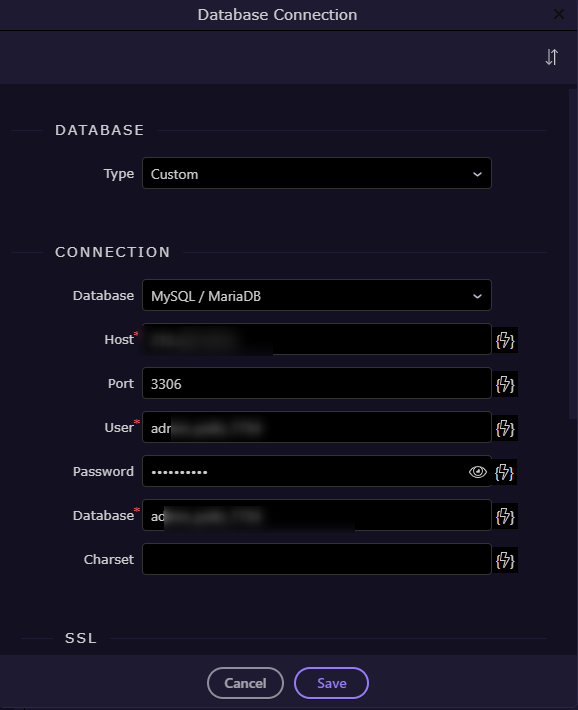
i have a database connection to a local database

and a production database
i create a database table on development, i will call it petition
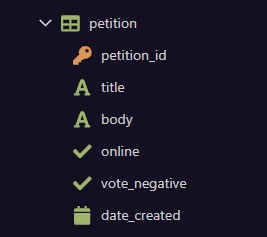
i can open and add/ remove data via the databse manager and also see it in HeidiSQL so i know all is well.
I then use the table in a database query on development (i have not as yet committed the take to production)
I see the following error
{
"status": "500",
"code": "ER_NO_SUCH_TABLE",
"message": "select * from petition order by date_created DESC - Table 'admin_polls_7734.petition' doesn't exist",
"stack": "Error: select * from petition order by date_created DESC - Table 'admin_polls_7734.petition' doesn't exist\n at Packet.asError (C:\webs\polls2\node_modules\mysql2\lib\packets\packet.js:788:17)\n at Query.execute (C:\webs\polls2\node_modules\mysql2\lib\commands\command.js:29:26)\n at Connection.handlePacket (C:\webs\polls2\node_modules\mysql2\lib\base\connection.js:552:34)\n at PacketParser.onPacket (C:\webs\polls2\node_modules\mysql2\lib\base\connection.js:102:12)\n at PacketParser.executeStart (C:\webs\polls2\node_modules\mysql2\lib\packet_parser.js:75:16)\n at Socket. (C:\webs\polls2\node_modules\mysql2\lib\base\connection.js:109:25)\n at Socket.emit (node:events:518:28)\n at addChunk (node:internal/streams/readable:561:12)\n at readableAddChunkPushByteMode (node:internal/streams/readable:512:3)\n at Readable.push (node:internal/streams/readable:392:5)"
}
after much head scratching and table recreating i decided to commit the tabkle to production
The query then worked!
However, even though i am running on local development target i get production data
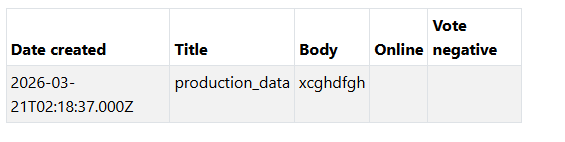
both target settings are definitely correct and database manager accessed the correct data.
I have checked .json config files which look correct.
have added the amended file.js circulated by you with no improvement