Invalid path on photo upload

I have a page that has worked fine in the past but now it is giving me an invalid path message?

{“code”:0,“file”:“C:\inetpub\wwwroot\eichphp\dmxConnectLib\lib\core\Path.php”,“line”:51,“message”:“Invalid Path! “,“trace”:”#0 C:\inetpub\wwwroot\eichphp\dmxConnectLib\modules\image.php(32): lib\core\Path::toSystemPath(NULL)\n#1 C:\inetpub\wwwroot\eichphp\dmxConnectLib\lib\App.php(195): modules\image->load(Object(stdClass), ‘EmpPix’)\n#2 C:\inetpub\wwwroot\eichphp\dmxConnectLib\lib\App.php(159): lib\App->execSteps(Object(stdClass))\n#3 C:\inetpub\wwwroot\eichphp\dmxConnectLib\lib\App.php(127): lib\App->execSteps(Array)\n#4 C:\inetpub\wwwroot\eichphp\dmxConnectLib\lib\App.php(116): lib\App->exec(Object(stdClass), false)\n#5 C:\inetpub\wwwroot\eichphp\dmxConnectLib\lib\App.php(94): lib\App->exec(Object(stdClass))\n#6 C:\inetpub\wwwroot\eichphp\dmxConnect\api\People\EmployeePhotoUpdate.php(8): lib\App->define(Object(stdClass))\n#7 {main}”}

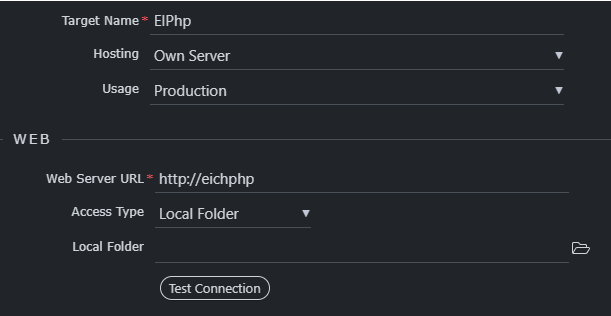
In this version i can pick the path on the local target but it only tests successful if there is nothing there?

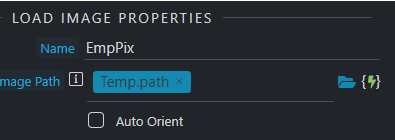
The error message Invalid Path says that in some of the steps where you are using file path (probably the load image step) the path is null/wrong.

If I may add to this. We were going to submit a bug report but had a few days off. We were getting wrong path a lot recently yet were doing the same as we always did, even copied step for step from working Actions just to be sure were not being idiots. Switched the upload step to a repeat and all works fine. Not sure if it is a bug but we tried again and again with the single upload and repeatedly got the wrong path error.… Only since 4.0.1.

Dave if your upload works with a repeat only, then your input is set as ‘multi’, not single - either on the page or under $_POST or in both places. Please keep different issues in separate topics.

Love it when you spank me in public! Will go back and check and if not multi will submit the bug.

1 Like

the path is correct and has not changed. Hen i click the folder icon I’m getting the folder I expect.

Nothing has changed in the configuration

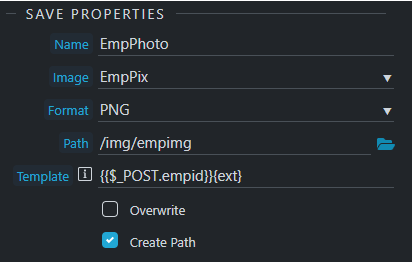
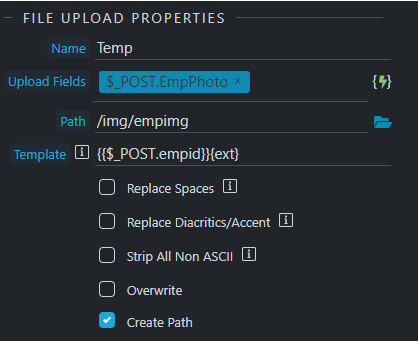
Please provide screenshots where we can see your steps and what is selected as expressions for upload, load image, what is your file POST variable and related steps.

image

image

image

image

this connection tests fine

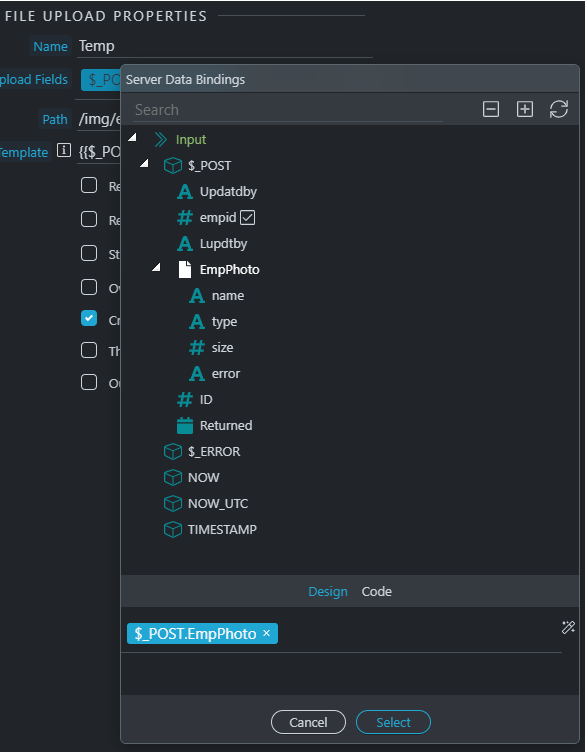
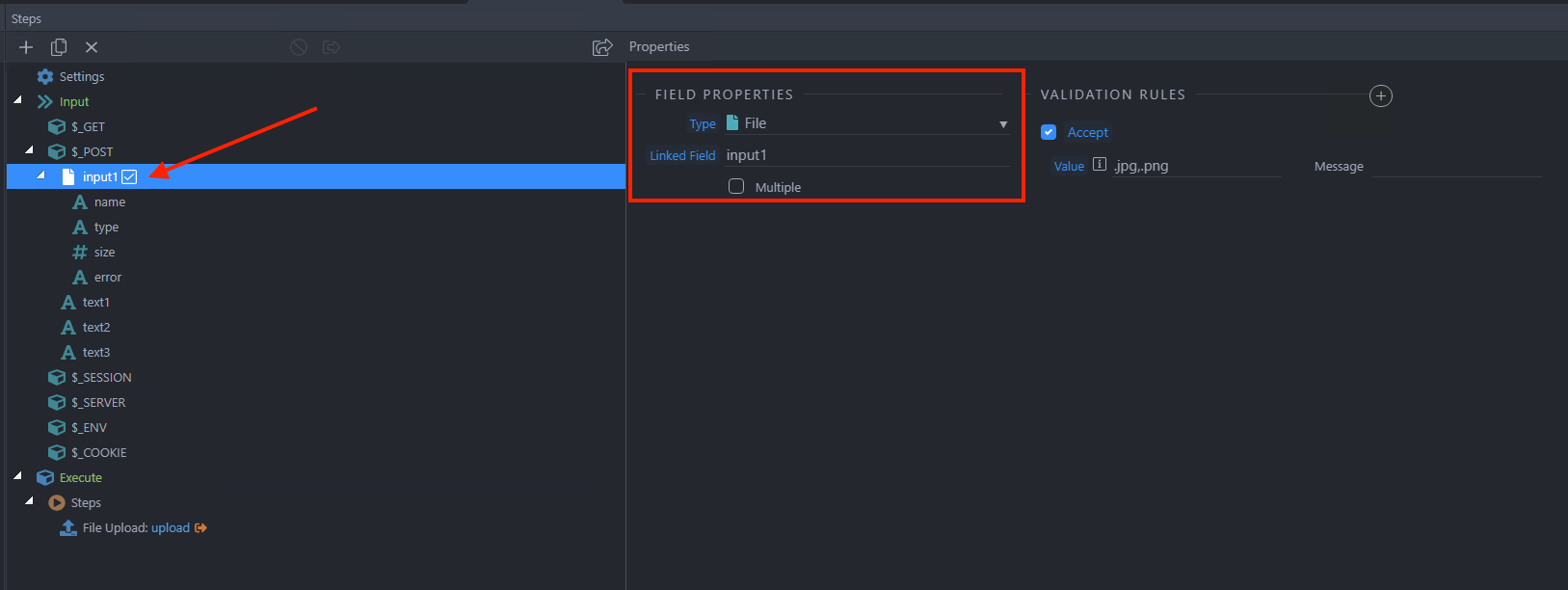
How is the $_POST.EmpPhoto input defined under Globals?
Are you 100% sure POST.empid returns a value?
Is the image actually uploaded on the server?

not sure if this is what you’re looking for, let me verify empid and image

image did not upload

empid all seems fine

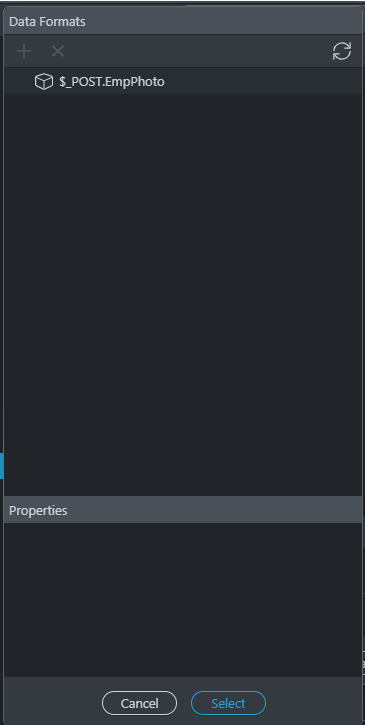
In your server action expand the POST vars and just select the file input EmpPhoto so i can see its properties.

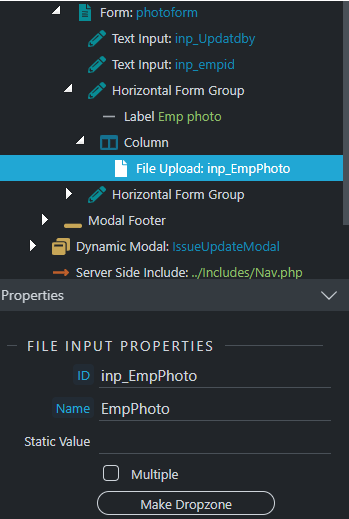
If the image is not uploaded then something is wrong with the input probably. Maybe check if the file input name on the page is having the same name as the post variable ...

I really like the new way the design window works, makes it easier to work back and forth from api to pages, also very snappy

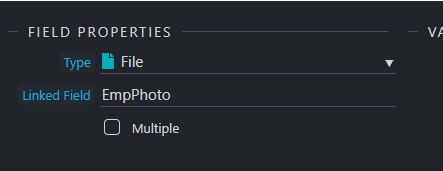
Can you just open the server action and show me this please:

image

Ok, that looks fine.

If the image is not uploaded, this is most probably causing the issue with the NULL path as when no upload happens no path is returned.
Check the permissions for this folder please.

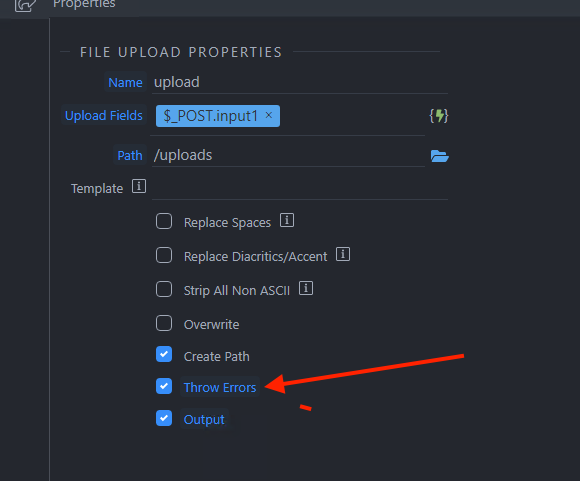
Also maybe enable the throw errors option and check for other errors in the dev tools:
Screenshot 2021-08-10 at 21.30.39

hmm not seeing anything weird but I did notice that I changed the path by adding and x after the folder name (to see if it would show up in dev tools) The folder was created but the files was not uploaded there either.
image

Maybe remove what you added in the template field (leave it empty) for the upload step and see if the file will be uploaded.