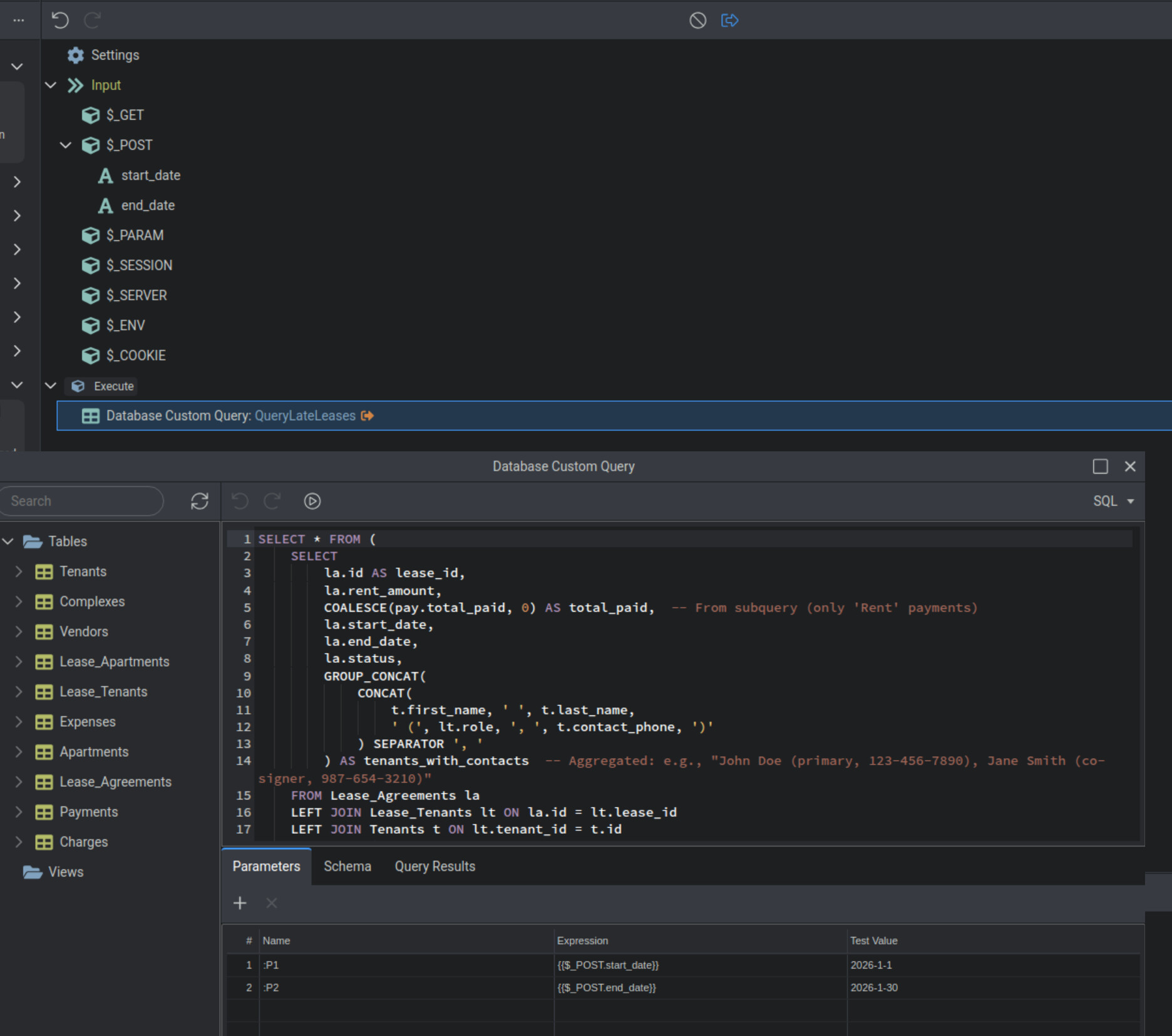
I have a simple query that takes a start date and a end date and returns results from the a database table based on that. I have added a start_date and end_date to the $_POST but I am not sure how to get the date range picker to work with this. The test values work with the query but I am having a issue figuring out how to use a date range picker to post values. I have read several posts on this but none are really complete enough to help me, any help is appreciated, thanks.
Sorry, I am not going to be much help for you. But I'll be bookmarking this thread.
I have never been able to find a practical use for the date range picker. I have always used a start and end date date picker separately. If this can be done with a date picker I would very much like to know how as well.
1 Like
Thank you Brad, Glad to know I am not just incompetant. So this really is a harder thing to accomplish it would seem. I did do what you suggest and that does work when done correctly. I just like to use a date range picker beacause its a bit nice from a user UI standpoint.
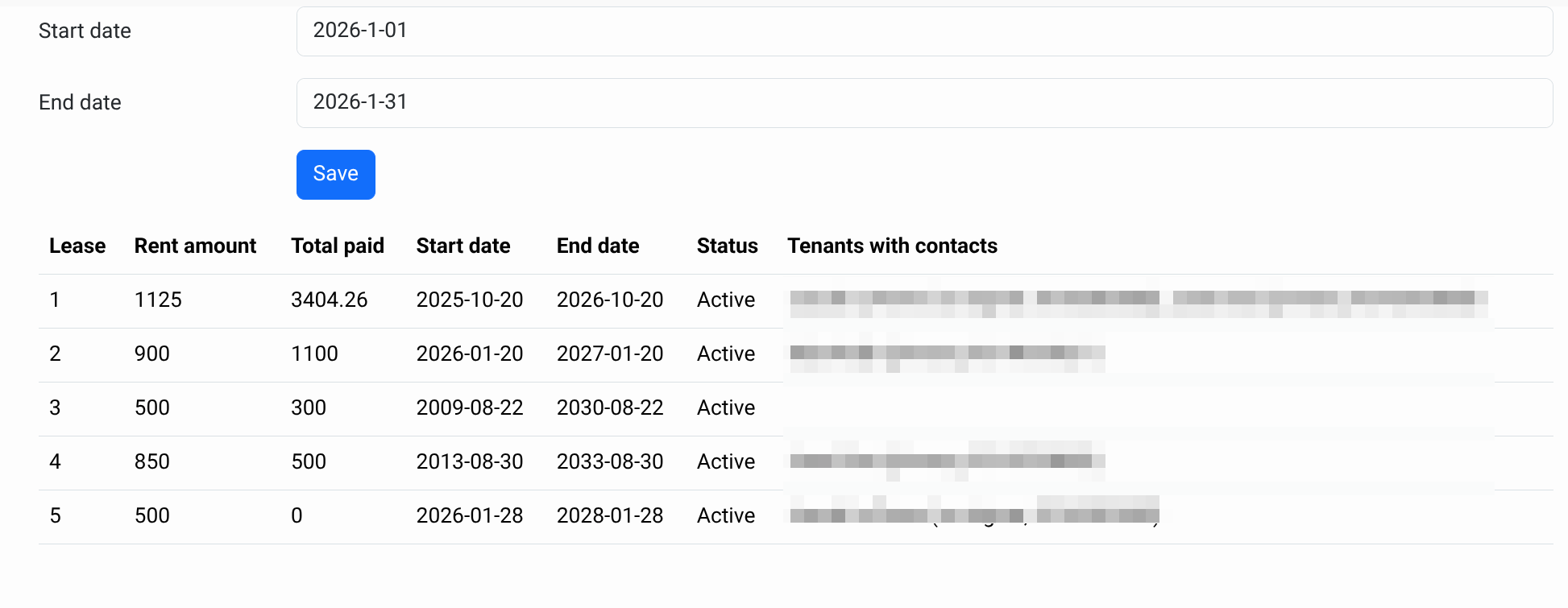
Would you happen to know a easy way for me to set how the formatting works on the date picker here? It working when entering dates via text but I need it work with the date type field and send the value as a MM-dd-yyyy format instead of the default
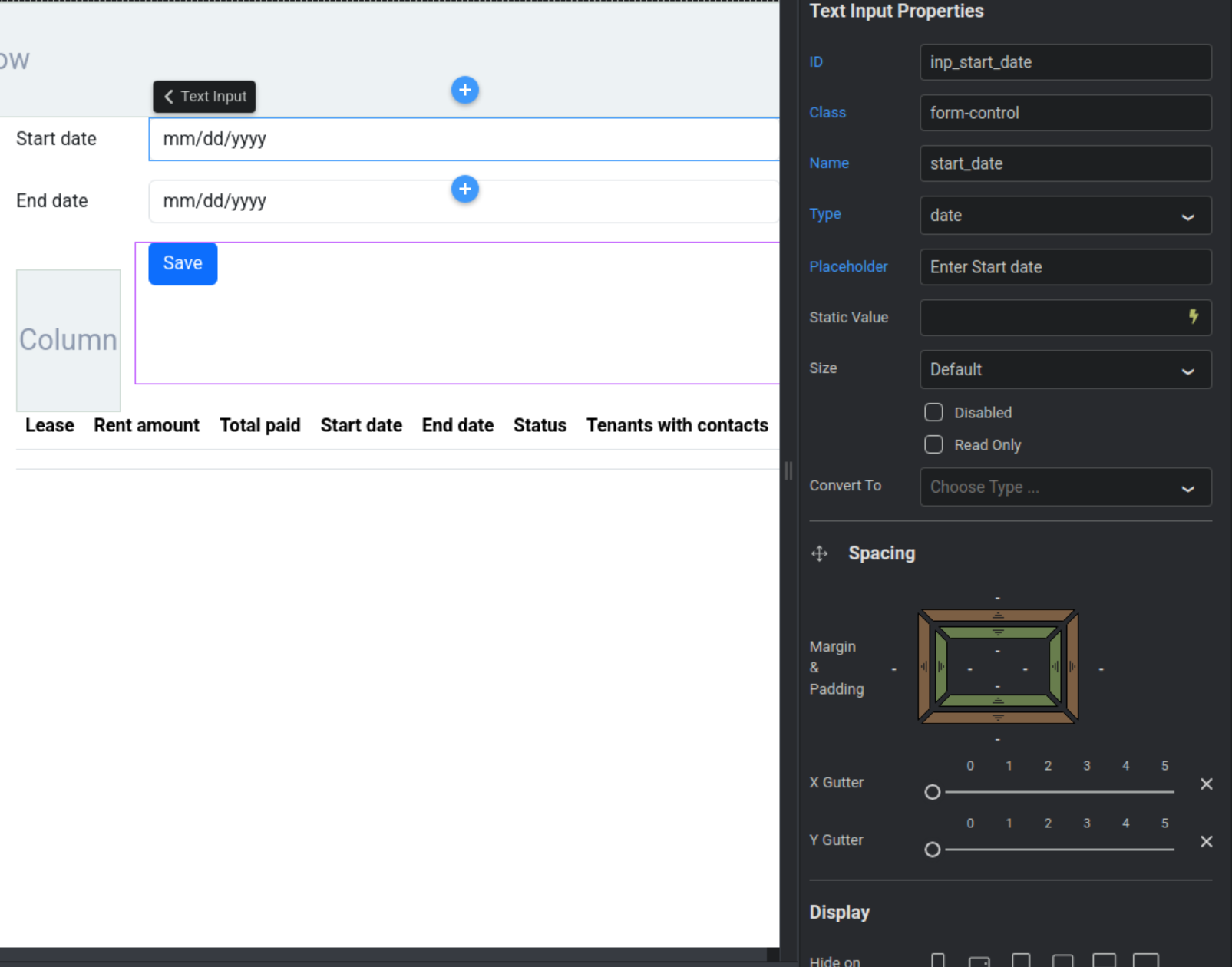
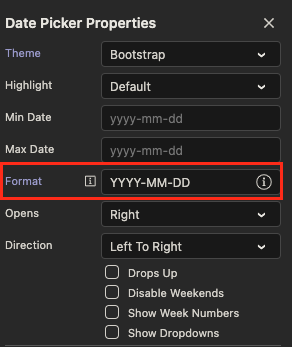
Sure, that I can help you with. In your date picker properties you can set your formatting. However, for some unknown reason, your formatting has to be in all caps.
Another tip is for your end date picker, set a min date that is binded to your start date field. So the end date has to be after the start date.
1 Like
The caps formatting is because the date picker uses moments.js to format the dates rather than bootstrap.
It's explained in this old post if mine.
1 Like
Yes, you don’t need two inputs for the start and end date - that’s exactly why the date range picker component exists.
To use the date range picker, you need to include the start and end values in $_POST, named as:
your input name + _start and your input name + _end
So if your input name is myinput, the POST variables must be:
myinput_start and myinput_end
The date and date range picker values are always sent to the backend in ISO date format (yyyy-mm-dd), as this is the standard format.
The date format option applied to the component does not change this - it only affects how the date is displayed on the page.
1 Like
Very interesting. Looks pretty straight forward. I am still not clear on how to get it to work with a search filter.
Brian's video is fantastic and clearly shows how to use it for adding data, but like the original poster, I need it to work as a data filter to filter recordsets.
What's the issue there? Simply use the start and end post/get variables as values in your query filters ... the same way you are using separate inputs.
1 Like