Database migration - yes another one of those threads

After a few incredibly infuriating weeks I've finally managed to deploy a live site and connect to a database. I'm using Heroku and Github, as this was in the end the only solution I've been able to get (almost) working.

When applying db changes to the production db. Every other change was throwing errors, but in the end I managed to get most changes applied, however because of this, some tables now exist in the production db, while they have long since been deleted in the local db. And I can't find anyway to delete them in the production db.

Question 1. How can I delete tables that exist in production but not in local db?

A couple of other tables have fields that exist in Local db, but for some reason does not exist in the remote db.

Question 2. How can I add the missing fields?

To my surprise, when I logged in to the live app, I was first very surprised to find that I could, since I had not created a user. And after logging in, all the data from my local db is somehow in my remote db as well. I have not used any seeds. But also, none of the data exists according to Wappler. If I set my target to production and look at the remote db, there is no data there.

Question 3. What is up with that? Is there something that needs to be set up in order to actually see the remote data? The db connection works fine, as I'm able to apply changes and have them reflected.

With all due respect, have you considered hiring someone to help you unscrew this mess?

This is a pretty messy situation that requires lots of back-and-forth to get fixed. Considering you spent weeks trying to get this up and running, this is not looking good.

Also, I believe very few people can solve this kind of a problem. Feel free to ask me for recommendations or to help you select the right person for the task. Myself I'm avoiding catching new jobs.

You probably have buggy migrations (Wappler used to be a bit buggy). These need to be fixed, preferably by someone that knows what they're doing. If this is fixed question 1 and 2 disappear.

:exploding_head:

Thanks @Apple weeks as in on the calendar, actual hours, more like 15h.

I love everything else about wappler, building in wappler is incredibly fast and easy. But the db management side of it has been an absolute horror show. I would be inclined to just go "well, I'm too stupid for this" and move on if it weren't for the fact that the forum is literally filled with threads of people having the same issues as I'm facing, but with few real solutions.

The only reason I'm still hanging on is because the application is 95% complete and like I said, I like wappler more than any other solutions I've used in the past.
But there is a clear issue with database management, user friendliness and documentation, as the forum is a testament to.

For question 1 & 2. Yep, that's the obvious solution. But on the off chance that there is a way to create a new db change, without all the baggage and simply apply that to the remote db, I figured I'd ask.

It's been suggested in a few threads to reset changes history and create a new
db change. I tried that, but it did not apply the full schema. so I then assumed that a single change does not contain the full schema, but only a change to an existing schema. So I then went back and applied them sequentially one by one. Again this is all guess work, because I literally cannot find any documentation on how this works. So it's all pieced together from YouTube videos and forum posts. There's bound to be conflicting information and things go wrong.

As a side note on that. I was watching Brian's video on Using $_ENV variables to define database connection settings. In the video it's mentioned that the Wappler team does not recommend that you change live data in Wappler. But the very first sentence in the database manager docs says "The new Database Manager in Wappler just got more great powers! Now you can edit directly your live table data!" what?

What I've found after watching that video is that the globals database connection does not have the remote db settings applied. And the git repository contains the sqlite db file. So again, without any documentation, my guess is that perhaps everything is being read/written to that very sqlite file and no to the heroku db, which is connected in the db manager. If that's even a thing.

I've seen multiple threads of people being confused and having issues with the myriad of ways db credentials can/should/should not be entered. So I'm not surprised I might have gotten that wrong at all.

Sounds good! Does that mean that problem is solved?

Oh! That wasn't supposed to be in Git :sweat_smile: You can .gitignore it

Maybe you're right! Hope you can change it in the settings and everything goes well.

P.S.: George said Wappler 7 will have enhancements in this area of database/server target configuration. I know it doesn't help now, but maybe future users/deployments won't have the same issues

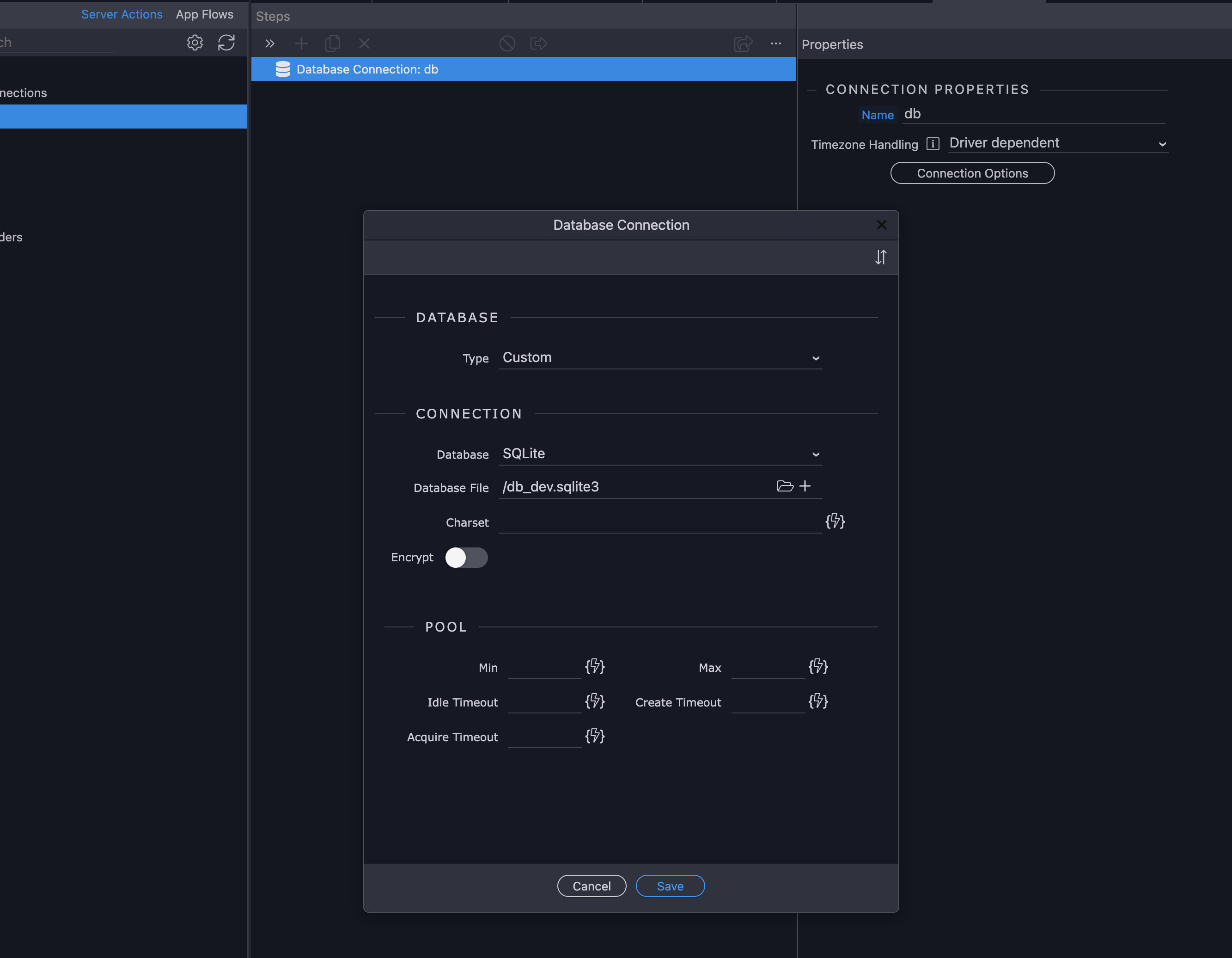
On the last bit there.. what I mean is that, when I switch to production target, and look at the db connection under globals in server connect. I see this,

Which is the same as in development. So my initial thought was that, since Heroky bundles this all up in a nice little package, maybe server connect is not aware of the Heroku DB set up in the database manager, and simply reads/writes to that sqlite file. Which would explain why on earth I'm seeing the dev data in production.

But from what I gather, again from piecemeal information stumbled upon here and there. This database connection should really be injected with the correct information when you set up the db credentials under targets. But perhaps there is a bug there, and it doesn't always happen. And when it doesn't, I'm supposed to manually change that for the production target.

But again.. aaaaall of this is just guesswork haha, and that's what get so incredibly frustrating. Especially since my day job involved incredibly complex software, but there's not a single thing that cannot be figured out by consulting the documentation.

Yes, that needs to be changed to the PostgreSQL configuration provided by Heroku. Not sure if you can copy-paste from their control panel, or if they provide you environment variables which you then need to access using $_ENV

And you also need to change the Database Manager configuration so Wappler can show the data from there

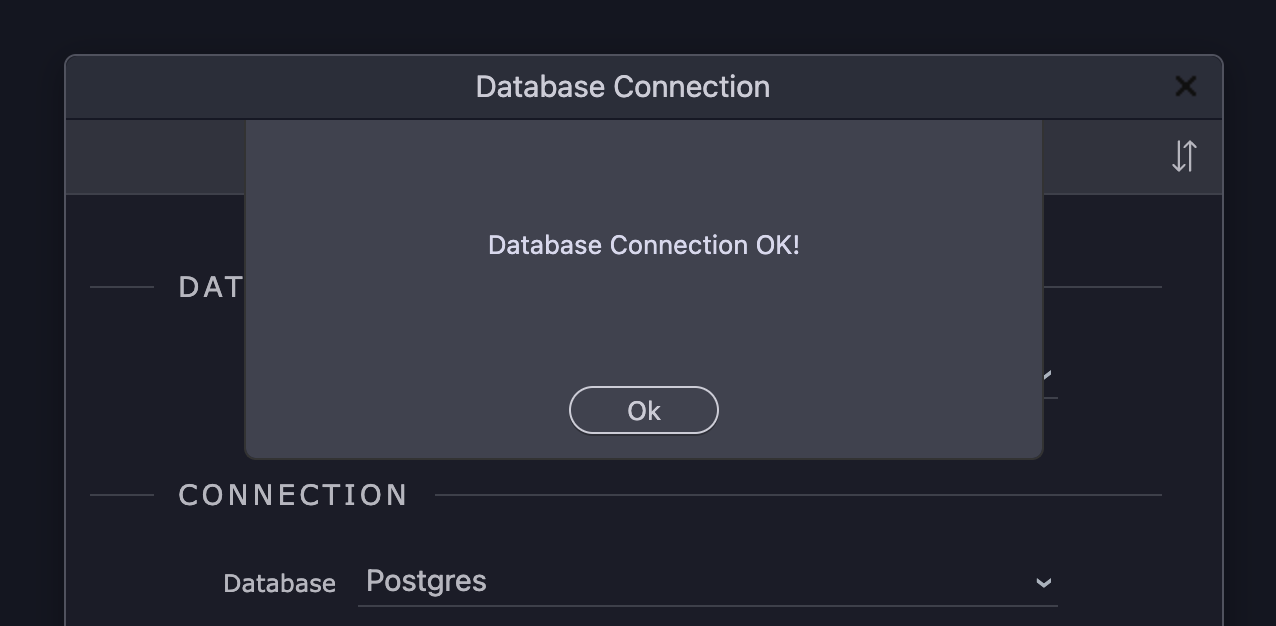
I have successfully set that up in the db manager, and can connect to the db there. So assuming I can just input that in the globals SC db connections as well?

I'm confused to the $_ENV workflow. Brian's video, as usual, is stellar. But as someone pointed out in some similar thread to this one. It made little since in isolation. It seems to me that using the env variable is mostly convenience and I should be able to manually input it directly? But also.. it should already have been injected by wappler without me having to do anything?

but again with the infuriating guesswork haha..

I lack the time to assist further and I'm not experienced with Heroku. Someone else will help you :slight_smile:

Unfortunately not, it means that I managed to get most of it synced up. However there's a couple of tables that are in the production db that should not be there and two fields missing from the development db.

I understand that I can probably get workbench or navicat and manually remove them there. Or perhaps I can utilise Brian's cheat of setting the remote target as development to unlock editing of the remote db... I have not tried this yet however since I was hoping for a "real" solution haha.

Fully understandable, thanks @Apple

Ugh!.. Okay this is getting somewhere. Using Brian's trick of setting the production target to development for a minute allowed me to clean up the extra tables that had been added to the heroku db.

And my suspicion was correct that it was reading from the sqlite file that came along with the git commit. So removing that from the commit did remove the test data.

I've added the Heroku db credentials manually into SC globals. But I don't think this has worked fully, as I'm not able to create a new user in production. Getting a 500 error, so suspecting it's not properly connected to the db.

I think that's enough of a headache for today. Let's see what we run into tomorrow haha. :sweat_smile:

This is not a normal situation, when you are just editing your local database during development in Wappler all changes are kept as migration files and those can be then applied on deploy to your remote database. A natural flow where the database scheme is gradually and controlled published from local development to remote live database.

However it seems to me that your remote database and your Wappler local development database are two completely different databases that has been edited independently directly - so they no longer match. This is indeed a very messy situation that can cause errors because the databases are out of sync.

It gets even messier if some of the migrations are executed partially, as you have discovered. because of the mismatched schema again.

You really have to backtrack and rollback the changes to the level that databases are exactly the same.

So directly on your first error you should have reported it and seek for solutions and not allow partial apply as this will being you in more trouble.

So to be able to help you more and try to report the exact errors that you got in first place.

Well this should never really happen if you have published from local to remote. As also delete actions in local database are tracked as changes and when published those will be also deleted on remote.

So how did you got in this situation?

Well if you just edit your local database and add new fields, those will be saved as change (migration) that you can just apply to remote database afterwards.

Data is never saved in the migration changes, unless you save it as seeds indeed. So there must be some other mixture that you go into. maybe you mixed your database settings and were editing the remote database instead of your local one?

This seems exactly that, you have probably missed up the database settings and your remote database was for a while your local development database, so this explains the mixture of scheme changes and data ...

1 Like

Thank you @George

I've gone ahead and destroyed the Heroku DB and created a brand new database. And rolled back to a git commit with a clean slate.

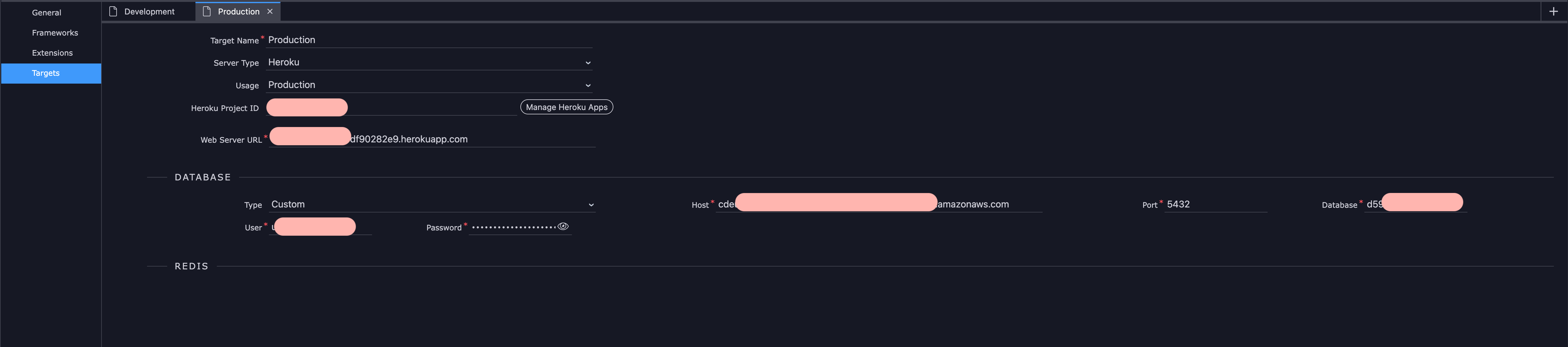
I have then added the heroku credentials under target > production like so.

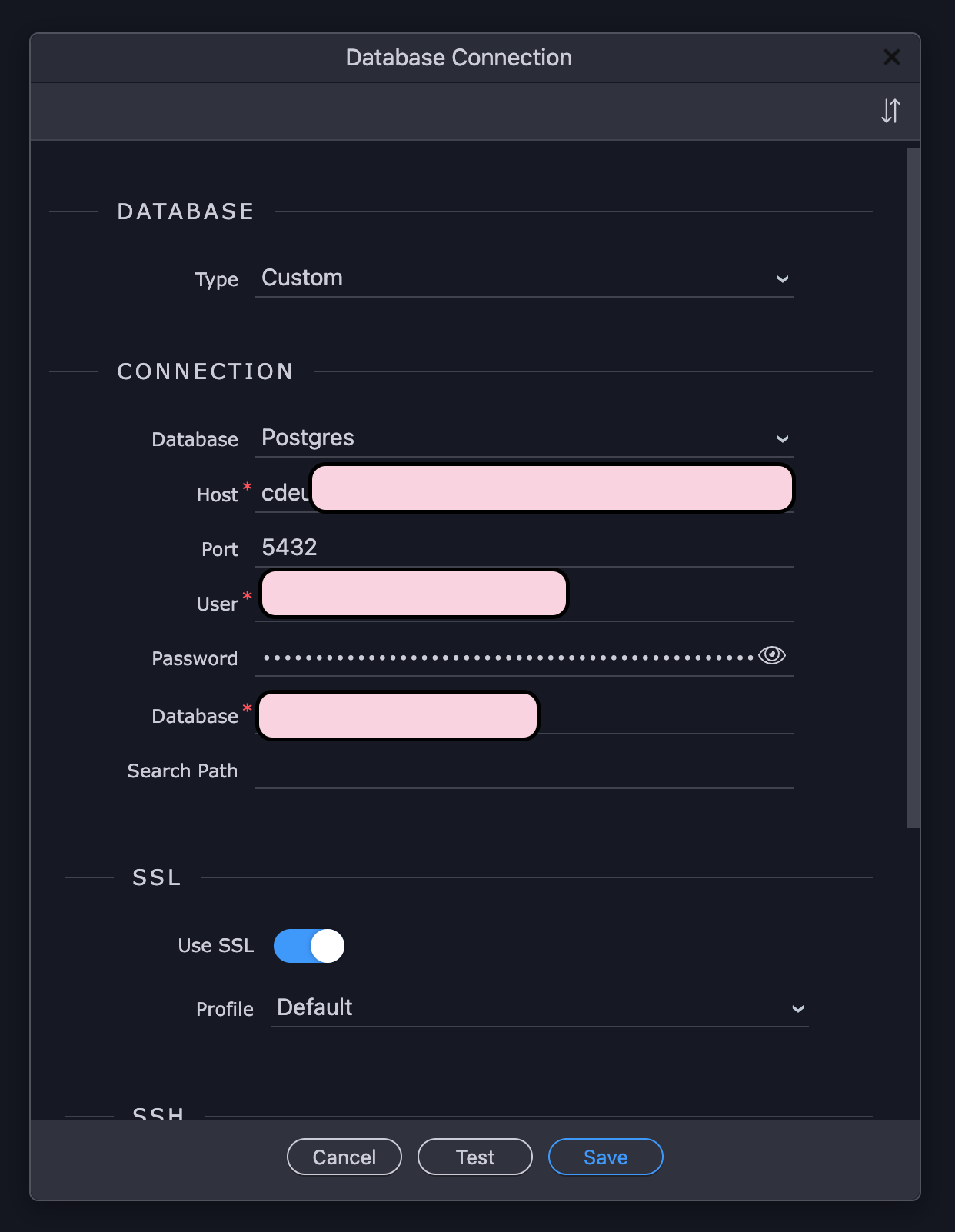
I have then added the same information in the database manager (when in production target).

I then made a small change to the development database, by removing a dummy field and applied database changes.

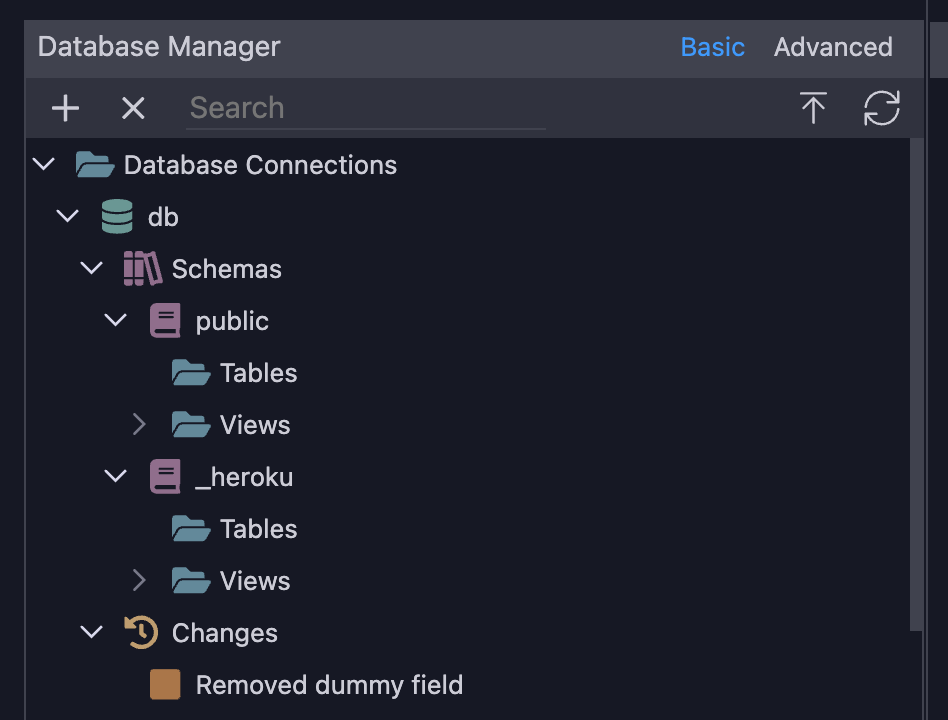
I've then gone back production target and database manager. Right clicked on "Removed dummy field" - apply this change.

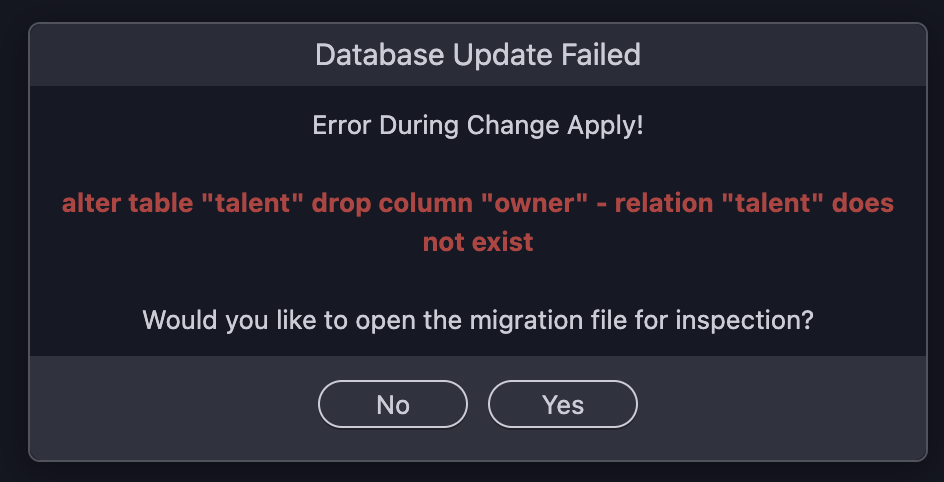
I then get this error (owner being the dummy field I removed)

but your new remote database is initially empty when you destroy it. So first you need to reapply all the changes from your development.

Then and only then you can start remove things...

So why not apply all changes first? This will bring all the changes up to date.

You are applying only the last change while the previous haven't been done yet... so you are telling it to remove something that isn't there yet...

Normally, when i experience things like this, it is that the schema has not been refreshed properly at some point.
Ensure you do a schema refresh on your database and each table to ensure they are properly refreshed. This is particularly important if modifying outside wappler.

The examples I've found of applying db changes were using "apply this change" on the latest change file, so I incorrectly assumed this to be the correct way.

When I select "Apply latest changes" which, my assumption again is what will apply the full change history?

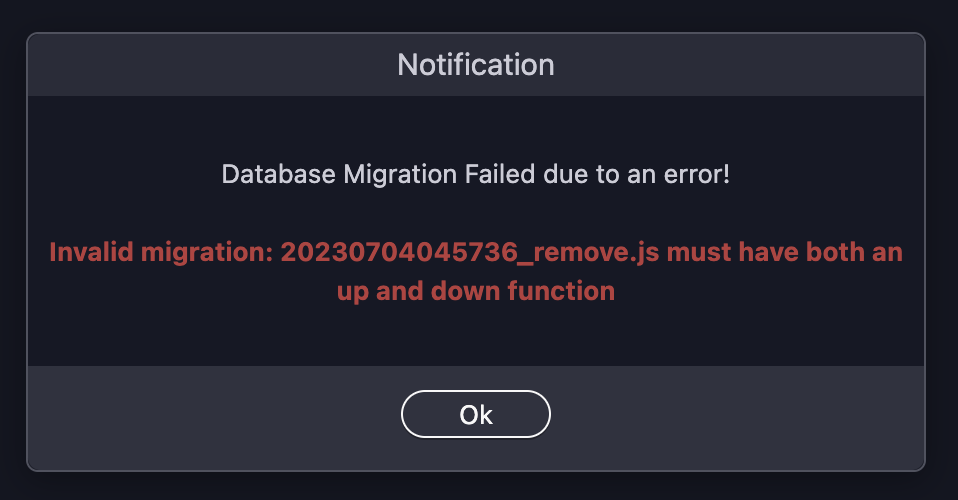
I get this error.

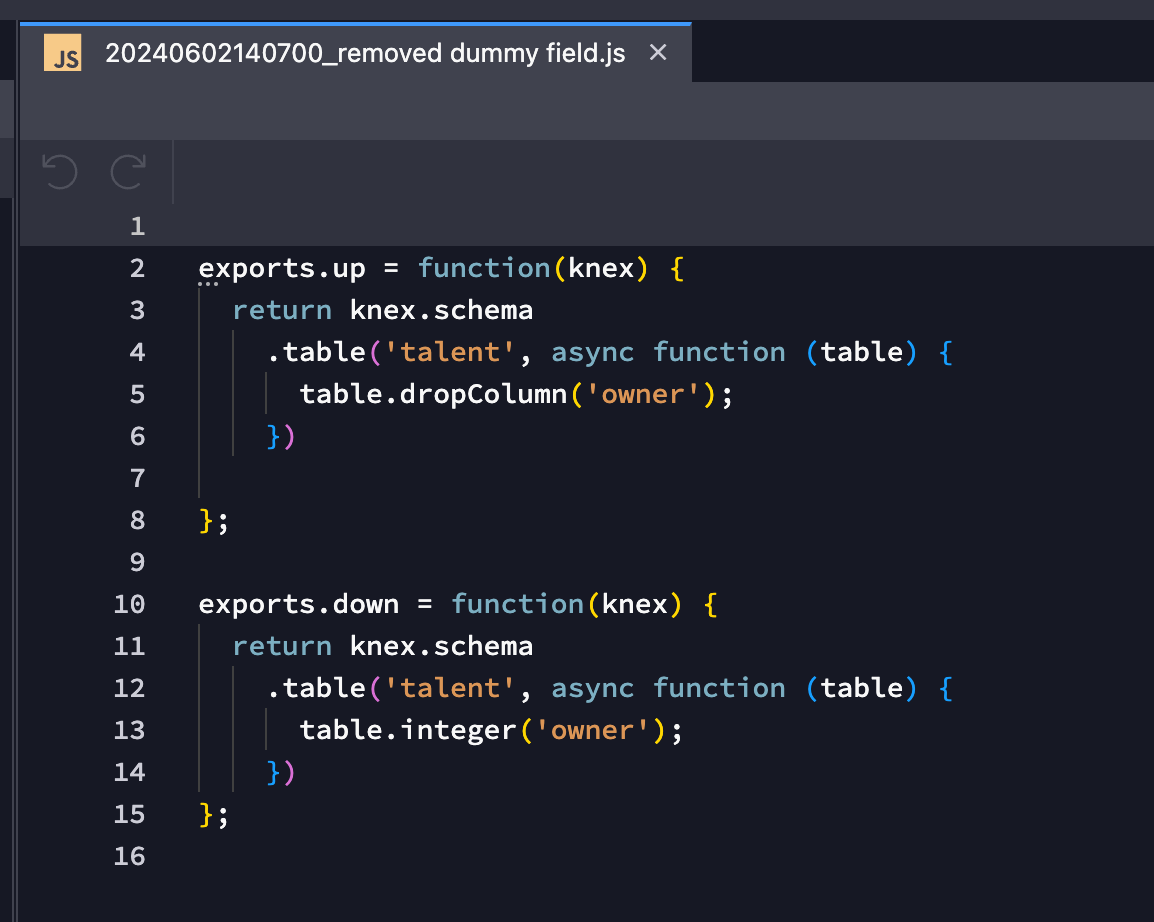
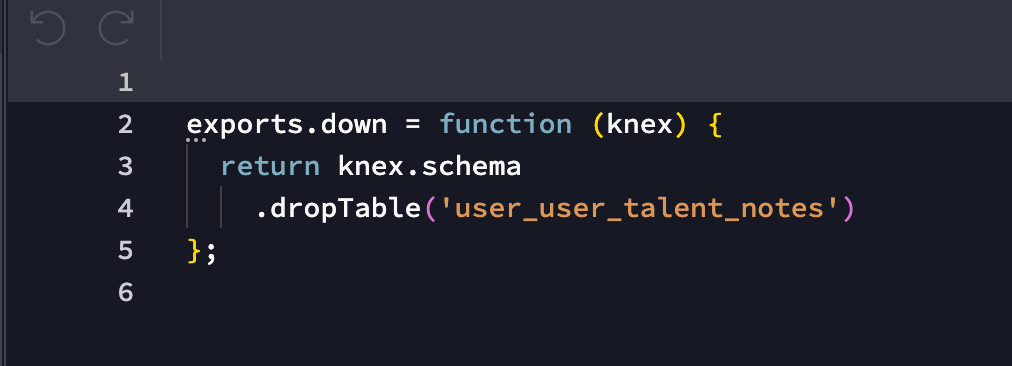
Scrolling down the change history and locating that file, this is what it looks like. It does indeed miss the down function. Also to note, that this particular table was removed a long time ago in development.

Yes that is indeed a very wrong assumption! "Apply this change"will only apply this change and not the previous ones!

You always want to apply all latest changes.

This is definitely a wrongly created change indeed as a table was only dropped that probably didn't exist yet somehow?

All changes should have up and down functions indeed, up for the action and down for undoing it.

So I will be very interested to know how you managed to create such change. Was it maybe that you created a table but then remove it directly?

I have not the faintest idea to be honest. It's been a while since that table was removed, but perhaps this can provide some clues?

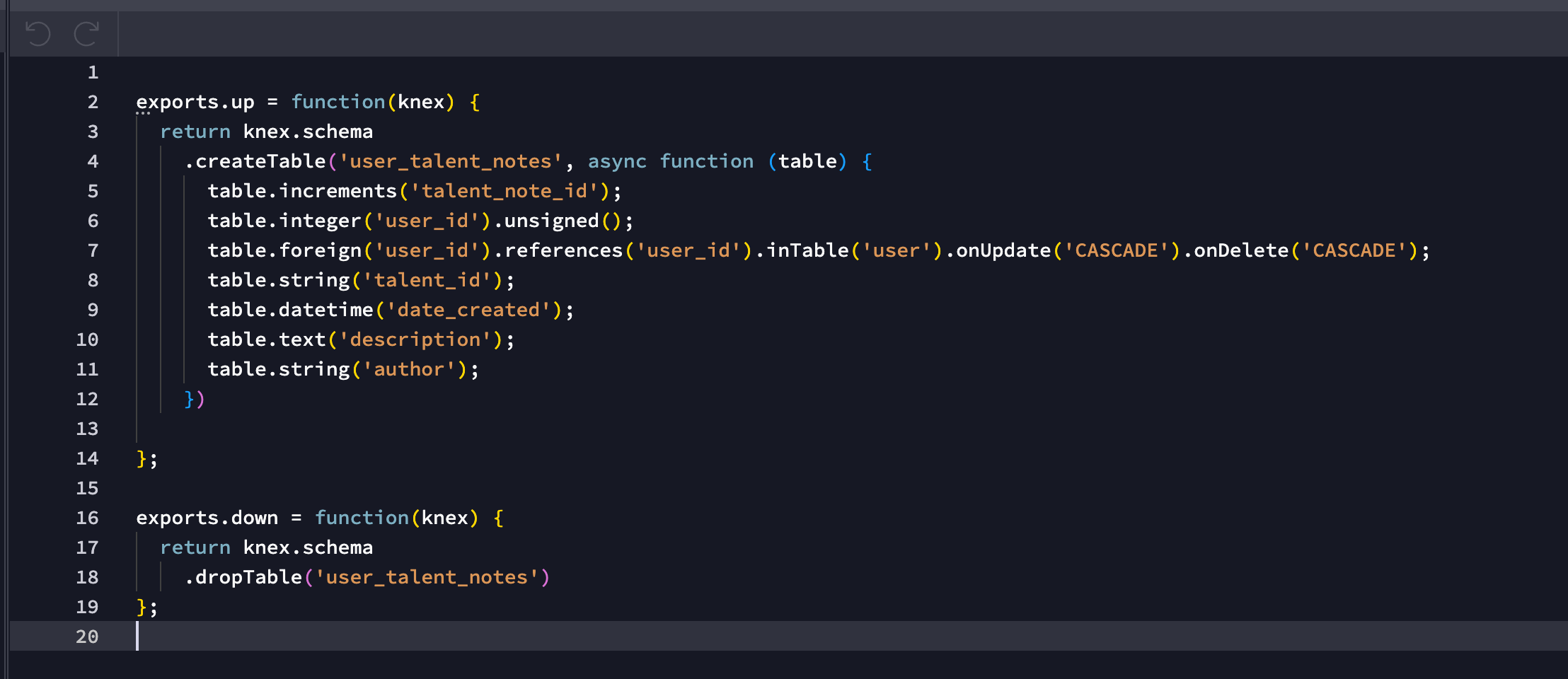
The previous db change before it was to create that table.

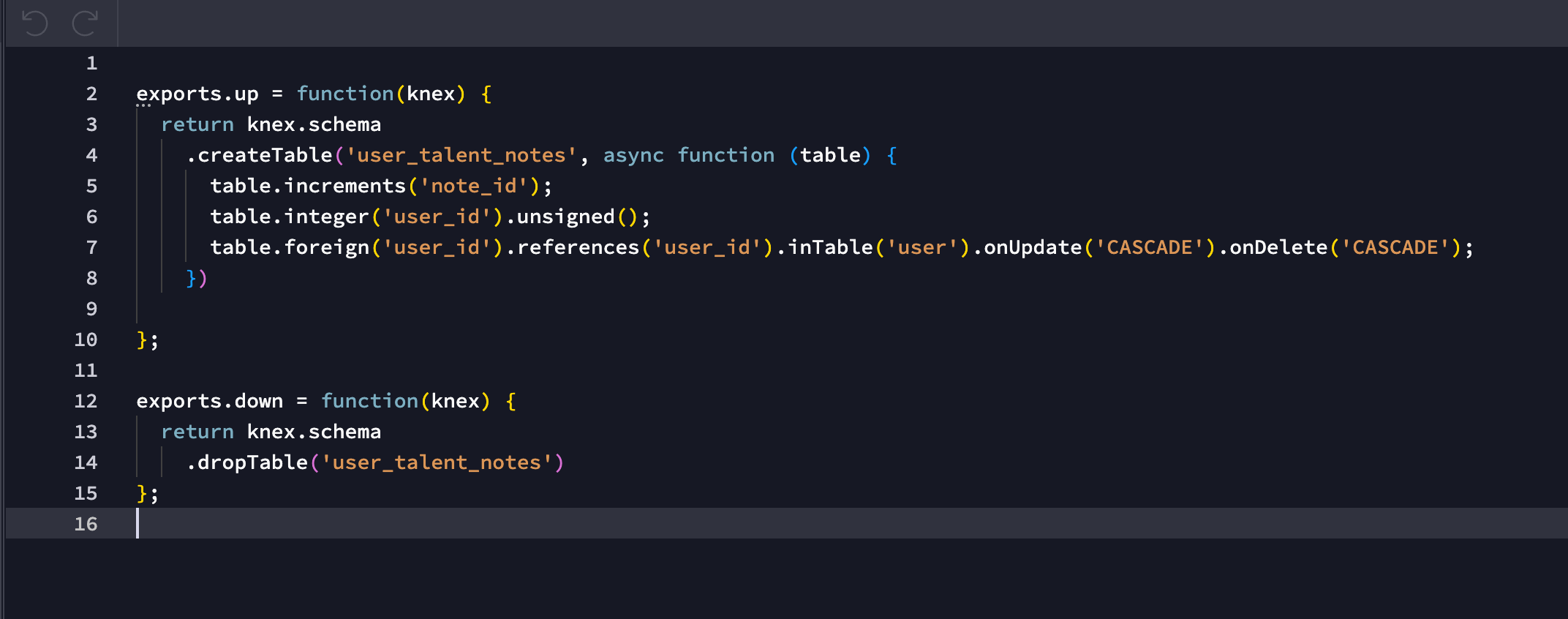
And the db change immediately after the remove.js change was this;

Edit: not sure what's going on there and why the remove.js says "user_user_" is that normal?

well then there is something very wrong with this change indeed.

Is it applied in your local database at all? if not you can just delete the file

It was not no, so I've deleted it and hit apply latest changes again in production.

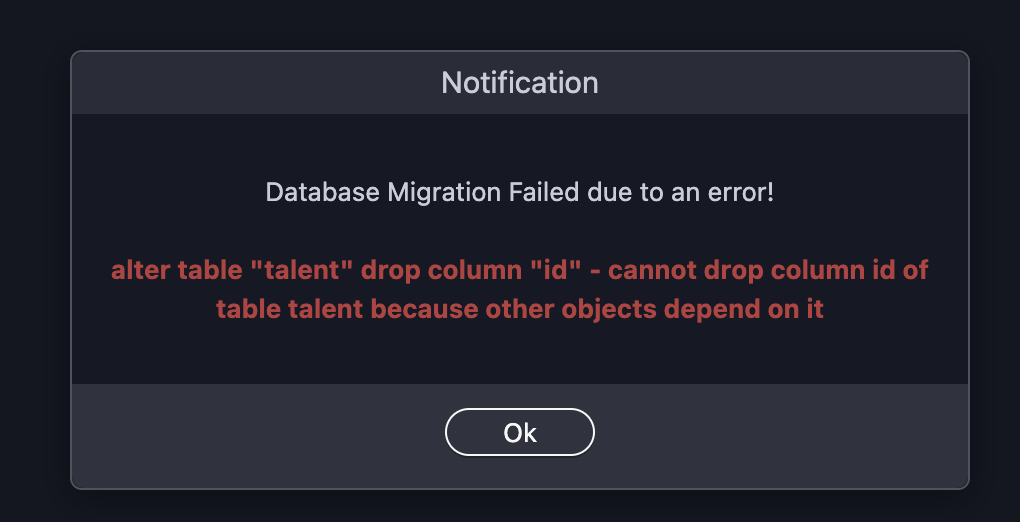
I now get this error.