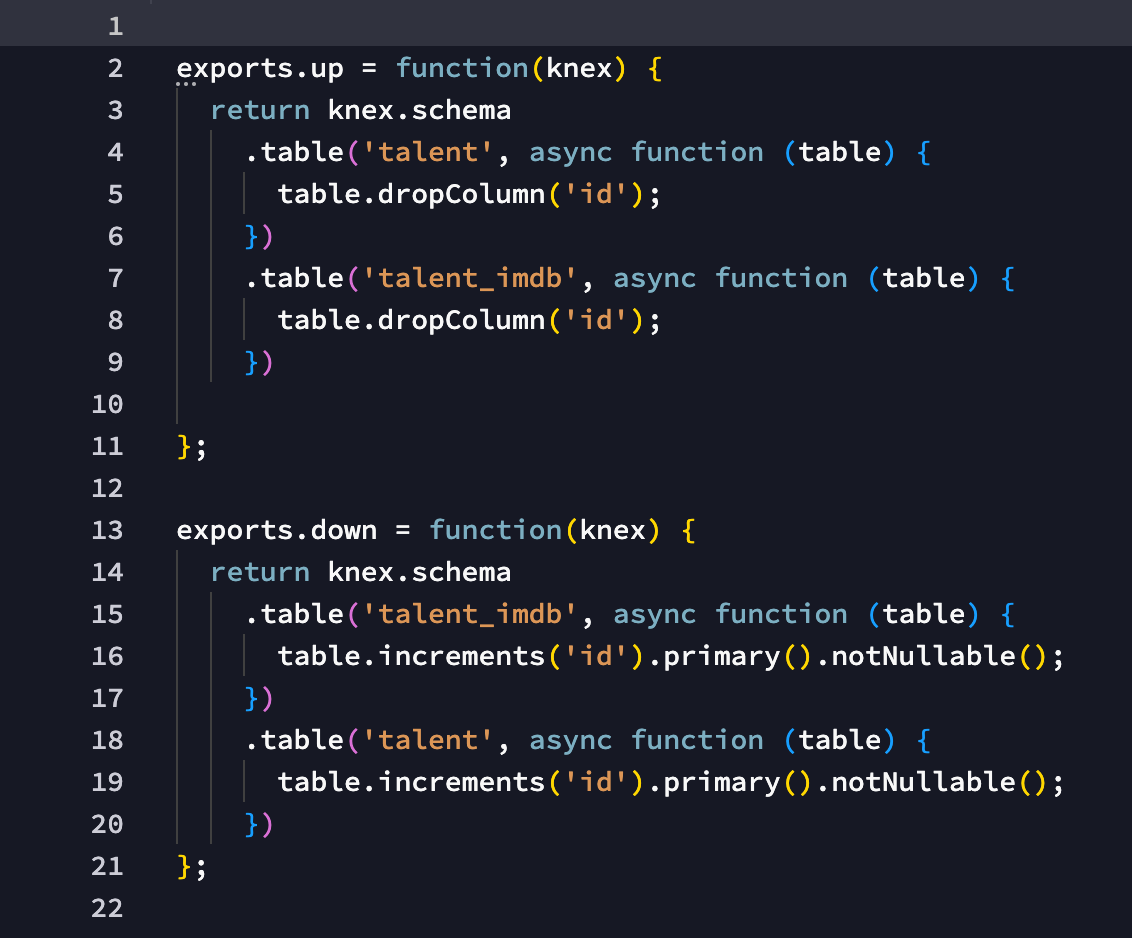
well this one is more logical - you are deleting an id field that is needed...
why do you do that? Was that also an applied change to your local database and what was exactly in the change file?
well this one is more logical - you are deleting an id field that is needed...
why do you do that? Was that also an applied change to your local database and what was exactly in the change file?
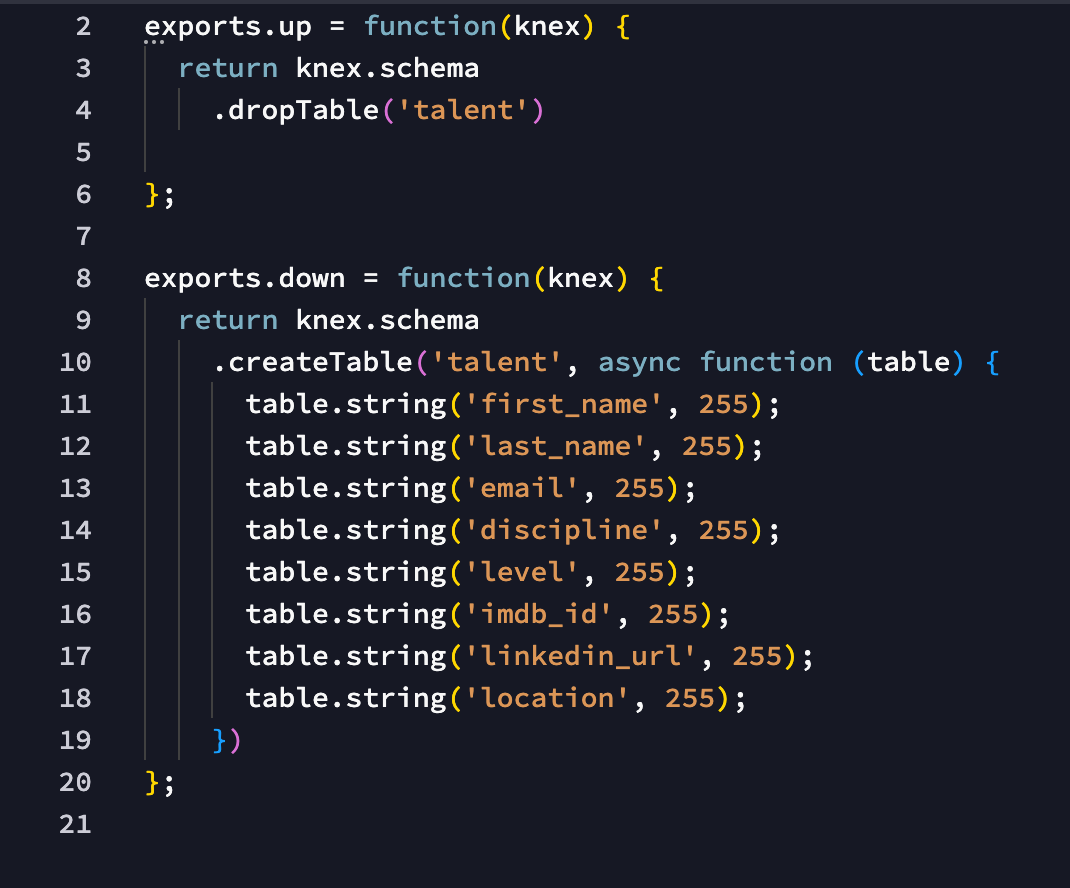
Good question. This has been done a while back, and I t doesn't seem to reference a specific change file? But I found this file, which seems to have removed the talent id for some reason.
I have then, I can only assume in sheer panic deleted the whole talent table
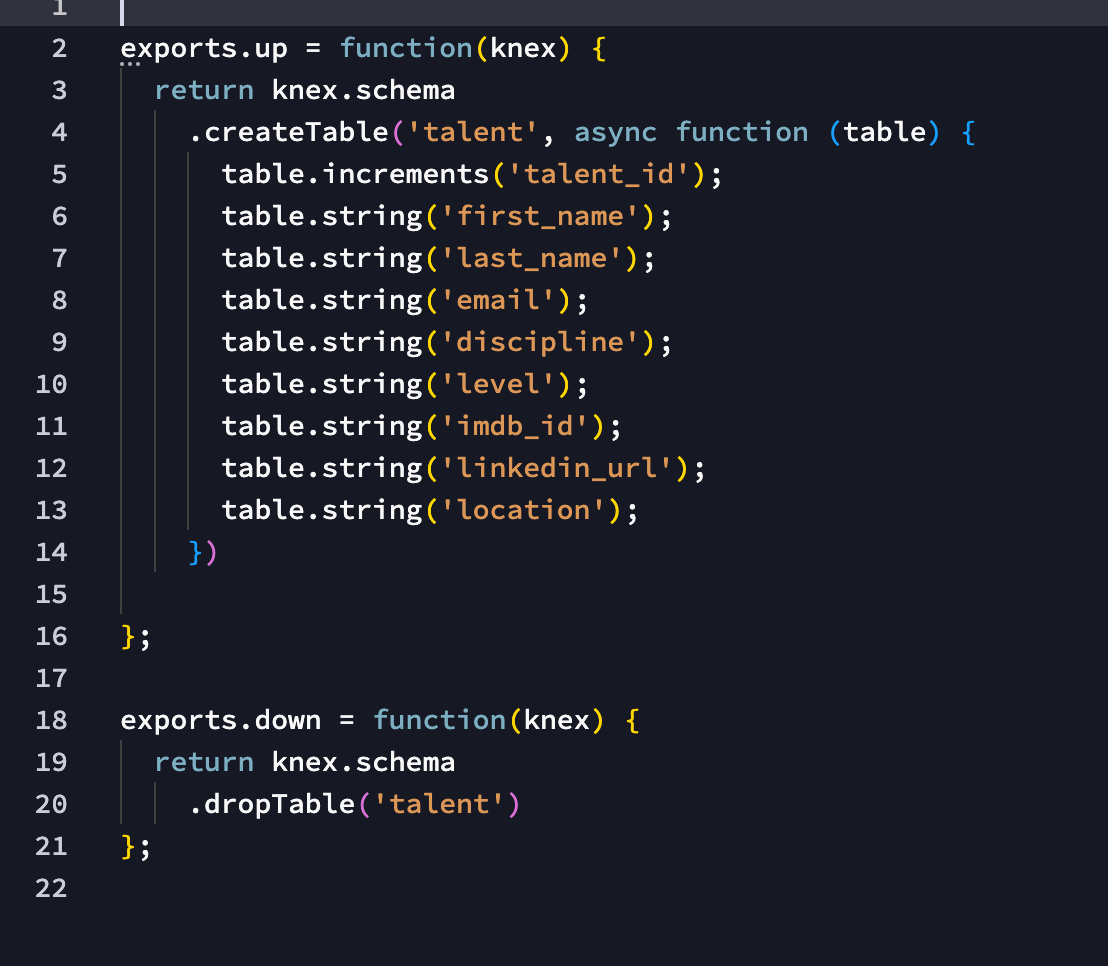
I have then recreated it
Giving it the id name of talent_id, which is what it looks like today in the db.
Well each new table gets per default an id.
Maybe you didn't like it and just deleted it and created a new table_id?
You could have used just rename for that.
Also if you have renamed it directly after the table creation but before it was all saved, then it the right name will be used directly as the right name.
Now the previous id was already used in some references to other tables, which backfires now.
You really have to understand that the database manager is kind of recorder for all your actions. So everything you do is recorded when you hit the save button.
all actions that you do before the save are collected and merged - but after a save new actions have to rely on the saved previous ones.
So it is always smart to think first of your database structure before saving it as it makes no sense to add tables and fields, save them and then go and delete them in the next save - those are heavy actions that could have been avoided all together and will be all replayed on your remove database on apply.
Yes, I should perhaps mention that this about 5 change files in and about 3 weeks into me starting to dabble with Wappler. So there were certainly some issues happening as I was playing around. All part of a quite steep learning curve eh.
I suppose the question is, is there a way to fix it? preferably without having to rebuild the whole thing. I guess that's why my initial hope was for a way to only clone and apply the schema as it is today (for lack of a better wording), and by doing so getting rid of all the early mistakes?
and all the changes are successfully applied to the local database?
Are there many unapplied changes?
Yes, these changes are all applied to the local db. And everything works just fine.
I have 7 (other) unapplied changes, they are all dated from around the same time. I don't know why they are not applied, but in all likelihood something went wrong and they simply weren't applied.
Those unapplied changes are also for the local db? if not applied you can just delete them.
make sure you have only applied changes left because that is what you want to publish to remote - then you can just to 'Apply last changes"on the remote to bring everything up to date.
If you leave unapplied bad changes - they also be tried to be applied on remote and will give you only errors preventing everything from going smooth.
The offending change that throws this error is unfortunately applied.
I have deleted any non applied changes. But the id error remains when I try to apply the latest changes to production.
I don't know if I can delete the offending change files, even if they are applied? I assume this is quite a NO, but since the table and field it's having issues with is not in the current local db, perhaps this is not too crazy?
No you can't delete it once applied as this will corrupt your history.
Maybe you can zip and send me in a PM your changes files so I can have a detailed look.
Yeah I figured that would be a big no haha.
That would be much appreciated. Zip sent.