======== TEMPLATE BUG FORM ========
Wappler Version : wappler 3c1
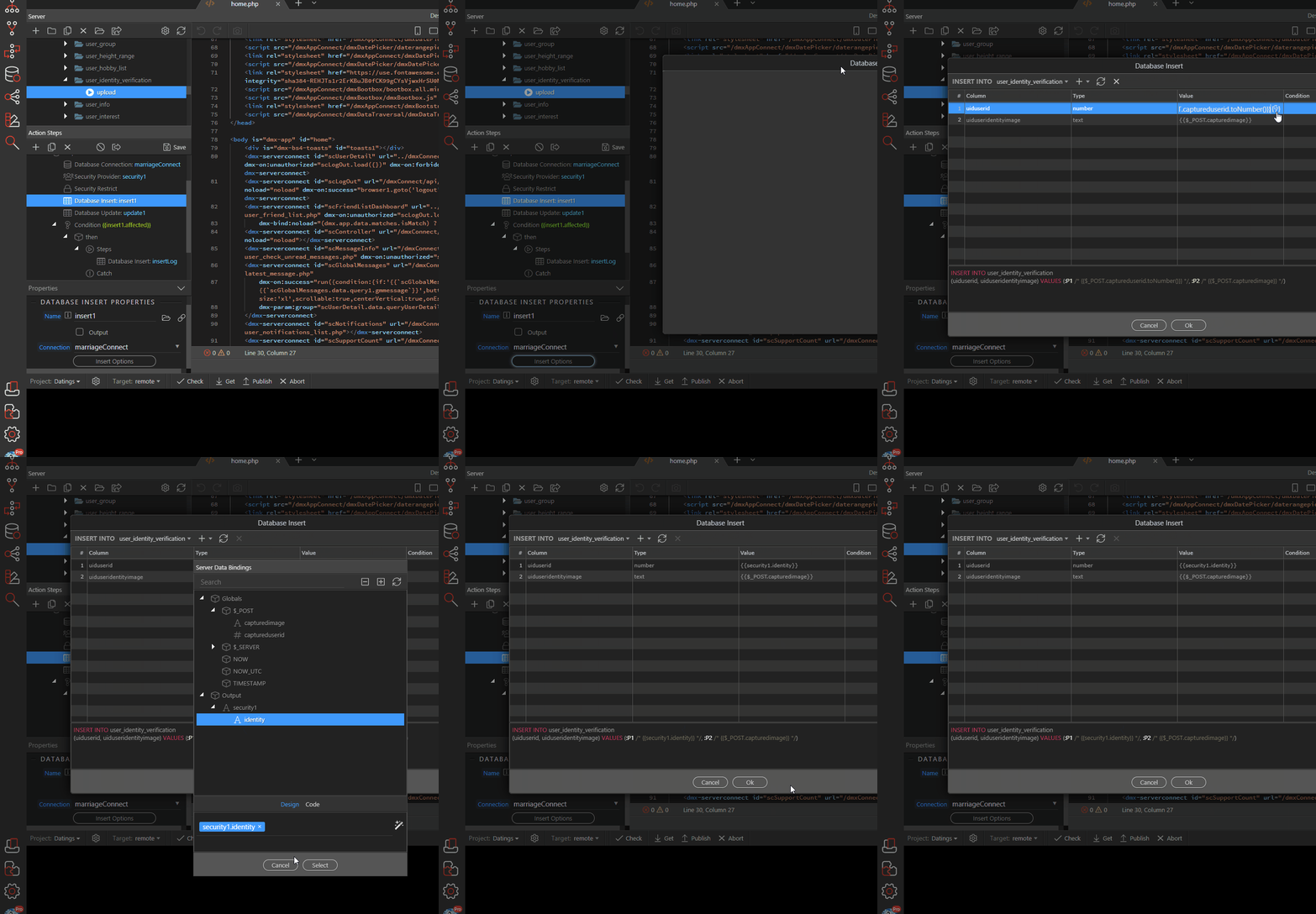
The “OK” button does not work while editing the server connect action I created earlier.
Have you tried uninstalling and re-installing.
Sometimes you need to do a completely clean install of Wappler.
You won’t be losing anything as Wappler is fully self containing and also your project preferences are stored in the project folders.
You will only loose your projects list but you can recreate it easily later on with the “Open Existing Folder” option in the Wappler Project Manager.
Here is how to do a full clean reinstall:
On Windows
Close Wappler and its launcher by right clicking on the tray icon and choosing Quit
on Window…
I wasn’t able to reproduce it. Does it happen with any insert action or just that specific one? If it happens all the time, then restart Wappler with logging and send me the logfile.
debug outputreport_2020-5-19_16-33-53.zip (417.9 KB)
it happens all the time @patrick
The zip is missing the log file.
Updated for Wappler Version 5.0 and higher
We have a built-in bug reporting in Wappler that auto post a topic in this forum together with the debug log.
Starting from version 1.1.0 the logging isn’t available per default, so you need to restart Wappler with logging.
You can do that by clicking on the Wappler’s tray icon (Windows right click) and then choose “Restart with Logging”
Then reproduce your problem and choose to submit a bug report from the Wappler menu File / Submit error report … o…
sorry
chrome_debug.zip (18.9 KB)
@patrick will you release wappler c2 today ? If not possible I will use 2.9.1
George
June 19, 2020, 4:09pm
9
This is now solved in Wappler 3.0.0-rc2