Introduction
Summernote has some significant limitations, particularly in it's handline of images.
The standard image insert embeds the images as base64 bloating the text, the file upload being effective but not addressing any images pasted into a summernote input.
I spend a lot of time needing to paste screen grabs into summernote inputs and the need to save to a file then upload is time consuming.
I have spend some time looking at the Summernote code to see if i can address that but to be honest failed miserably and of course am aware that editing core components directly is problematic when updating Walpper.
After lots of thought, i opted for a "middleware" approach.
This extension takes a summernote output and detects any base64 encoded content. This can be pasted in or via dragging a file to the summernote window (if feature not diabled by user).
If detected, the image is decoded and exported to a directory of your choosing.
The code is then rewritten to replace the base64 code with a simple<img> links referencing the newly saved image. It even adds the 'note-file-clip' class automatically added by the upload action for summernote compatibility.
Once parsed, the module returns the rewritten code ready for saving.
In addition an array of images is returned listing the details of the images externalized so any pre processing such as scaling/ watermarking etc can be performed or details image simply saved to a database.
The Extension
The extension can be found here.
https://www.npmjs.com/package/@hyperbytes/wappler-summernote-externalize-embedded-images
Installation Instructions:
Docker users may wish to read this:
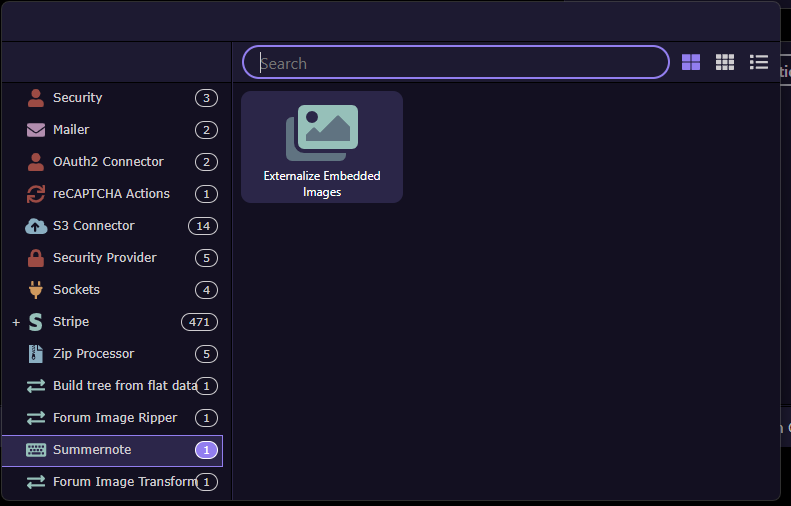
On Installation, the extension can be found in the Summernote group
Use
I will assume you can create a summernote input and add a server connect form action.
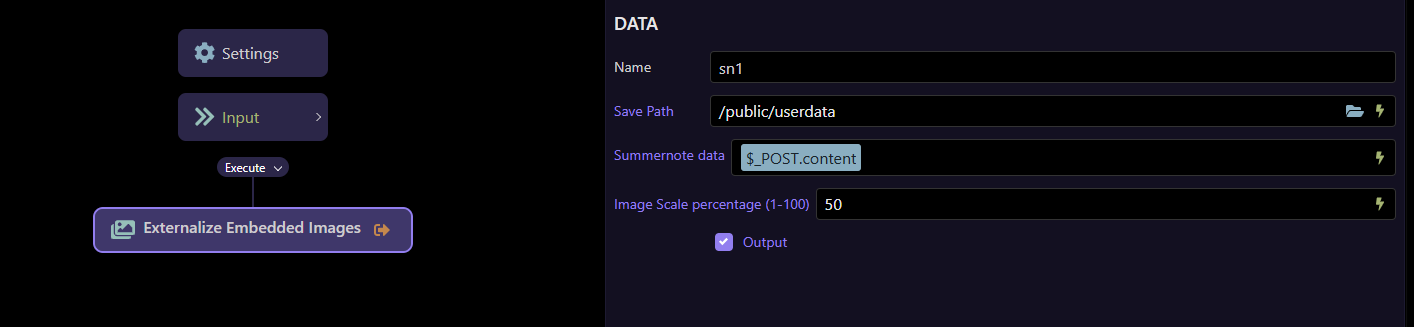
The externalize action is added to your API action
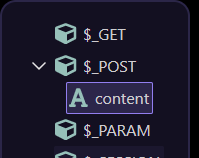
Let us assume your content from your summernote region is posted under the name $_POST.content
We ensure the POST variable is created
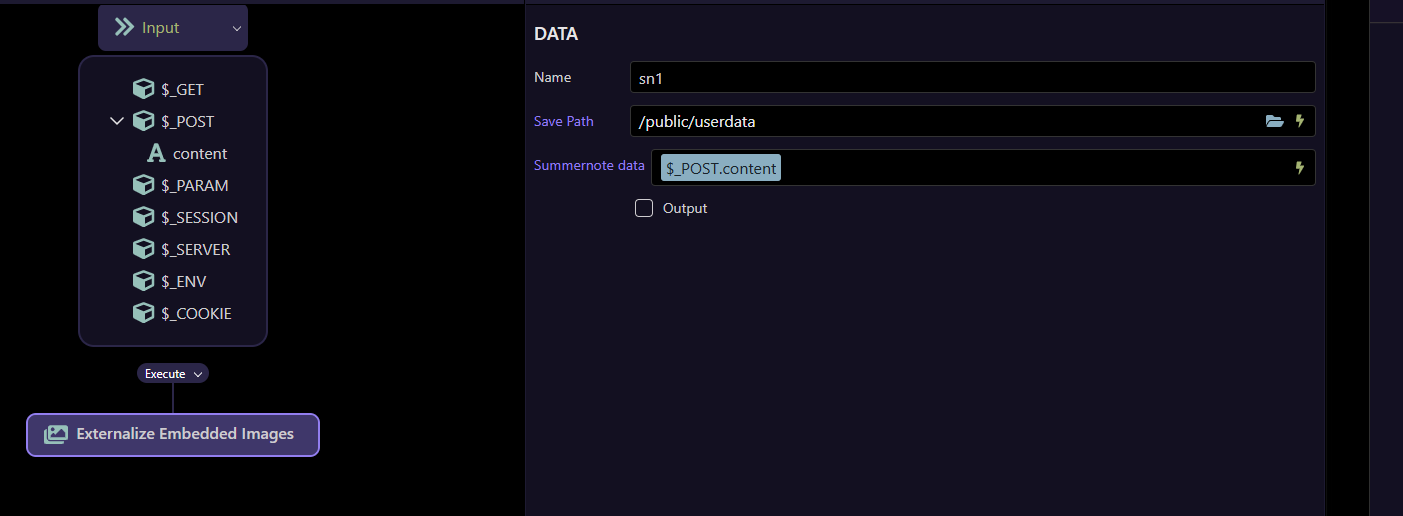
We give it a name, say "sn1"
We select a path, this can be manually entered, selected via the folder picker of dynamic.
lastly we link the data from the summernote area via it's POST variable.
I will add more information after showing you the effect of the action.
Sample Output
here i show you the code view of the data to be sent from summernote. This is a simple 5px x 5px image to keep it short!
<p>Wappler: The Missing Manual,</p><p>
<img src="data:image/jpeg;base64,/9j/4AAQSkZJRgABAQEBLAEsAAD/2wBDAAEBAQEBAQEBAQEBAQEBAQEBAQEBAQEBAQEBAQEBAQEBAQEBAQEBAQEBAQECAgICAgICAgICAgMDAwMDAwMDAwP/2wBDAQEBAQEBAQIBAQICAgECAgMDAwMDAwMDAwMDAwMDAwMDAwMDAwMDAwMDAwMDAwMDAwMDAwMDAwMDAwMDAwMDAwP/wgARCAAFAAUDAREAAhEBAxEB/8QAFAABAAAAAAAAAAAAAAAAAAAACf/EABUBAQEAAAAAAAAAAAAAAAAAAAID/9oADAMBAAIQAxAAAAF5nf8A/8QAFRABAQAAAAAAAAAAAAAAAAAAAwT/2gAIAQEAAQUCCdib/8QAHBEAAgMBAAMAAAAAAAAAAAAAAQIDERIiBBMh/9oACAEDAQE/AWmRvGig9aiSMvbi9PptDX2uBwuQvIGrfTN//8QAHREAAgIBBQAAAAAAAAAAAAAAAQISIREAAyIxQf/aAAgBAgEBPwHcZGjBYkJE2eRkxlfRwwWqwo9zr//EABoQAQEAAwEBAAAAAAAAAAAAAAIDAQQRADH/2gAIAQEABj8C2603K7A2KBxhQSI0gZEZjHMwEy3jK6+rufvPf//EABUQAQEAAAAAAAAAAAAAAAAAAAEh/9oACAEBAAE/IWdfo7MalSTAD//aAAwDAQACAAMAAAAQf//EABcRAQEBAQAAAAAAAAAAAAAAAAERACH/2gAIAQMBAT8QJq45i4lRsQSwaX//xAAWEQEBAQAAAAAAAAAAAAAAAAABESH/2gAIAQIBAT8QTYlxQGuJFQIpzR//xAAVEAEBAAAAAAAAAAAAAAAAAAAAEf/aAAgBAQABPxClrLEKOKOUCf/Z" data-filename="wappler-5px.jpg" style="width: 5px;">
</p><p><br></p>
You can clearly see the image is base64 encoded within the output
After submission and processing the extension output is
"sm1": {
        "status": 200,
        "externalized": "<p>Wappler: The Missing Manual,</p><p><img src=\"/userdata/36d8b1fd-9579-44eb-941a-8682a4eb5d34.jpeg\" class=\"note-file-clip\"></p><p><br></p>\n",
        "images": [
            {
                "filename": "36d8b1fd-9579-44eb-941a-8682a4eb5d34.jpeg",
                "fullPath": "E:\\webs\\fasthoststest\\public\\userdata\\36d8b1fd-9579-44eb-941a-8682a4eb5d34.jpeg",
                "publicUrl": "/userdata/36d8b1fd-9579-44eb-941a-8682a4eb5d34.jpeg"
            }
        ]
    }
The text has been rewritten to reference the newly saves image in the specified folder
and that the image has been saved to the folder
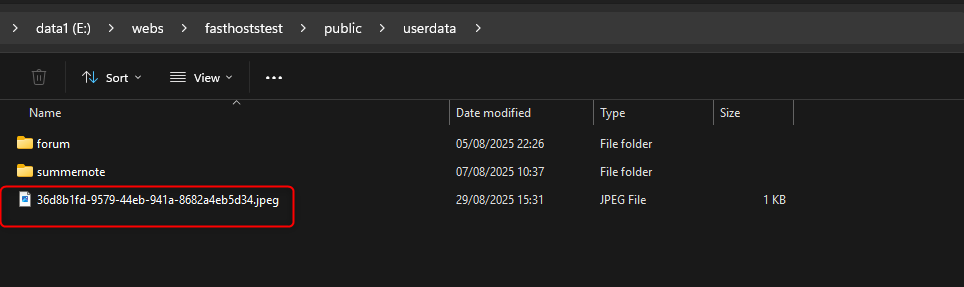
and an array has been returned of all the processed images so they can be further processed if required by scaling etc
On success, status 200 is returned, see below re 403 error message
The output ("externalized") can then be saved to the database.
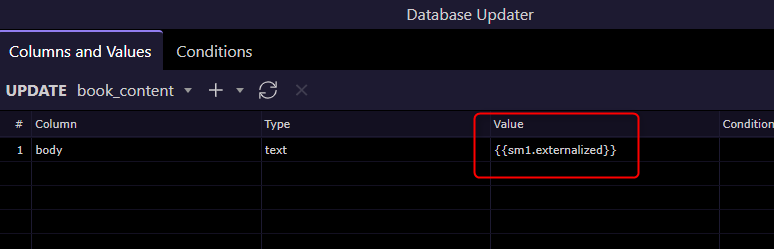
Content not containing base64 images remain unchanged.
The resulting images are summernote editor compatible in format so can be managed within the UI including any delete trigger actions.
The Small Print
Now the caviats as there a re a few
Summernote posts its content. There are limits on the size of that payload which is server dependent.
In tests the threshold on a local node server for example seems around 800K. Thatviscthevsum of ALL embeded images.
Any payload over the threshold will be truncted by the server and the payload incompete. Exactly what is returned is again uncertain and can depend on circumstance.
To detect such a condition, a crude but effective mechanism is employed which the user needs to be aware of.
Summernore wraps it's content in <p>Content here</p> tags.
To detect an incomplete payload, the module checks that the payload ends with </p>
They should not be edited out.
Should the payload be considered incomplete then status 403 is returned.
This can then be intercepted by your API action and the respose sent back to your app connect page.
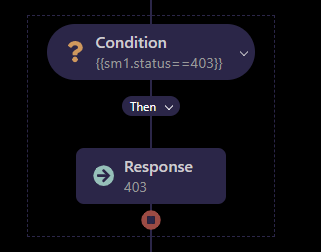
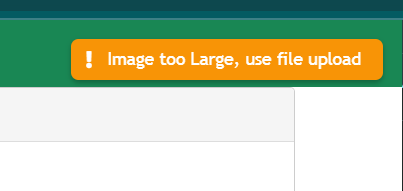
The page then can notify the use of the issue, in this case a notification on "403 Invalid Response", in this case inviting the user to use "file upload"
In tests this size limit has not been triggered by pasting from a screen grab however if file dragging is permitted i.e. Disable Drop is disabled.
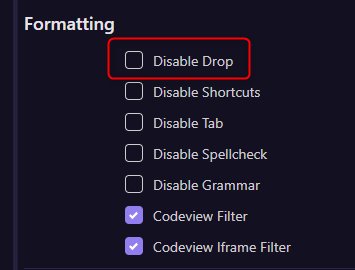
then draggin an large image may trigger this.
I recommend also having an API based file Upload active in Summernote to cater for larger images under these circumstanced.
Good luck, enjoy and as always, any issue just shout!