Please can we have a control to disable the Problem Panel? On Projects with hundreds of pages (and we do have such legacy applications) it is absurdly slow and every time a page is opened it starts all over again. My laptop is not shoddy either and its taking a hit (Core Ultra 9, 22 core CPU, with 32gb of 7467 MHz LPDDR5). I like the feature but I want to be able to enable or disable it as required. I don't feel it should always be active in the background.
I would vote for this if it was able to be set per target. I love the problems panel for new projects but I have a couple legacy projects I do't need scanned.
Voted. Working on my largest project today was very slow. Every little change it would scan and the design view would scroll to the top of the page and back again.
Love the idea of this panel it's very good, but we need to be able to manually run it rather than automatic.
how about having the Problems Panel by default open on “Current” and not all…
Then it might not be so resource intensive.. at it will then by default only open that page..
And then you have the option of selecting all… because if you have a super large project and its set on ALL by default.. it might take forever to scan every detail….
Maybe also a possiblity to “Check for problems” when requested on a page…
So if i do a page.. or action.. only to RUN a problems request afterwards… like a “debug” after the page is created and not while im busy working…
SO maybe not “Turn Off Problems” feature.. but only “run on request”…….
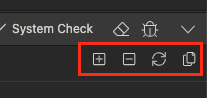
You can now (as of Wappler 7.7.6) disable automatic scanning for problems in Wappler settings. Also you can start and pause it from within the Problems Panel.