7.7.8 Created files outside the www root

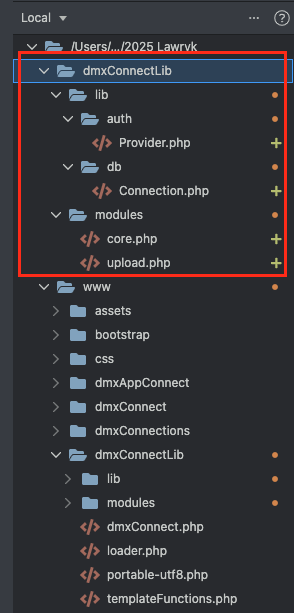
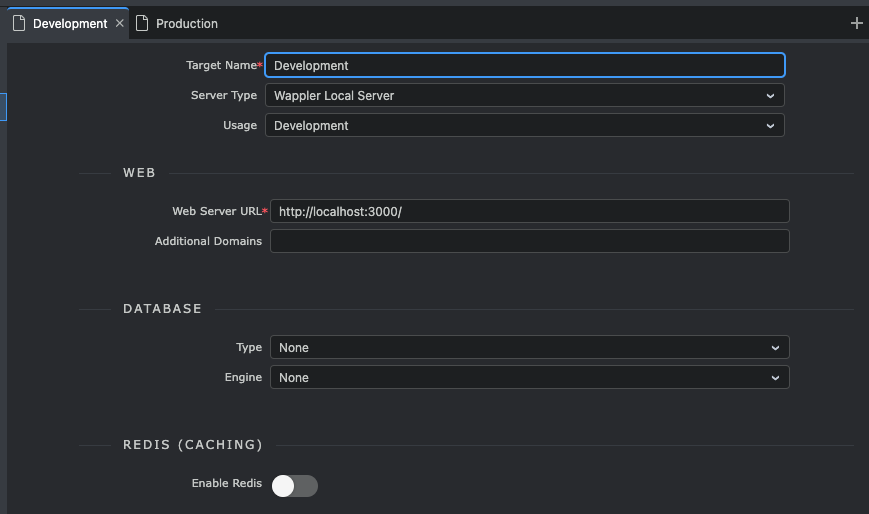
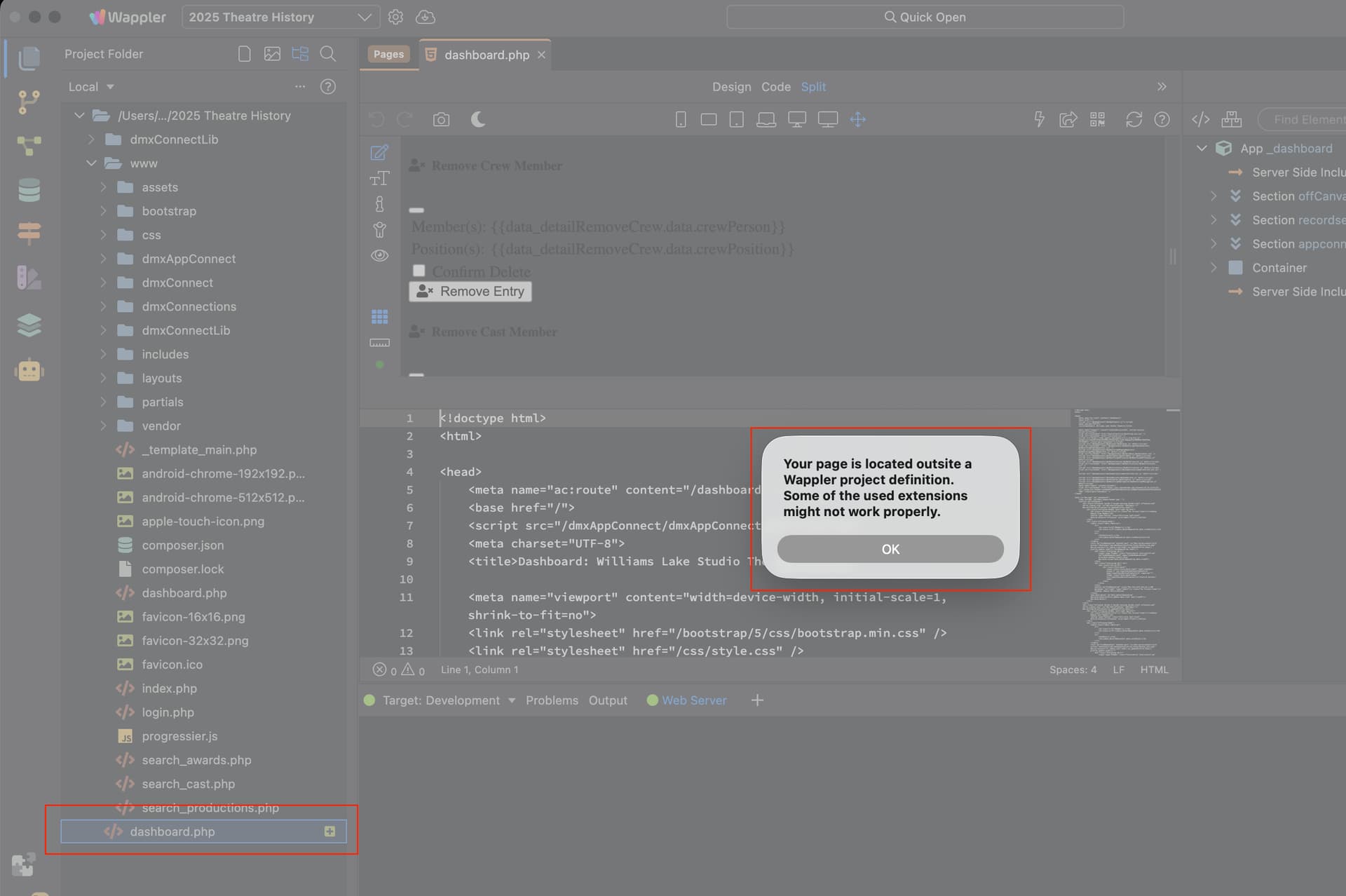
Wappler somehow created a file outside the root (which is a bug in itself). I clicked on it to delete it and it tried opening the file and gave me this error message. The error can't be cancelled and just keeps coming back.

Even quiting and restarting Wappler opens with that error and I can't even switch projects.

How did you create this file? Was it in the file manager or in the pages manager?

Just saving a page. I managed to get back in and made a video.

Open any page and save .....

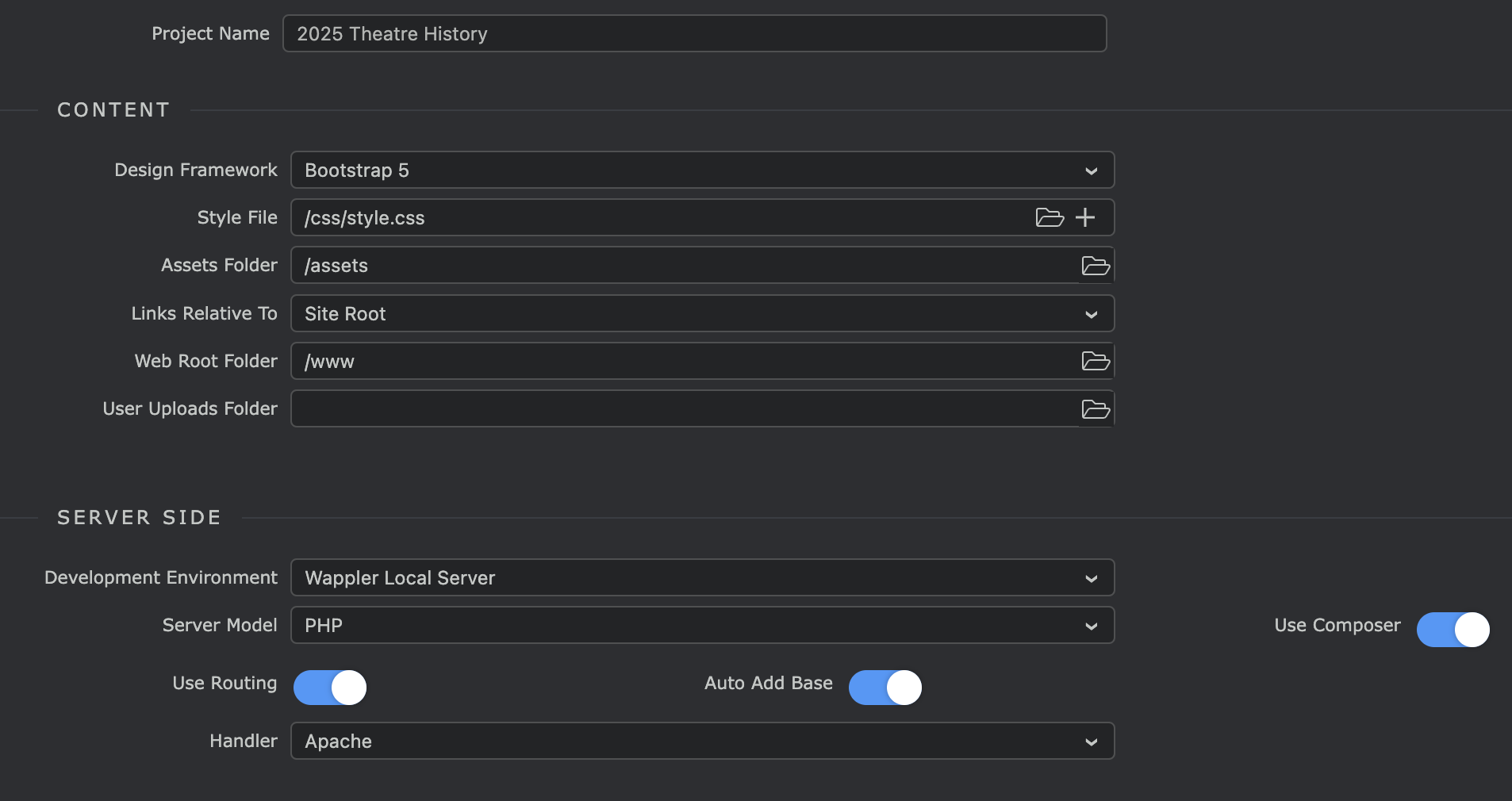
Can you post a screenshot of your project config - where we can see the folder selected, etc?

I don't see anything wrong in the configuration.
Please restart Wappler in debug mode, open a file, save it and then send us the debug log:

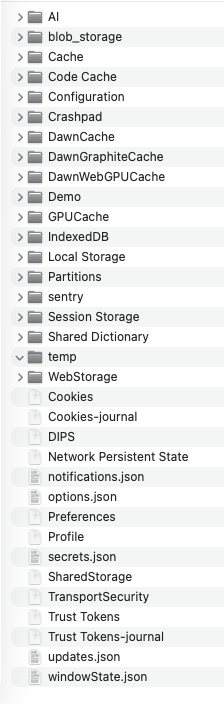
I can't find the log files. I have no such file structure in my Library folder on a Mac.

Even today's system updates create a new folder.

Please check for the log file in the following folder:

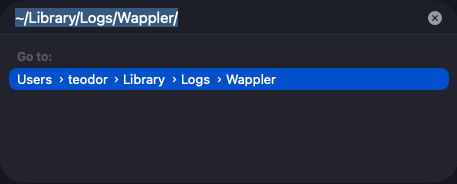
~Library/Logs/Wappler/

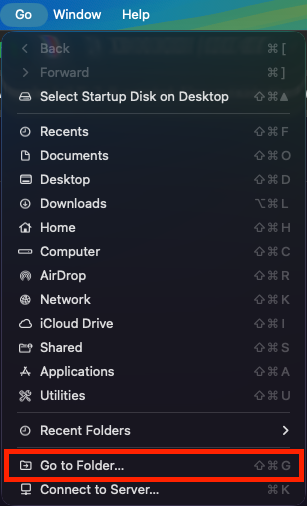
To access it, go to Finder > Go > Go To Folder:

and enter this:

So please do this again and send us the file after that:

Please restart Wappler in debug mode, open a file, save it and then send us the debug log:

Here ya go, hope it's helpful.

wappler.log.zip (3.8 KB)

How do you have your development target configured?

@george has to look at this problem. I've checked the log and noticed the Start local copy for login.php after the save. This normally happens when you have configured a local PHP server on a different location than your project files. That is why I asked for the target setting but I don't see anything wrong there.

It is possible that the project config file contains some wrong configuration. Did you have the project configured with own Server at some time and switched it later to Wappler Local Server.

Check the file .wappler/project.json if it has under targets, the Development target should look like:

    {
      "name": "Development",
      "remoteURL": "http://localhost:3000/",
      "targetType": "wappler"
    }

If is has an localFolder also defined delete that property as it is probably a leftover from a previous config setting.

This is what I have ...

"targets": [
    {
      "name": "Development",
      "remoteURL": "http://localhost:3000/",
      "access": "local",
      "targetType": "wappler",
      "localFolder": "file:///Users/bradlawryk/Documents/Personal%20Websites/2025%20Theatre%20History"
    }

Seems like it has a localFolder property left there. Maybe before you used this target with different settings and Wappler didn't remove this.
Change it to:
"targets": [
    {
      "name": "Development",
      "remoteURL": "http://localhost:3000/",
      "access": "local",
      "targetType": "wappler",
    }

and it should be fine.

1 Like

Removing the local folder setting seems to have fixed the problem. Thanks guys! :beers:

Ok then George will take a look at how we save the settings.

1 Like

This topic was automatically closed 2 days after the last reply. New replies are no longer allowed.