I’ve got a rather large form that has multiple checkboxes, and a number of Yes / No radio buttons. All of the checkboxes are static, and have a value of ✓
Any suggestions of how to retrieve the database content for these so they can be used in the detail form for updates?
They are a required field used to indicate the person has read the instructions, and afterward, checks the box before preceding to the next question. The value of the checkbox field is the ASCII code for the check mark seen. I didn’t realize the code would be interpreted as a check mark. Ha!
The only reason is that the client wanted a check mark in the printout of their response. At the time, it was a quick way to give them what they wanted.
Well that’s not the greatest solution. You could print the symbol without storing this in the database…
For single checkboxes just use the dynamic attributes > checked > when DB value == ‘value’
But I strongly suggest setting ‘1’ as a value for the static checkboxes.
Good idea. I will convert the checkbox values on the two insert and update pages. Then make the necessary changes to the queries.
Now, as for the radio buttons, they are grouped. I have the input name set as i.e., ‘name’, and then the choice set as either ‘name-yes’ or ‘name-no’.
To set the response for the detail page, would I need to setup a query for the radio buttons? Or how does that work? It seems I recall a DMXzone tutorial video for DW that suggested that technique.
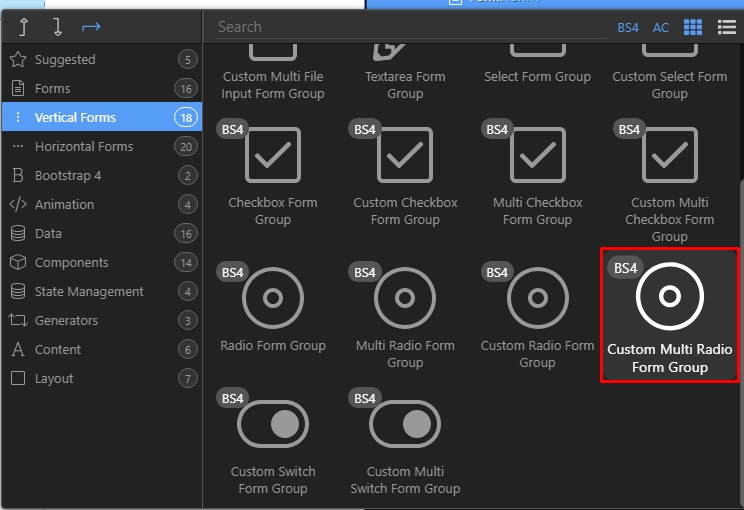
You need to add the radio group component and your radio buttons inside. Add values to them (each radio needs a different value of course).
Then bind your database value in the radio group value field. Radio group will automatically check the proper radio button (depending on the database value).
Teodor, I must be blind… the rest of the form fields populate and update with no problem. However, I’m still trying to figure out how to get these radio buttons to reflect the data from the database.
When you inspect the element (right-click page to see inspect element), as you click the Edit Buttons, you can see the data is being put in the dmx-bind:value, but it is not rendered in the html radio button, nor when it’s changed via radio button, it is not being updated in the database. Although every other field is being updated when changed.
You need to add a radio group component and place the radio buttons inside it. Radio buttons must have static values and the dynamic value must be added to the radio group.
Radio group will automatically select the radio button depending on the dynamic value.
Also, for the update record value you need to add radio group value.
Radio group component currently supports radio buttons, button groups are a different thing.
If you want to use the component with Bootstrap 4 - then use the radio controls available in the form elements: