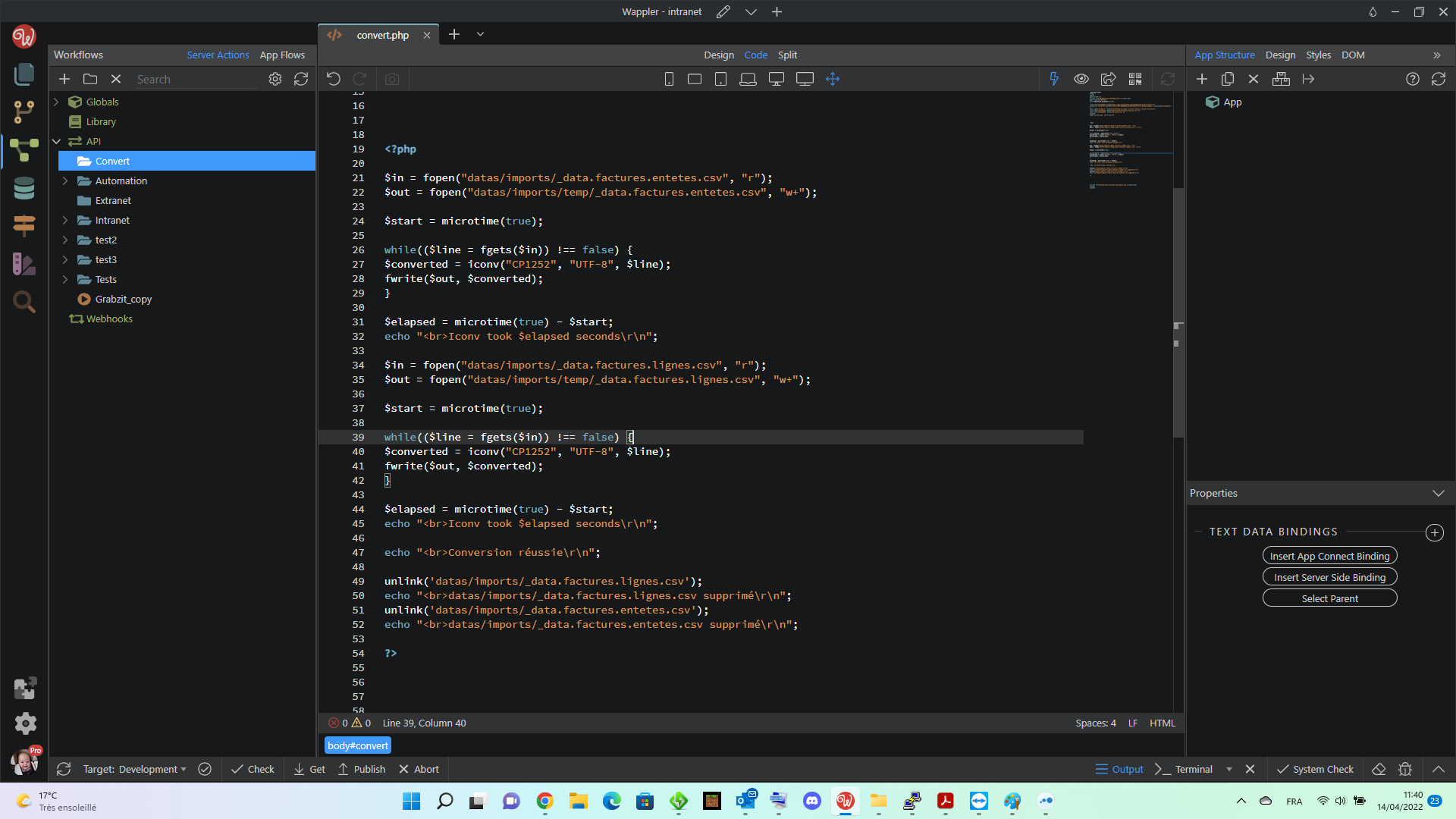
is it possible to convert before importing into the database, my data coming from a CSV
the file is in windows1252, it should be injected in utf8
Thank you
is it possible to convert before importing into the database, my data coming from a CSV
the file is in windows1252, it should be injected in utf8
Thank you
No Solution?
Is this CSV file on disk? Do you need to convert this through Wappler or can it be done before importing to Wappler? (e.g.: by running a program)
It is an import from an FTP, it is a treatment that must be automatic, I feel that it will be difficult
afterwards I can very well make it arrive in a directory find a linux script that converts it then moves it to the import directory, but for the moment I have not found such scripts
i’ll try iconv
Great! A Linux script is fine
Can you maybe try the following on the Linux terminal to see if it works:
iconv -f CP1252 -t UTF-8 in.txt | dos2unix > out.txt
Query search term for Google: dos2unix windows 1252 (I knew of dos2unix, so that was my search starting point)
Found the command above here:
You may need to check if iconv and dos2unix is installed on your server. If you’re using shared hosting you can ask your hoster to install these for you
it is installed, I will test and let you know, thanks Apple
It’s good thank Apple
<?php $in = fopen("datas/imports/_data.factures.entetes.csv", "r"); $out = fopen("datas/imports/temp/_data.factures.entetes.csv", "w+"); $start = microtime(true); while(($line = fgets($in)) !== false) { $converted = iconv("CP1252", "UTF-8", $line); fwrite($out, $converted); } $elapsed = microtime(true) - $start; echo "