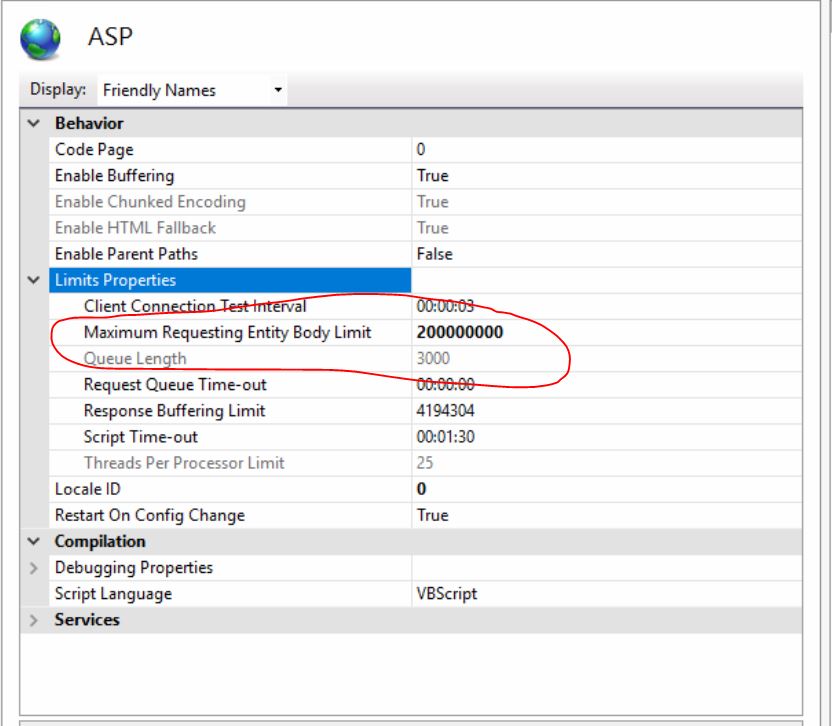
I have a file load component, but I have it greyed out for testing. previously the file upload was working with no problems, I was troubleshooting the way the name was formed on save to the database and had it greyed out ( no loading) but this is on the testing server so maybe I need to change the the size of the allowed upload?
its not file size, the size is way under the limit. This page worked before and I was just changing the way that a file was saved to the database and then started having this error. Seems really weird to me.
There are two PHP settings to check, the obvious one is upload_maximum_filesize but also there is also post_max_size which should be at least the upload_maximum_filesize plus any other post variables so ensure it is megabyte or more larger.
If unsure use phpinfo() to check, there is a post on phpinfo() on the forum
Its not a file size error. the file size is way under the standard limit.
I created a different script that all it does it grab variables from the form and thats it. so no upload, no database adds. So basically just a blank action script and I still get the same error.
I think it has to do something with server config, but I don’t think its the limits of the files actually as files I am uploading are way under the default limit.
On the actual site it works, on the testing site it doesn’t. I’ve compared both back and forth but to no avail.
Got it solved. You look at this stuff and compare it to the other site and you just miss some obvious stuff I guess. Even though I had the web.config stuff in there it still didn’t work. changed it here and I was off to the races.