Webhook POST variable configuration

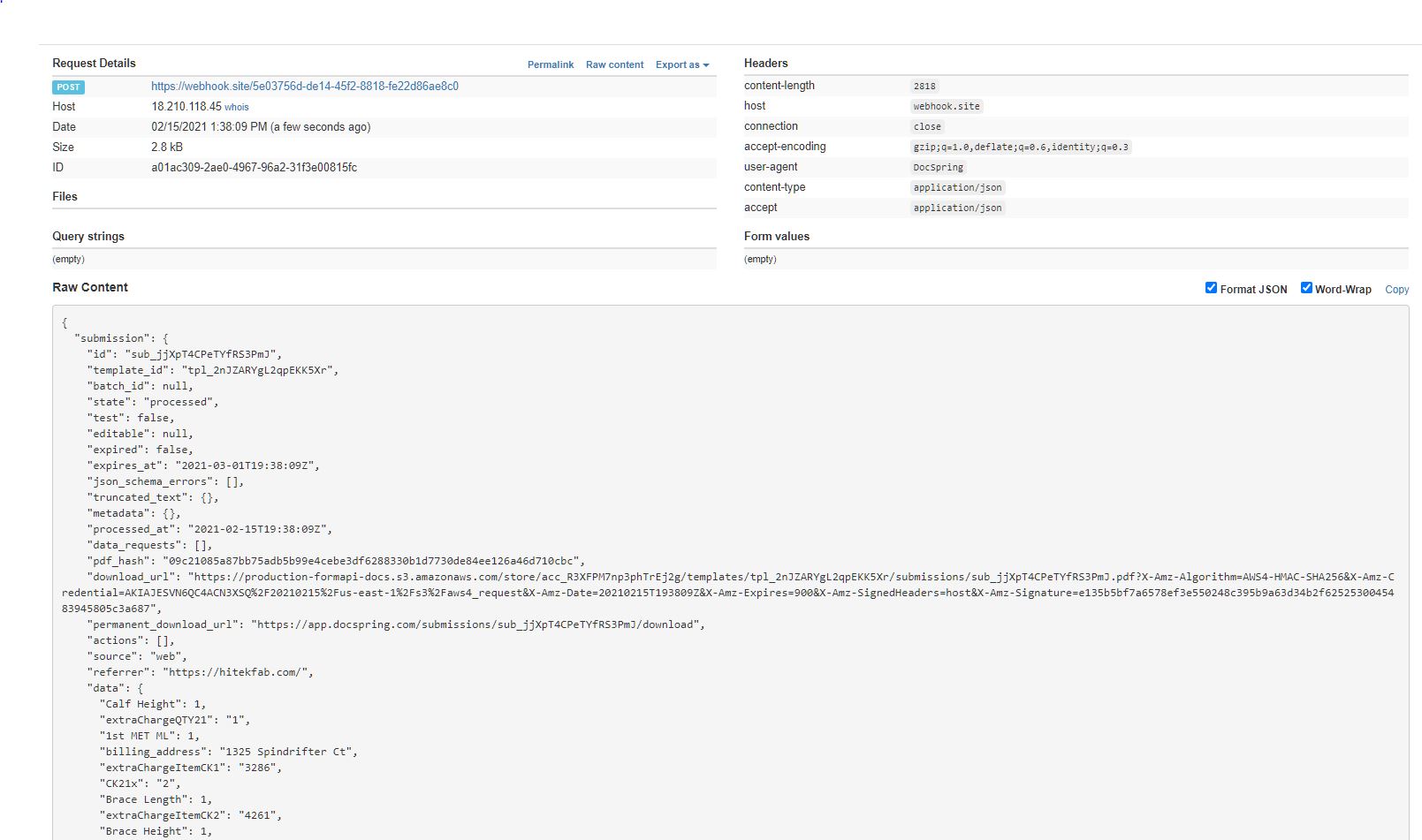
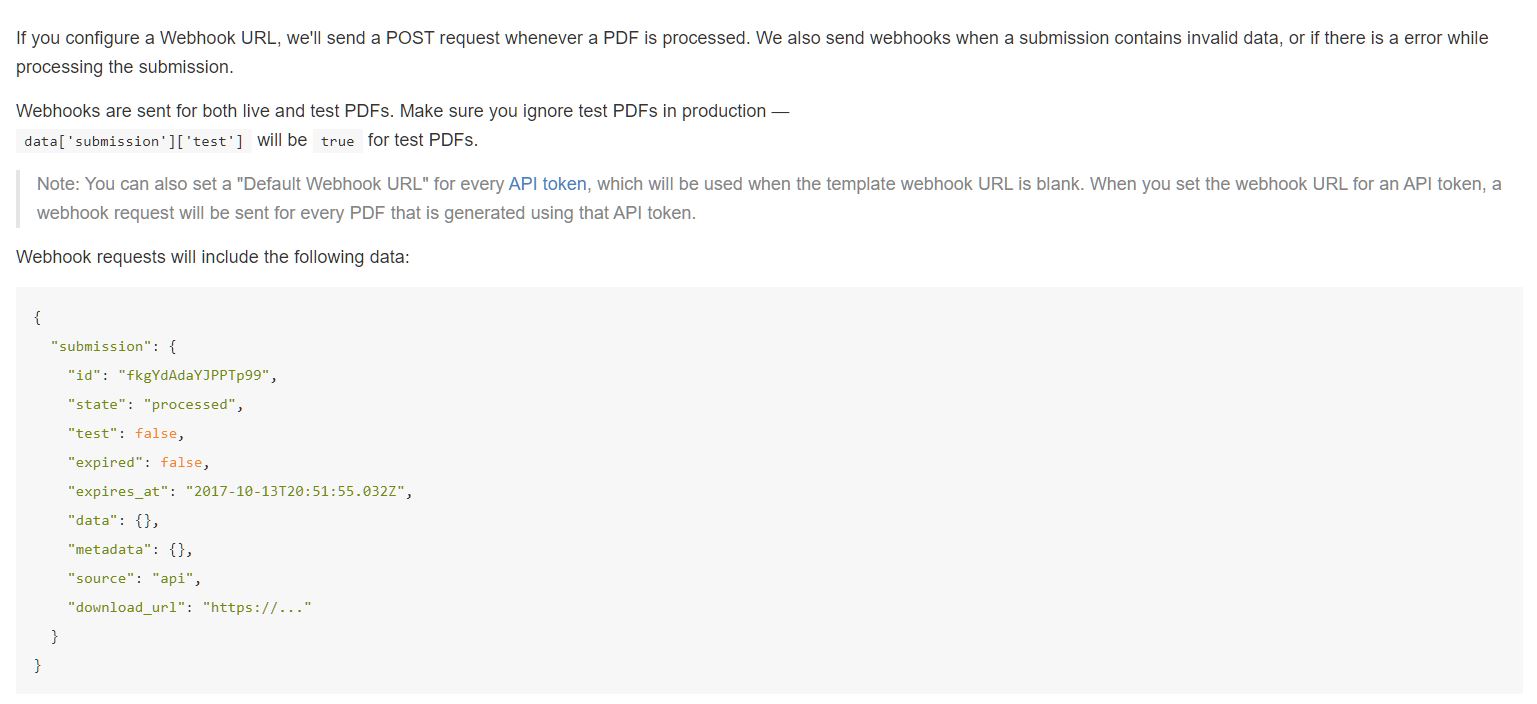
Need some help figuring out how to setup a webhook properly. I have a basic server script that is just trying to log the data sent from the webhook. This is the information from them:

I am receiving the data, but I’m not capturing it correctly as it just adds a entry into my database and has all NULL value fields.

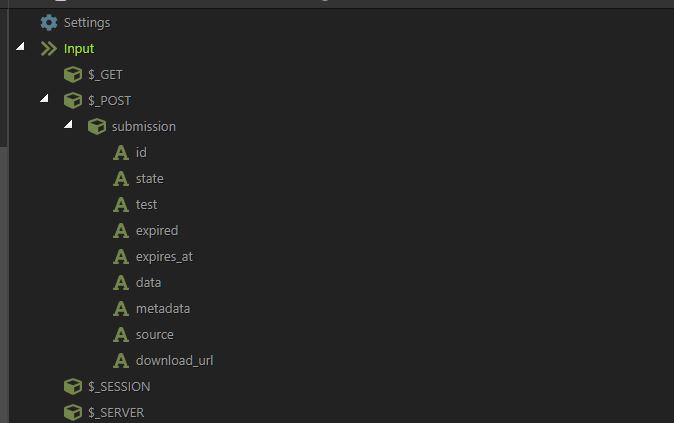
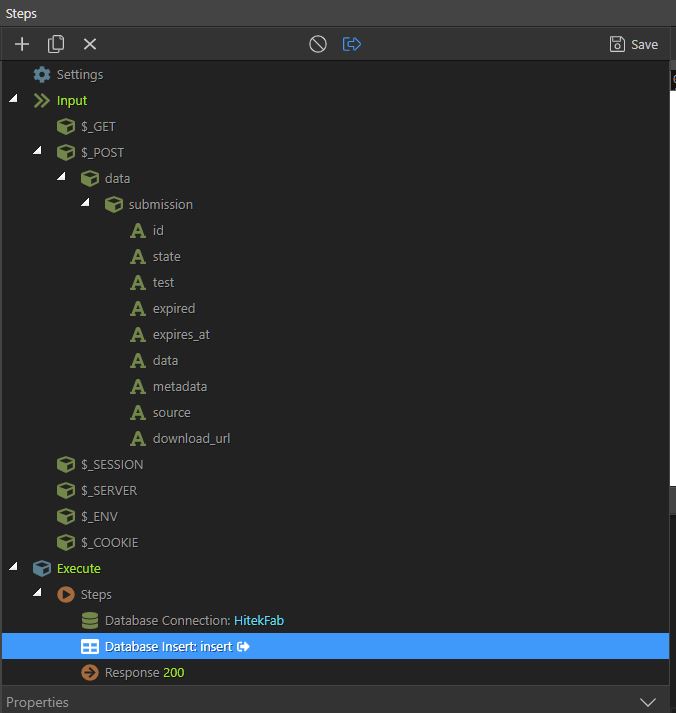
Here are my post variables:

At a loss on how to troubleshoot?

I would use a test endpoint here: https://webhook.site/ to check the response body of the webhook. I’d then check that against the post variables in Wappler as a start

Yeah just found that site… This is what it returns

Looking like data is JSON, so don’t know if I have my post variables correct?

I don’t see any “data” level that you have defined first under your $_POST

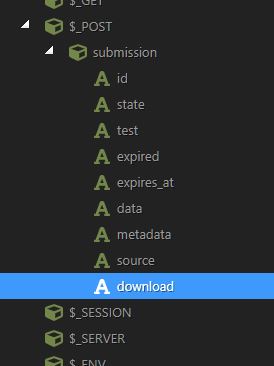
So more like this? @George
Capture4

I’m using asp classic, should it be able to read JSON as post variables?

Yes, that seems fine to me

Shouldn’t data be an object?

Not in this case–you might be thinking of the json produced by app connect results. The raw json here would be referenced without a data object.

$_POST.submission will get the entire submission object.

$_POST.submission.id will get the id value, etc.

But there’s definitely nested objects from looking at the response:

"submission": {
    "id": "xyz",
    "data": {
        "Calf Height": 1
    }
}

I can see metadata is also nested. Surely these need defining correctly under $_POST?

STRICTLY speaking, the answer is no. But the way most people think of this, I suppose it is Yes. :slight_smile:

What I mean:

Using POST (or other) variables is not dependent upon them being added to the Inputs. I use all the variables without adding to the Inputs a lot. In the example above you can easily use a set value action to output the value of $_POST.submission.id without first adding it to the Inputs

Adding something to the Input section simply allows you to select it in the dynamic pickers, which is what makes it easy downstream.

So, yes there are nested items under submission, and one of them may in fact be named data, but that is not what Baub had originally setup. Baub had used data as a parent object to the whole structure, which would not work. Removing data from the parent, will work.

1 Like

Thanks for the insight! I blame this on my OCD, tend to add everything I need to the inputs section.

It's not by any means a bad thing to do.

Now... if there really is an element in the json with a space in the name, that might present a new challenge.

That syntax is:
{{$_POST.submission['id and']}}

But again, adding to the picker is the easiest and most accurate way to handle these things!

1 Like

This did the trick. @george was correct on not needing the ‘data’ object.

Capture5

1 Like

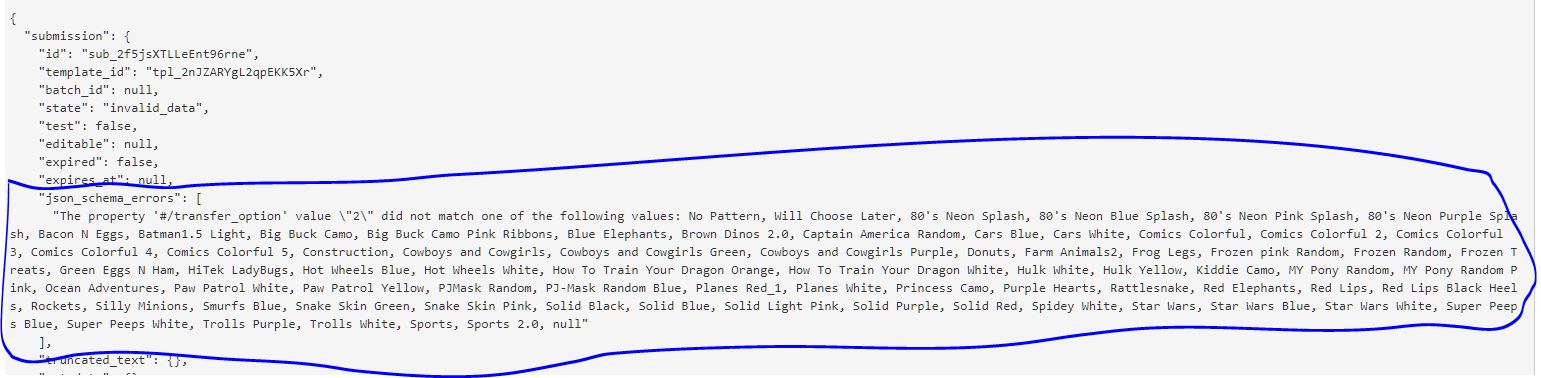
ok getting close. to start with @max_gb was right about the data being an object. But I’m trying to get json_schema_errors and am not having any luck. its marked with [ ] around the entry does that mean array? then how do I pick just the one item in the array? ie how do I set the POST variable up for that?
Trying to get that json_schema_errors into my database…

Yes

You use zero based counting in this format:

$_POST.submission.json_schema_errors[0] will give you this first item in the array.

1 Like

That did the trick! Perfect. Thanks, Ken!