Got an error message startin
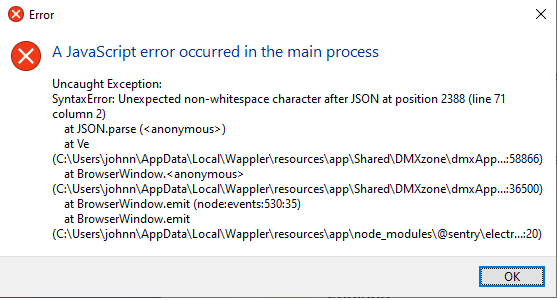
g wappler today, tried to reinstall, but same error
Hi Johnny,
Have you tried a full re-install? There is an extra step you need to do after you do an uninstall
It looks like your local Wappler project configuration file may be corrupted.
Please close Wappler, then locate the projects.json file in your Wappler Configuration folder and rename it to:
projects.json.bak
The configuration folder on Windows is located at:
C:\Users\YOUR-USERNAME\AppData\Roaming\Wappler\Configuration
Then start Wappler again.
This will not delete your projects, but Wappler will not show them in the projects list, so you need to open them again manually.
If Wappler starts normally after renaming the file, please send us the original projects.json.bak file so we can inspect what caused the issue. You can also debug it using AI and it will fix it for you.
Thank you. That did the trick.