Wappler All in one AI version 2
Introduction
The original All In One AI was a merging of separate, previously released, AI modules for Gemini, GPT and Claude. Later Deepseek was added and then finally DeepL translation.
Breaking changes in the parameters of GTPT 5 based models highlighted how the code was unnecessarily complex and was in need to a tidy up.
So here is Version 2 with full GTP 5 support (as well as Claude, Gemini and Deepseek). A complete rewrite. which will also allow updates to be made more easily.
I have also added limited file upload and analysis functionality.
Deepl will remain a version 1 only option.
Installing
The extension can be installed via the project manager in the usual way.

or direct from npm via npm install @hyperbytes/wappler-all-in-one-ai-v2
https://www.npmjs.com/package/@hyperbytes/wappler-all-in-one-ai-v2
Using the extension
API Keys
The relevant API keys should be stored as Environment variables in the Server Connect options in the Environment tab. Don't forget these are target specific..
the required keys are:
OPENAI_API_KEY
GEMINI_API_KEY
ANTHROPIC_API_KEY
Once installed the extension will appear in the Ai modules group named "Multi AI Module V2"
Add it to an API action
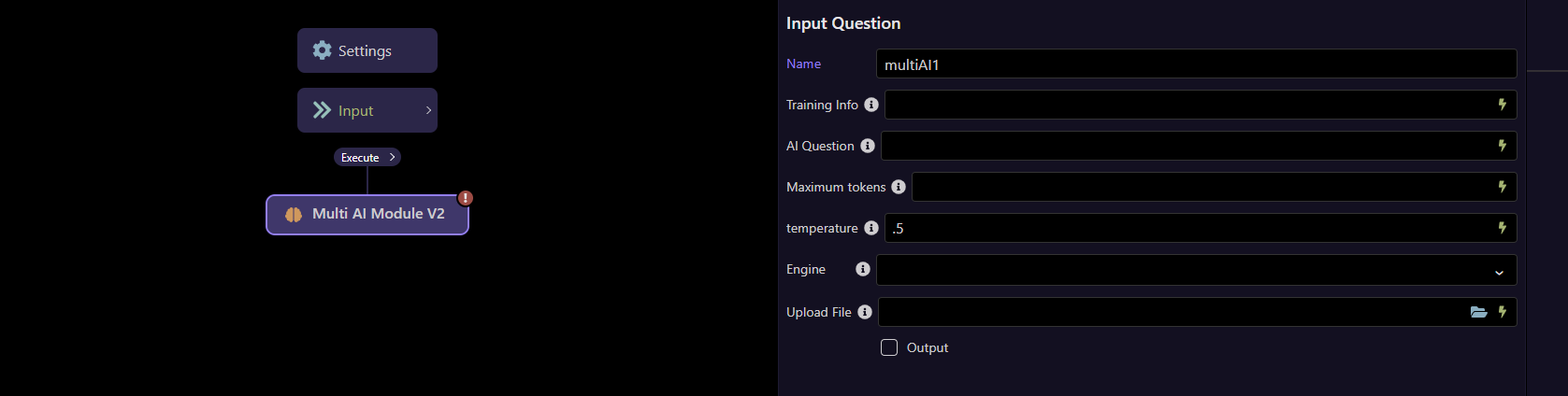
The Options
Training Info
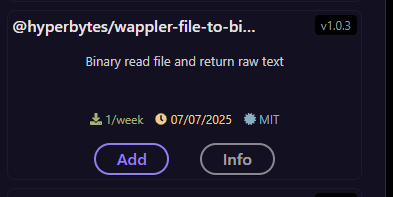
Optional parameter. If you have training text then this field is provided for the convenience of adding it. If you training is in a file then use my "@hyperbytes/wappler-file-to-binary-raw-text" extension to read the file contents before passing them. This text is simple appended to mandatory "AI Question" input.
AI Question
This is the main Ai Question and is mandatory
Maximum Tokens
This is the maximum tokens which should be expended on the query and response.
NOTE GPT 5 models calculate tokens in a different way and this value may need to be significantly higher.
While the underlying method of breaking text into sub-words (tokenization) remains similar (Byte Pair Encoding), tokens are effectively calculated and used differently in GPT-5 models compared to previous versions, leading to variations in actual token counts for the same text.
The key differences are:
Varying Token Counts: The same exact prompt can result in a significantly different number of tokens used in GPT-5 models versus GPT-4.1, sometimes an order of magnitude more, depending on the model variant and specific task.
"Reasoning Tokens": GPT-5 models, especially the more powerful versions, are "reasoning models" that may use additional internal "reasoning tokens" to process complex queries, which are billed as output tokens. This contrasts with older models where internal processing was less visible in token usage.
Tool Usage Costs: When using tools like web search, the billing structure has changed. For GPT-5, the content retrieved from web searches is billed as tokens at the model's rate, whereas for some GPT-4.1 models, there was a flat fee per web query.
Model Optimization: The way you prompt the model (e.g., setting the "reasoning effort" to "minimal") can heavily influence the number of tokens consumed in GPT-5, which was less pronounced in older models.
Temperature
This defines the reasoning levels from factual to Creative using values between -0 and 2
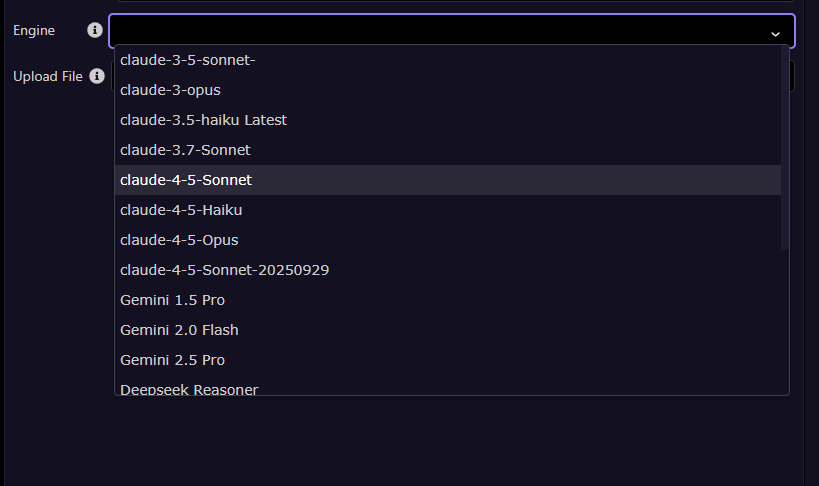
Engine
Select the AI engine to be used.
Upload File
Through this option you can pass a file from the server to AI as a reference for a question.
This parameter is optional. You can pass an image, text file or xlsx sheet.
NOTE: Not all AI engines support images/ files. It is for the user to ensure a suitable AI engine in selected when images/ files are attached.
Examples
In this example i pass this simple image, a clip of a simple spreadsheet.

Like this:
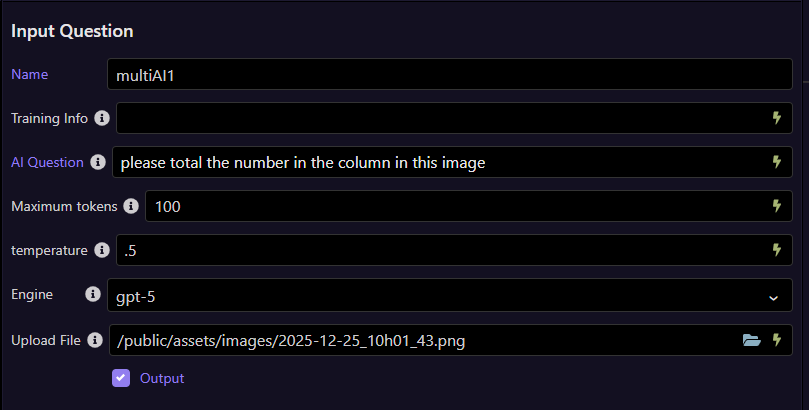
and get a response.
{"multiAI1":{"result":"24"}}
I then pass the actual .XLSX file to the extension.
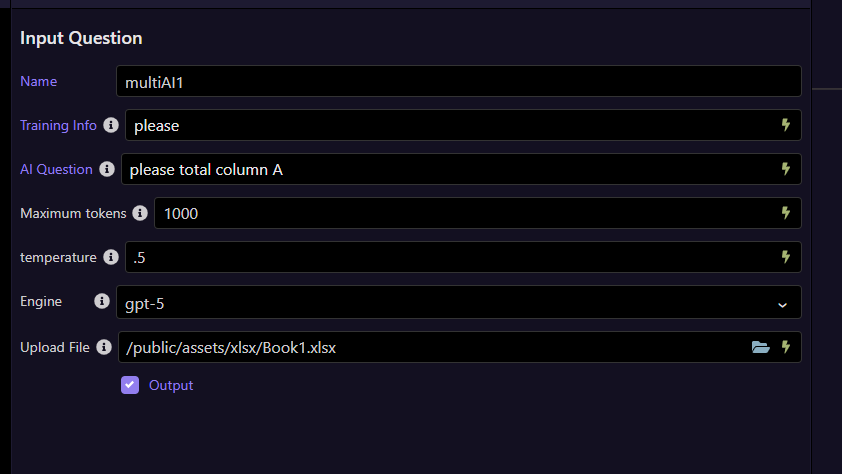
I get the same result.
{"multiAI1":{"result":"24"}}
I am looking into adding pdf analysis to this extension however I remain undecided if using a separate "extract text from pdf" extension and doing so as text may be a more flexible option.
Remember this is an initial release, any bugs found -please let me know asap for a quick fix