Update quantity in data store

From the demo docs on creating a cart, the following works great:

This will upsert the quantity, but always adding 1 to the current quantity.

I cannot for the life of me figure out how to use a select, or input to provide the quantity instead of a static 1.

@Teodor What the heck am I missing here?

dmx-on:click="cart.upsert({sku: 'my_cool_product'},{qty: `qty + inp_qty.value.toNumber()`, sku: 'my_cool_product', product_name: 'My Cool Product'})"

If it’s any consolation,I struggled with that one last week also. Look forward to seeing the solution

1 Like

Hi Ken, what is the result of what you are trying above then? Are there any errors? Is the value not getting updated at all or is a wrong value updated?
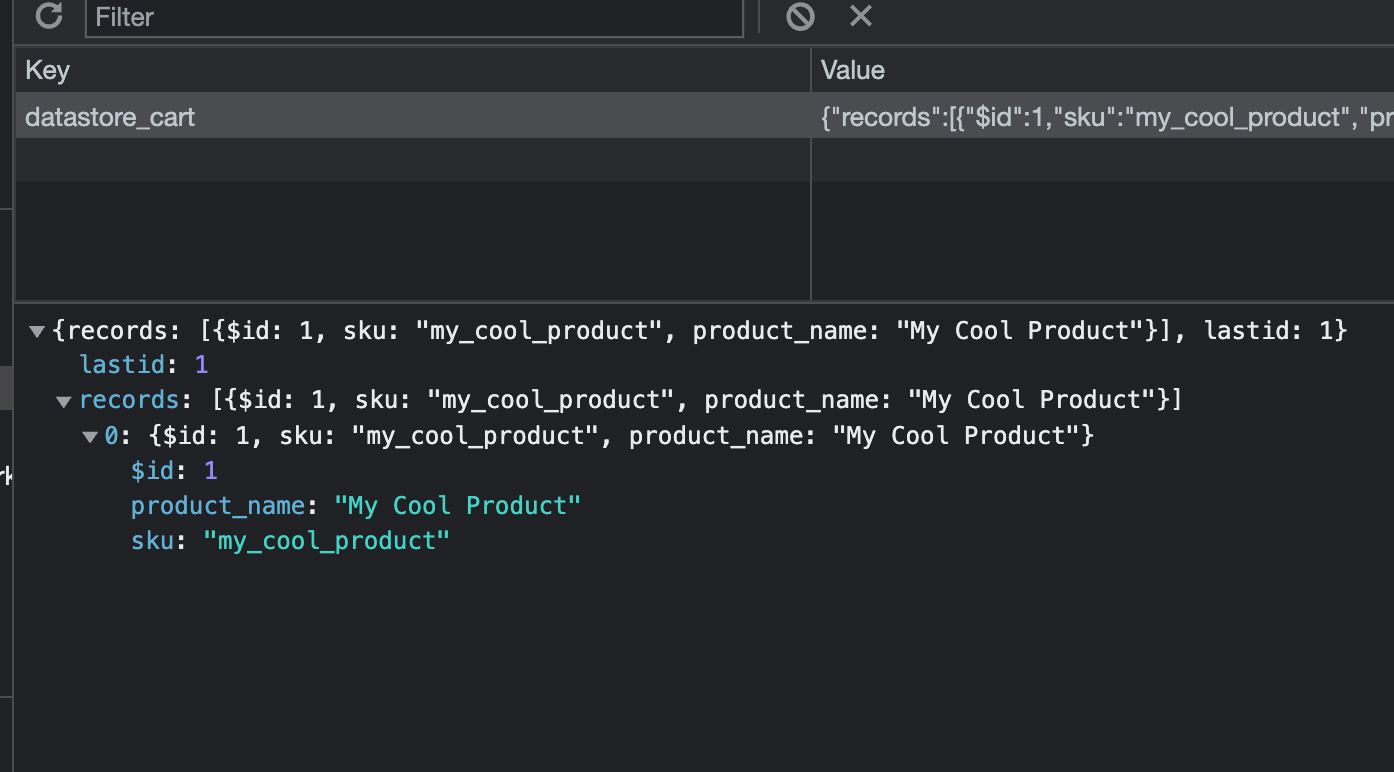
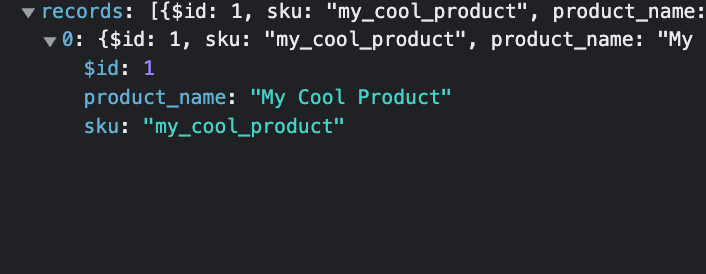
Can you check the data store in the Dev Tools > Application section and check if everything is initially inserted properly?

Hey Teodor.

The upsert I show above adds the record into the data store, but with no value for qty. No errors/warnings in the console.

Here is the input element:

<input id="inp_qty" name="text1" type="number" class="form-control" is="dmx-input" value="2">

So if the data store is empty, the insert action is not inserting the qty?
And then on clicking the button again it also does not add/update it, correct?

Correct

Are the rest of the values coming from inputs also, or are they dynamic bindings or hardcoded values?

The rest are static text (just for the test)

<button id="btn1" class="btn btn-primary" dmx-on:click="cart.upsert({sku: 'my_cool_product'},{qty: `qty + inp_qty.value.toNumber()`, sku: 'my_cool_product', product_name: 'My Cool Product'})">Add item to cart</button>

Try using a flow with 2 upserts. The 1st upsert stores the input quantity. The 2nd upsert adds/updates the quantity with the quantity + the input quantity.

Any progress on this issue?

The problem is that when the record doesn’t exist it doesn’t have a qty value, so it will be undefined.

A workaround for it is changing the expression to qty.default(0) + inp_qty.value.toNumber().

To fix the actual issue we probably have to extend the scheme for the data store. To handle this kind of issue we need a default value for the column and maybe just like with databases an allow null option. That way we could use the default value when no value was set. When allow null is enable it could insert a null value and if no default or null value is allowed it should trigger an error.

Let me know what you think about that proposal, it would mean a big change to the current component. The workaround is also simple enough to get around the current restriction.

I'd be fine with a work-around, but this one isn't quite there.

Using this code:

cart.upsert({sku: 'my_cool_product'},{qty: `qty + 1`, sku: 'my_cool_product', product_name: 'My Cool Product'})

the quantity in the datastore will increment by one (starting within 1, if the datastore is empty.) This is all correct.

If we swap out the static "1" for the input:

cart.upsert({sku: 'my_cool_product'},{qty: `qty.default(0) + inp_qty.value.toNumber()`, sku: 'my_cool_product', product_name: 'My Cool Product'})

The quantity in the datastore is always zero.

I have also tried:

cart.upsert({sku: 'my_cool_product'},{qty: `qty.default(0)` + inp_qty.value.toNumber(), sku: 'my_cool_product', product_name: 'My Cool Product'})

which concatenates a string value.

And removing the backticks:

cart.upsert({sku: 'my_cool_product'},{qty: qty.default(0) + inp_qty.value.toNumber(), sku: 'my_cool_product', product_name: 'My Cool Product'})

results in the datastore quantity always being the value of the input, without adding to the existing value.

I’ve been testing this and it works fine for me. Can you check which version the file dmxDatastore.js shows.

Here the latest version I’ve tested with: dmxDatastore.zip (1.3 KB)

@build 2022-03-03 15:34:24

Using this:

 dmx-on:click="cart.upsert({sku: 'my_cool_product'},{qty: qty.default(0) + inp_qty.value.toNumber(), sku: 'my_cool_product', product_name: 'My Cool Product'})"

The datastore always ends up with the value of inp_qty, rather than the current ds value plus the input.

And with your original expression, without the default?

This one?

dmx-on:click="cart.upsert({sku: 'my_cool_product'},{qty: `qty + inp_qty.value.toNumber()`, sku: 'my_cool_product', product_name: 'My Cool Product'})"

The record gets inserted into ds, but there is no qty element.

When it is missing it means that the value was undefined. What does it insert when using (qty + inp_qty.value.toNumber()).toString().

dmx-on:click="cart.upsert({sku: 'my_cool_product'},{qty: (qty + inp_qty.value.toNumber()).toString(), sku: 'my_cool_product', product_name: 'My Cool Product'})"

gets the value of the input only, but as a string.

sorry, with the backticks.

`(qty + inp_qty.value.toNumber()).toString()`

also try:

`(inp_qty.value).toString()`

I think that it doesn’t get the value because it can’t find the input. I have to check, but I believe it evaluates the expression in the scope of the datastore component and that component is probably placed outside the form on your page. You could move the datastore component next to the button and see if that fixes the issue.