I am creating a new site that uses URL parameters to filter different bits of data from my database.
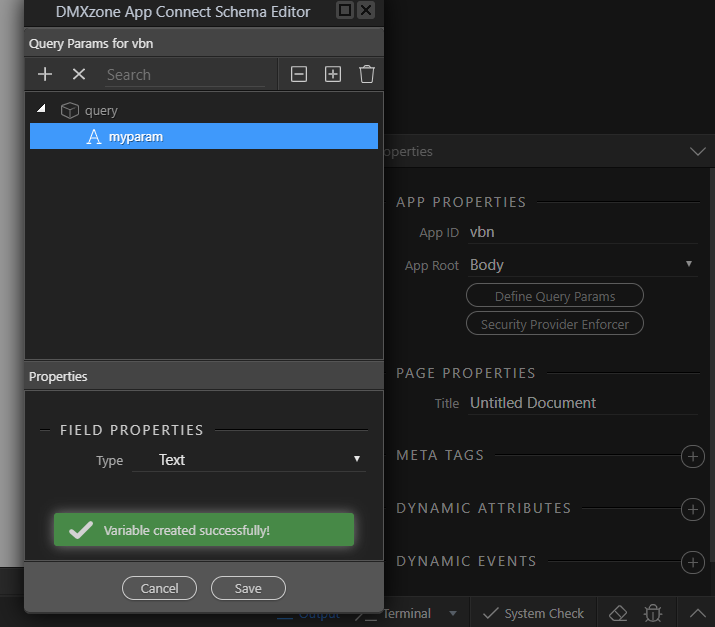
Step 1: App Structure - Add an App ID and click Define Query Params to create a variable called “id”
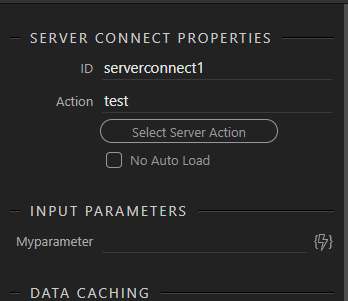
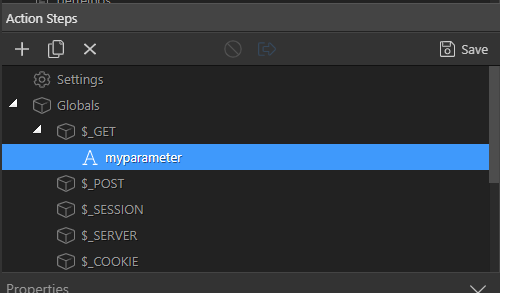
Step 2: Server Connect - Add a $_GET variable called “urlfilter”, open the query conditions and assign $_GET variable, save
Step 3: App Structure - Server Connect data component added, input parameter of “urlfilter” assigned to “query.id”
I would imagine this should be all that was needed, but it did not work as expected, I had to add a Query Manager, added id “query_id” and defined the same “query.id” variable created in Step 1
Are there meant to be 2 places where i need to click the Define Query Params like this, and if so, why?
Is one for server side and the other for client side or something.
The query parameter you define from “Define Query Parameters” is needed to RECIEVE the parameter from the URL so is only needed if a URL parameter is sent
Thanks Brian, that is exactly what I figured, but then i was going through the docs and saw the Query Manager component, and now im confused if i have to use that too
Highlighted in blue on the right in the App Structure panel is this “Query Manager” Component, which looks like an almost duplicate of “Define Query Parameters”
Im trying to figure what and why and if i need that query manager thing
In your case you can do this with the query manager or not - it’s the same.
The define query parameters option is used to define the query parameters, while the query manager component allows you to “manage” them - like setting a query param value, removing its value etc.
Thanks Teo, ok im happy now, i was just wondering because the page worked with or without the component, so my enquiring mind got all excited, like i missed a feature.
If your enquiring mind is still enquiring…
I think including the query manager and adding parameters to it results in changes to config.js in the dmxAppConnect folder. This file stores information about cookies etc and various types of metadata which populate Wappler pickers etc… I don’t think the file is needed on the server (but I could be wrong).
Additional information like that is always welcomed Tom, thank you, going to go look at it now, because i just love opening files i really should not be playing with, haha.