Since today, the tagify component doesn’t work on my live app, which I haven’t touched it for a couple days, it was working until today.
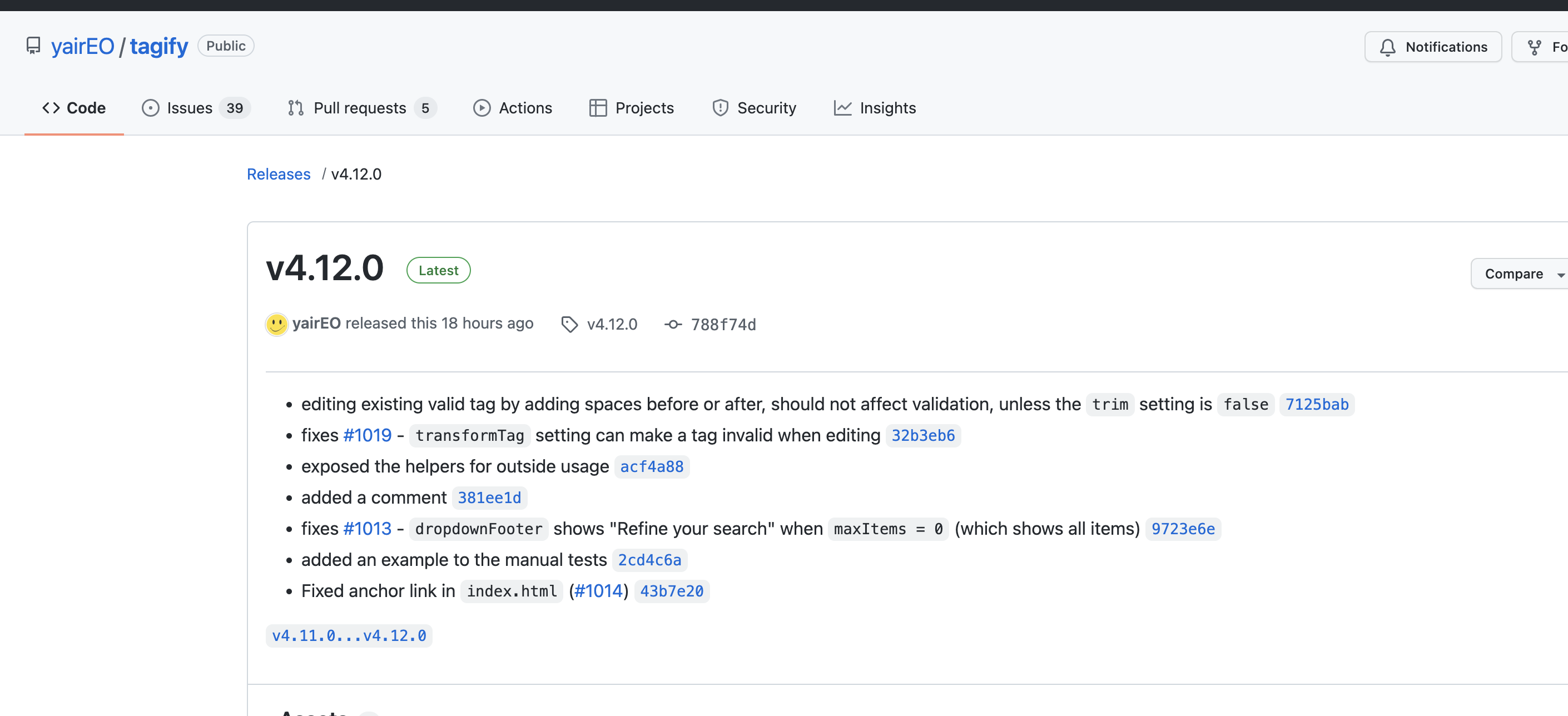
I see that there was a new tagify version release 18 hours ago, could that have affected it?
Yeah it’s definately the problem with 4.12.0,
it works on 4.11.0:
<script src="https://unpkg.com/@yaireo/tagify@4.11.0" defer=""></script>
Do you get some error in the console? Normally minor updates should not give any problems and the changelog doesn’t state any breaking changes. Initial test with default options seems to work, could you share how you use the tagify on your page.
No console error,
This is one of the elements that I use:
<input class="w-100 input_height rounded bg-secondary" is="dmx-tagify" id="selectProduct" name="selectProduct" dmx-bind:data="get_products.data.repeat" tag-text="Title+' '" tag-value="id" max-tags="1000" no-close-on-select="true" skip-invalid="true" nocustom="true" style="--placeholder-color:#8E95AB; --tags-border-color:rgba(53, 149, 246, 0); --tags-hover-border-color:rgba(204, 204, 204, 0); --tags-focus-border-color:rgba(53, 149, 246, 0); --placeholder-color-focus:#8E95AB; --tag-bg:#0576c9; --tag-hover:#0576c9; --tag-text-color:#dedede; --tag-remove-btn-bg--hover:#bd1d32;" min-chars="0" placeholder="Products" tag-image="signDownloadThumb" type="number" max-items="">
I think that I tracked it down to the max-items="" attribute, setting a value or removing the attribute should make it work again. Could you please test if that is the issue.
Yes, that worked. Thank you
After some extra investigating I noticed that an empty attribute for a number property results in the value 0. Seems that JavaScript Number("") === 0, so the config options was set to 0 and that resulted that you couldn’t at any items. I should probably see the empty attribute as a property not being set and use the default value instead in that case.