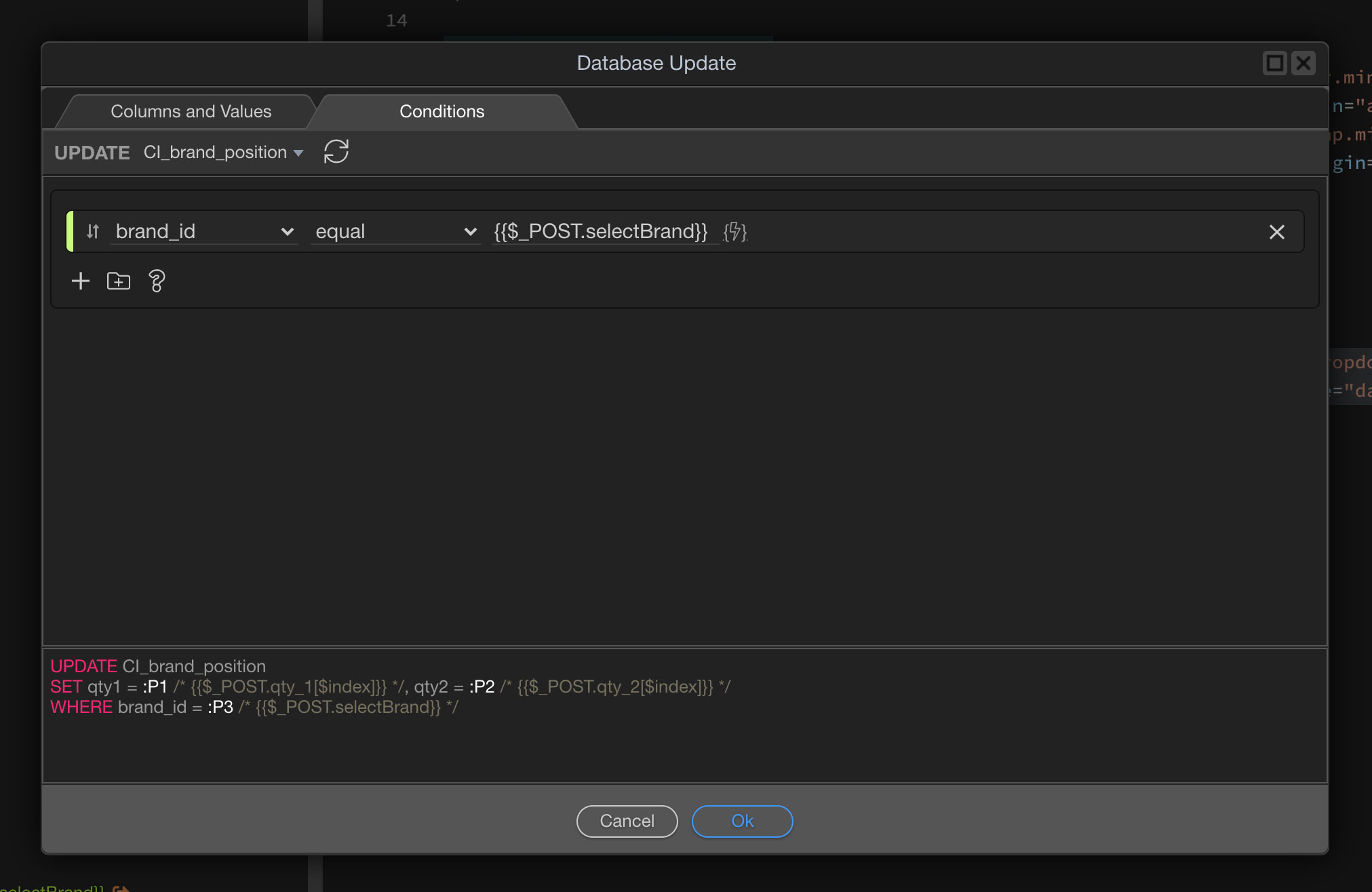
I have a basic form updating a table. It updates those rows which match multiple dropdown selections (name=“selectBrand”). Here’s the relevant div within the form:
Unfortunately, only the 2nd row of data is being updated, not the 1st. I assume it has something to do with the repeat and its array elements. Any suggestions for what I’m doing wrong would be welcome. Thanks.
After doing some more research it seems the arrays used by server connect repeats are usually created by binding repeat form data.
In my case, my array is created from a comma-separated string. Does anyone know if this could be the reason why my server connect repeat isn’t repeating?
If you are sending a comma separated string to the repeat, you need to use the split formatter for your expression and split by the , character so it becomes an array and the repeat can loop through it.
The value of the expression ‘data_detail_product.data.brand’ is in the form (1,2,3,…), so I thought applying .split(’,’) would create the correct array.
I was referring to the value you are sending in your server action i.e. the POST variable, used in the repeat expression. That’s where you need to apply the split formatter.
That’s exactly what I was after. I created a hidden form field (without the added split formatter)… and used that for my POST variable in the repeat expression. I then applied the split formatter to that.
Cheers for the assistance!