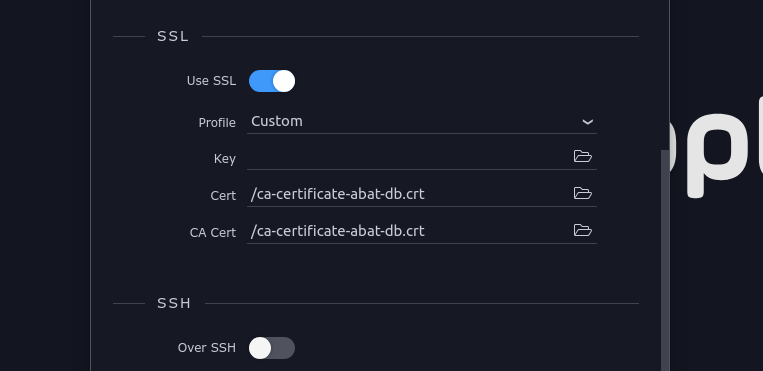
When I try to launch my development target to the browser it is coming up with this error message. Is it possible to connect a DO cloud database with certificate to the development target? I’m looking for a way to ensure that the certificate is being stored within docker. Based on the error message this seems like it may be my issue, but if there are any other ideas, please don’t hesitate to let me know.
Files are only added to a Docker image if specified in the Dockerfile or docker-compose. Easiest way to test this theory is to move your file to the uploads directory, as specified in your project settings - this directory is bind-mounted to the Docker container.
Edit: Perhaps you can move this file to some other Wappler folder of your project instead of uploads, so it’s added to the Docker image instead of being bind-mounted. You need to re-deploy after doing this, including on your local target
Ok and when you say move your file, you mean move the CA Cert correct? I’ve tried a multitude of different files coming to the same conclusion, but none have worked thus far. Possibly I wasn’t redeploying, so I will try again and move it to the uploads directory.
The uploads directory isn’t synced between local and remote targets, put it inside another Wappler folder (maybe “app”).
When I say move the file, I’m indeed referring to the CA certificate, but you should keep in mind I’m not familiar with this situation, I’m only describing what I would do
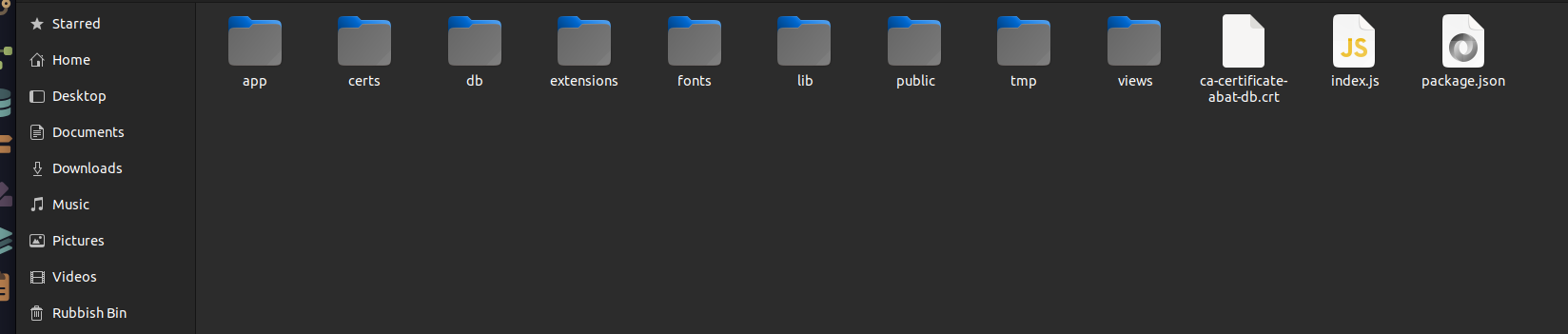
So I’ve tried this as well. I don’t have a folder named “certs” in my project. I tried to create one and it didn’t reference it. Maybe I created the folder in the wrong spot. Where would I create, and title the folder to have it reference this certificate?
Then point your database connection to the certificate. Or place the certificate within the Project root directory itself (which is what we did) as the certs directory for some reason is read only on Linux (not sure about Windows or Mac?)…
Thank you so much! Got it fixed. Had to make sure that my certificate was in the “certs” folder and that my targets, globals, and database all matched the exact same with the same references. Appreciate all your help.