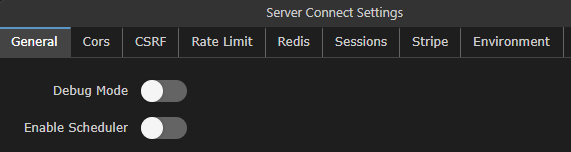
Almost all of my scheduled tasks run in the early hours when the server is quietest, however, I've recently added a couple that fire during the day and what I've found is I have Wappler open in dev environment and the scheduler is triggered on my local as well as remote, resulting in a double action being carried out.
I think the solution will be to use the '$_ENV' variable but I'm not sure how, can anyone pitch in with a solution please?
You can add a condition in the Scheduler based on the $_ENV variable. The setup will look like this:
Add an ENV variable under Globals, say PROJECT_USAGE
Under Server Connect Settings -> Environment, add a value for the env var PROJECT_USAGE. It can be defined as local for local project, dev for the development / staging project etc and will need to be defined for each target.
Add a condition in the scheduler to check the PROJECT_USAGE and execute the scheduler accordingly.
Please note that if a condition has been added in the scheduler, then you will need to disable it to test in a specific environment.
Maybe it is a good idea to introduce an extra option in the settings of the schedule actions (next to the schedule time) to choose on which target type to execute. So like always/development/production @patrick
In node, i think at present there is a system defined environment variable, $_ENV.NODE_ENV which returns development or production which can be used as a condition i.e.
$_ENV.NODE_ENV == 'development' or $_ENV.NODE_ENV == 'production'