SQL Express Connection

This is the first time I’ve setup a sql express connection. I have sql express 2017 installed on the same server as the IIS. So I’m a bit confused on setting up the connection. Its a bit different than a normal SQL connection.

Use Database file? Is this just a name or the full path to get to it? and is the database name should include the .mdf after the name?

Hello @baub, you don’t have to put anything there. You have configured your server settings already.

Dang it. Still not able to connect don’t know what I’m doing wrong. Just gives me an error of server response 500 internal server error.

Hi Baub,

You have entered the database file as database name…

You need to enter there the database name from the sql express you want to use

i tried just the name and also the file name both in that field.

Try the following:

Server: .\SQLExpress
Use Database File: |DataDirectory|hitekfab.mdf
Database: Hitekfab

When your database file is not located in the data directory then you have to use the full path like C:\databases\hitekfab.mdf.

Database is the name of the database.

Yeah everything I try is the same. I’m wondering if there are some rights/permissions that aren’t set. Its just the default install of sql express.

path to the database is C:\Program Files\Microsoft SQL Server\MSSQL14.SQLEXPRESS\MSSQL\DATA\hitek.mdf

I"m connecting to the webserver through a VPN and to a shared drive so security wise I don’t have to open up FTP ports etc. Could that be part of the issue maybe?

All I get when I try to connect is error using this database connection! Server response: 500 - Internal server error.

Is there any log file somewhere that might give more details on why its not connecting?

I"m guessing since the sql express and IIS are on the same server, I don’t need to open firewall ports? But do I need to open a firewall port for wappler to see the database?
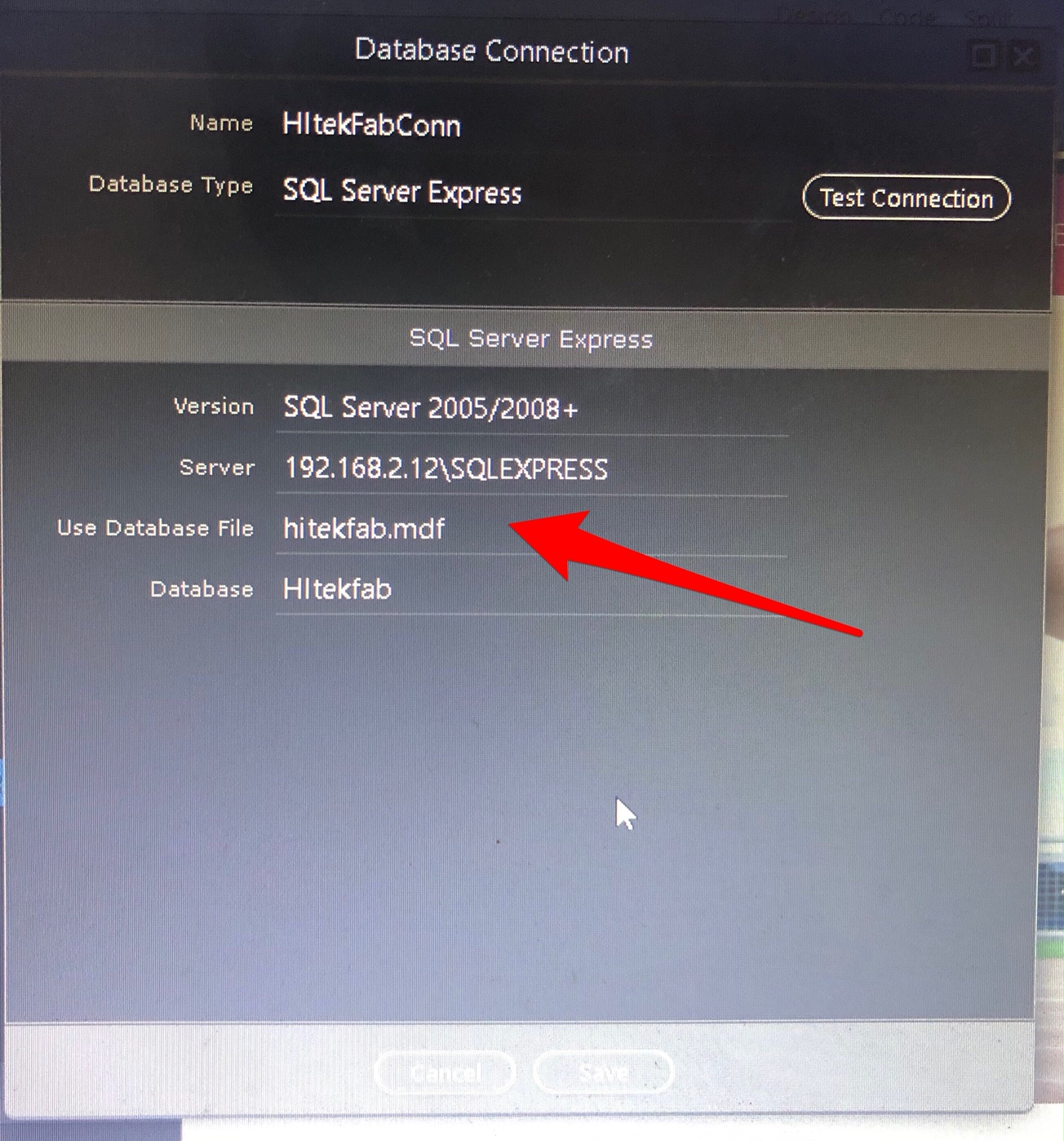
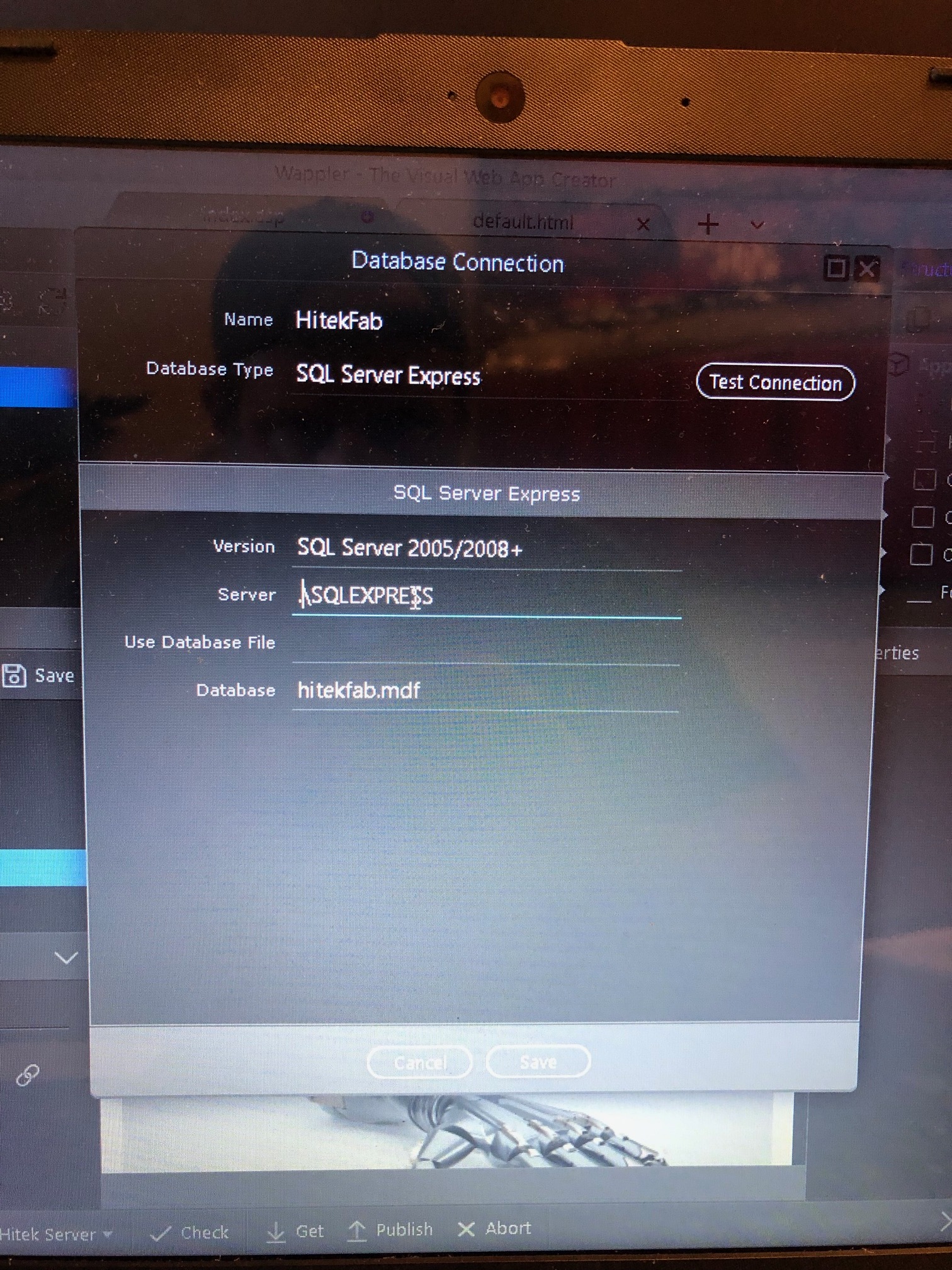
Here are the errors that are showing up in the sql express log

Ok, I was able to finally connect. Not sure what I was doing wrong.

This ended up working
version: SQLserver 2012+
server: .\SQLEXPRESS
use database file:
database: hitekfab

It shows me as connected when I test the connection. but it doesn’t show any tables in the drop down when I try to add a database query?

getting closer…

ok, just had to add permissions to the tables. But its working!!! Yeah! Thanks for all the help!

Baub

3 Likes