niam
September 12, 2020, 10:20am
1
Hi there,
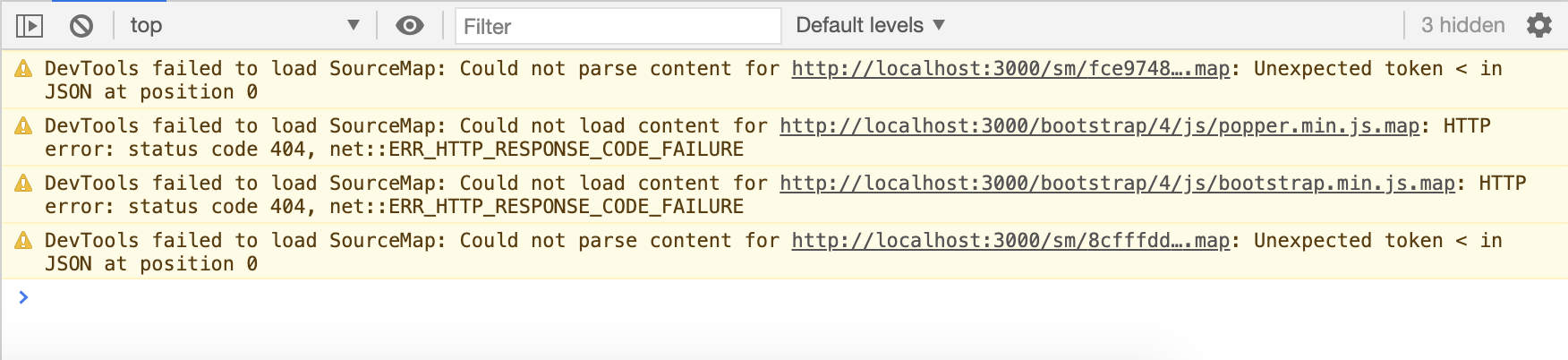
Any ideas why I started getting this error?
DevTools failed to load SourceMap: Could not parse content for http://localhost:3000/sm/fce9748308f79c28aa5a62ea9d002732d8c4a1c8eaadedab834d5c92787c6fa3.map: Unexpected token < in JSON at position 0http://localhost:3000/bootstrap/4/js/popper.min.js.map: HTTP error: status code 404, net::ERR_HTTP_RESPONSE_CODE_FAILUREhttp://localhost:3000/bootstrap/4/js/bootstrap.min.js.map: HTTP error: status code 404, net::ERR_HTTP_RESPONSE_CODE_FAILUREhttp://localhost:3000/sm/8cfffddf058dc09b67d92f8d849675e6b459dfb8ede5136cf5c98d10acf78cc3.map: Unexpected token < in JSON at position 0
Environment:
Thanks!
1 Like
karh
September 24, 2020, 9:44pm
2
I’m also getting sourcemap errors.
Source map errors are not really errors, they are diagnostic elements only shown in the developers console and they can be ignored. Nothing to worry about, they are quite normal
karh
September 24, 2020, 10:00pm
4
Thanks @Hyperbytes I’ll do some research
i dont think so, they are there for a reason
patrick
September 25, 2020, 8:34am
6
The source maps are only needed for the developers, it will show the full code instead of the minified version. There are 2 ways to solve the warning.
Make sure that you include the source maps, you could get them from the bootstrap website.
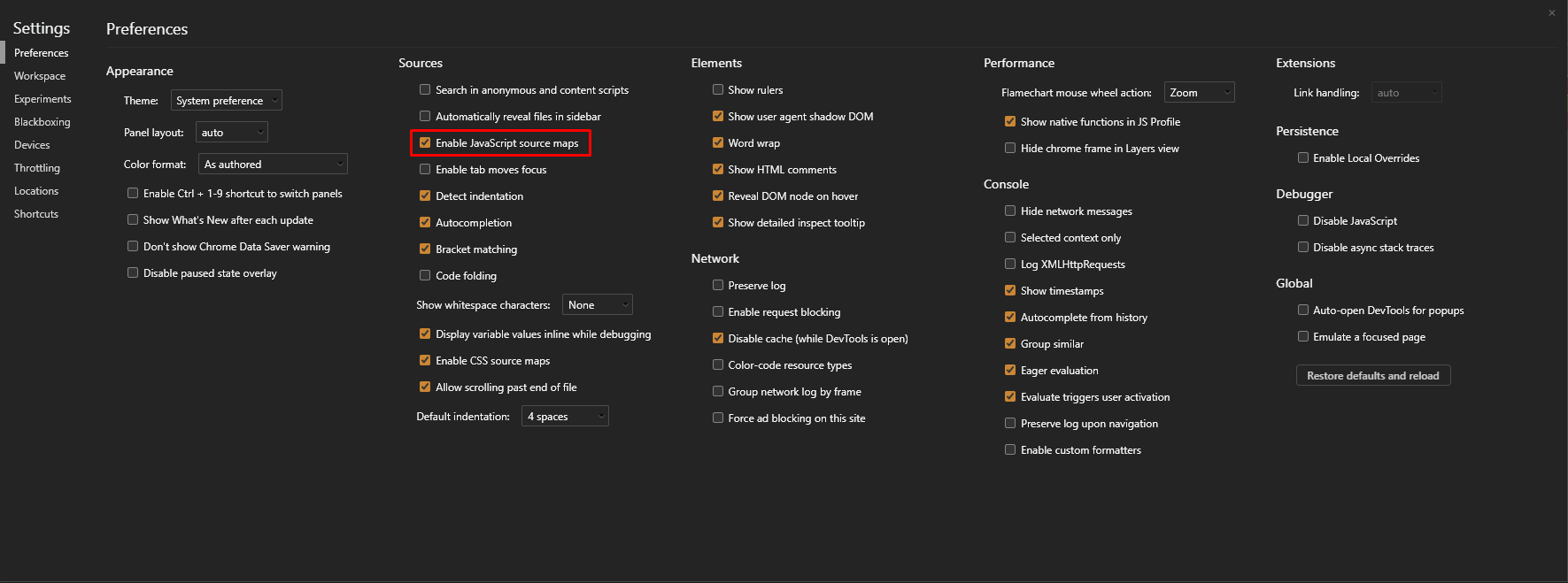
Turn off the javascript sourcemaps in the devtools.
3 Likes
karh
September 25, 2020, 9:05am
7
@patrick
Thank you, your one sentence explanation was more clear than my Google research.
Have turned it off for now to keep the console clean. Appreciate it!

 , quick question before I do so: