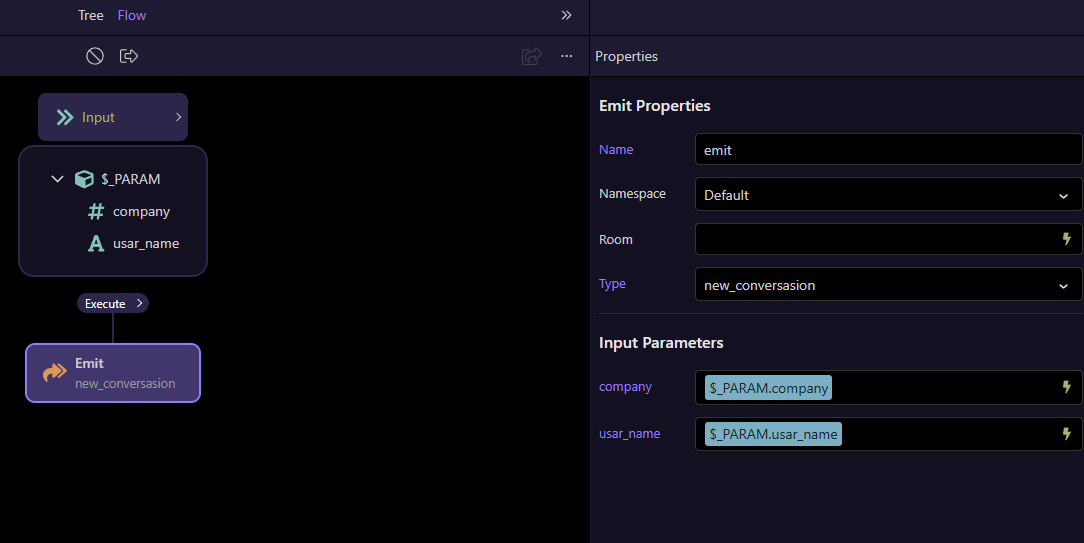
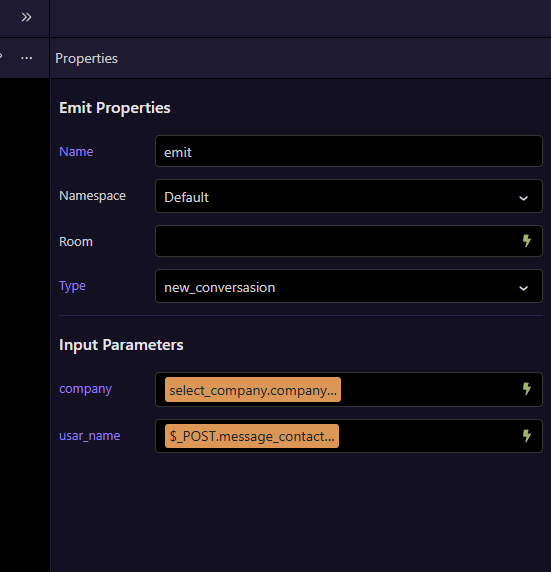
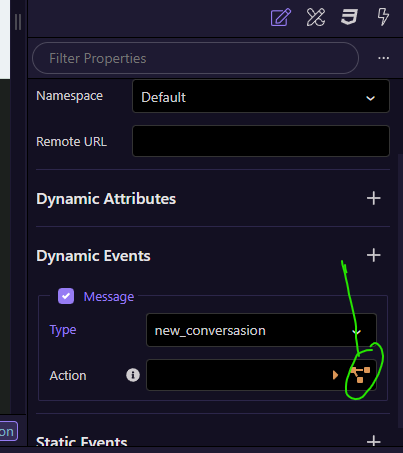
Good evening, I have a question. I have a system where I send a company ID and a name, depending on what's processed in the backend.
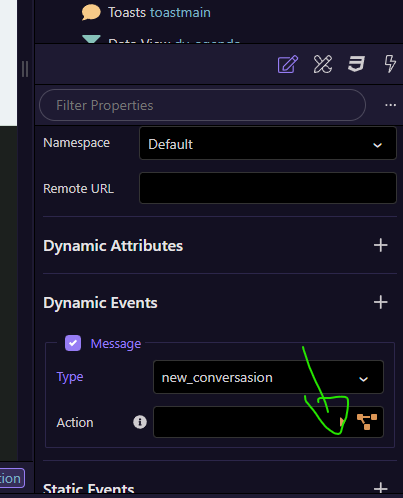
On the frontend, I have a socket connected to this emitter.
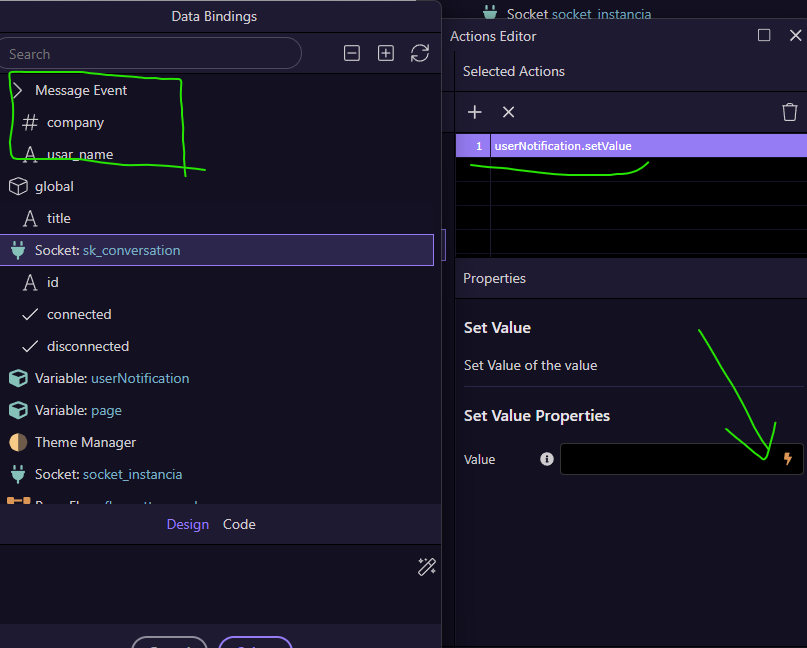
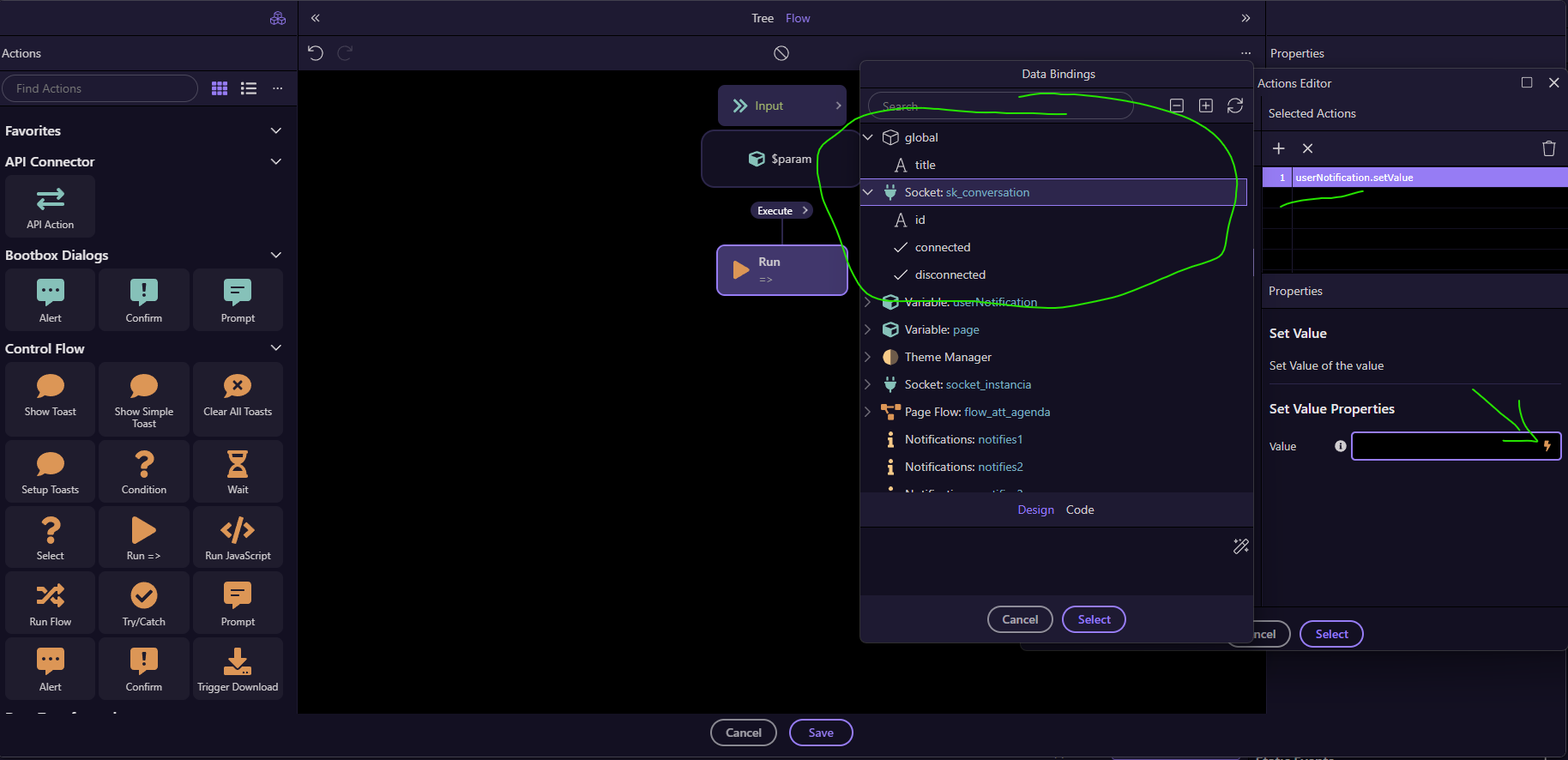
The thing is, I can only get events from the socket in the actions editor; not in the flow builder. I'm not sure if this is normal behavior or if there's a problem.
I think it's the same problem, and I'm almost sure that before version 7 it worked, I remember a client service I did using it like this, because there were some conditions according to the socket content to display the message types.
I took an old project that uses sockets and didn't update it when opening it in the latest version of Wappler, and in fact, the socket parameters were displayed before. But when opening it in the current version of Wappler, even with the code, it doesn't show the parameters to be selected.
In this specific case, I need to compare the data, as notifications are displayed on the desktop depending on it. I can't display them in the wrong user's window.
You can add the code to compare the data. This is an example of an emit message in a flow. I'm comparing tenant_id socket parameter with the logged in tenant_id and reloading notifications and calendar data only for that tenant.