I haven’t integrated SMS with Wappler yet.
I already have a page that saves a form to a database & then sends an html email.
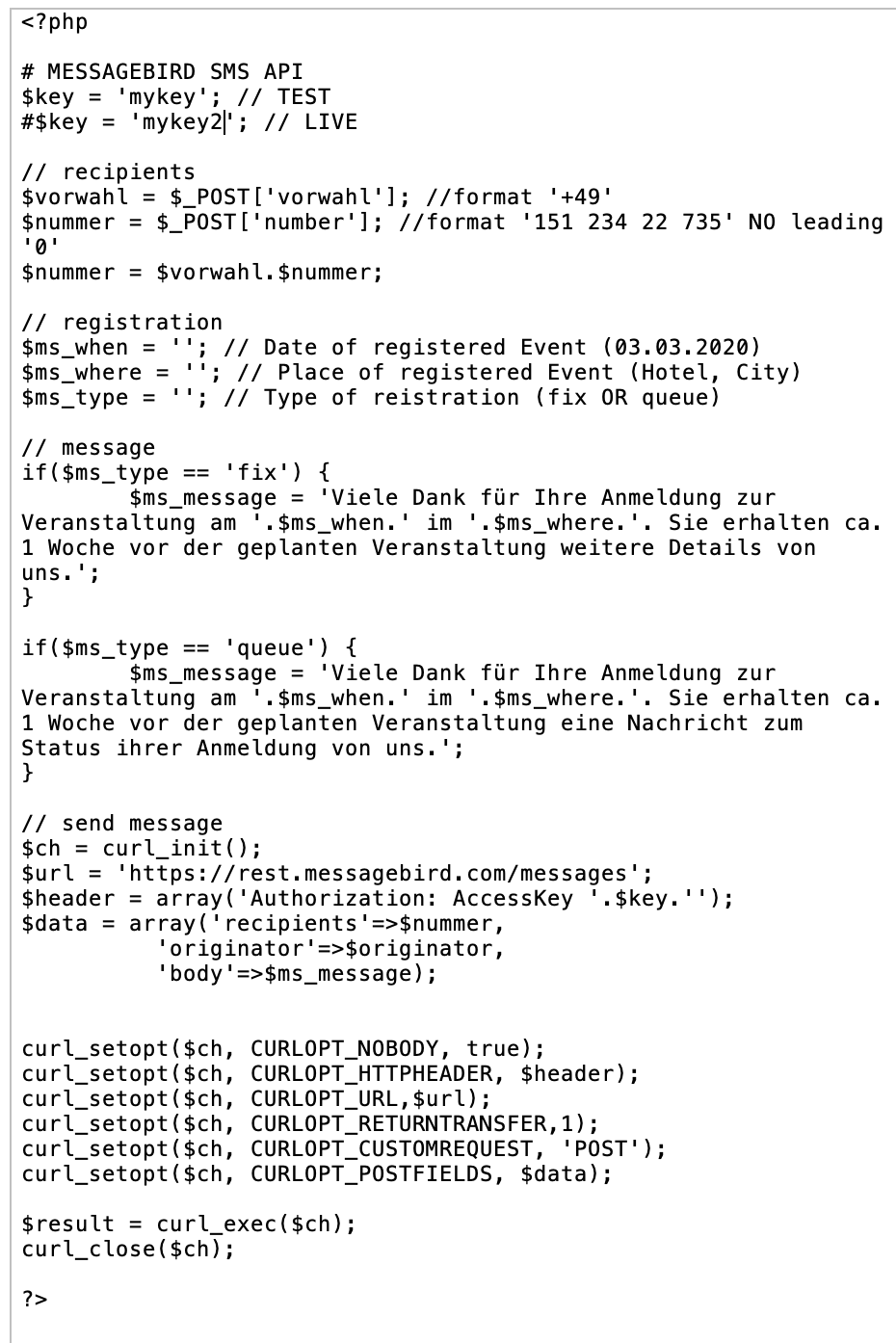
It would be a logical place to attach this SMS.php script –
& I thought of starting by copying the script into a Server Action folder & calling for it & then mapping the variables available from the send-email action.
But, the php files in Server actions are just json structure & this script is actually a PHP script.
I see questions about using different API scripts from different online SMS hosts but no overall Tutorial on the best Wappler steps to start with –
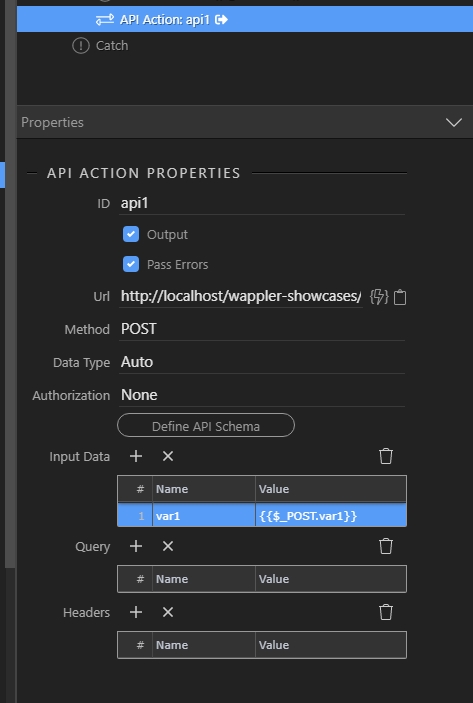
If you want to use your PHP file and not the API, you can link directly to your PHP script, set the method to POST and then define your variables there (the ones in the script using POST vars) and bind the $_POST to them, something like:
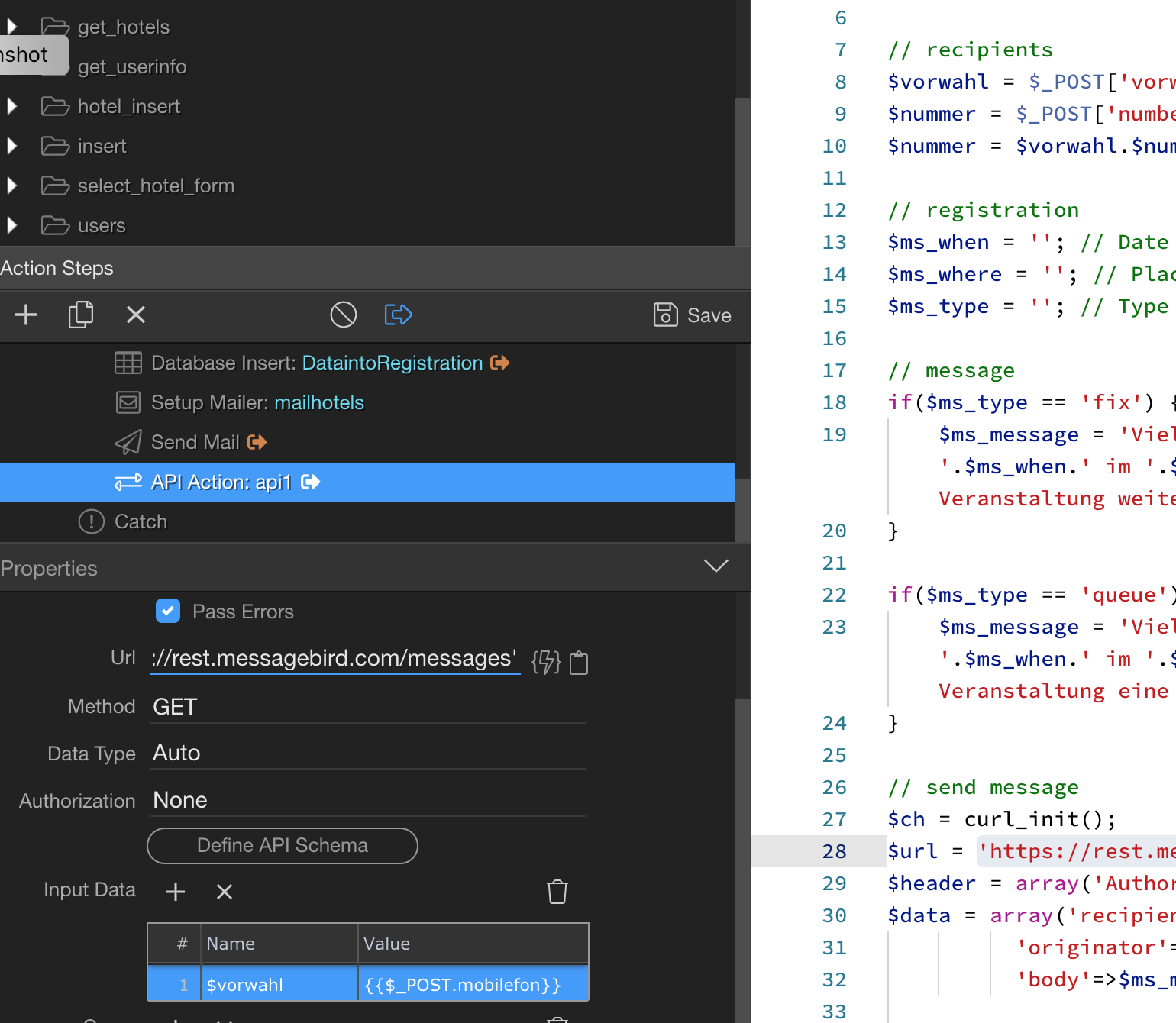
Your screenshot is showing USING the API Action Properties method -- at least the 1st step of the process
It's what I showed in my own screenshot when I asked the question about using PHP scripts for SMS from Wappler.
I can't read the entire URL --- is this link pointing TO the "sms.php" script itself?
Is that how this API ACTION PROPERTIES form is utilized to simply pass along the {{$_POST.mobilephone}} & other values to the PHP sms script?
2nd question) Given that there are so many warnings about using the API method because it is invoked in the user's browser --- wouldn't using a php script in the submitting page force a Server-side SMS execution -- which is safer?
Well that is the url to your PHP script which you want to run .... https://yoursite.com/your_own_php_script.php
I don't understand what are you saying. The script is called by your server action, entirely on the server side. The step is added just after your send mail step.
Since I didn’t have your answer yet on whether the URL actually pointed to the SMS script, I asked my 2nd question not knowing your answer.
So, you have confirmed my guess that the API form URL would force the SMS action to happen on my server, rather than executing from the user’s own browser and Internet Connection.