Server-side Conditional to set browser form checkboxes "checked" and disabled

In thius PHP project I have a query API that condenses multiple form submissions over multiple days.

SELECT apo_Kunden_ID, MAX(int_event1) as int_event1,MAX(int_event2) as int_event2,MAX(int_event3) as int_event3,MAX(int_event4) as int_event4,MAX(int_event5) as int_event5,MAX(int_event6) as int_event6,MAX(int_event7)as int_event7 FROM trainingsform WHERE apo_Kunden_ID = :P1 Group BY apo_Kunden_ID;

Over the time this app is online there may be over a few thousand records in one table --trainingsform

The key id = apo_Kunden_ID and there may be perhaps 4 to 10 records all with this Primary Index. The User who logs in and whose identity is checked will have this key saved in the form if they submit it.

My query distills down multiple records into one row of data. If they NEVER registered for Event 5 or Event 6 or Event 7 those records will always show 0 in those fields. My query gives me the beginning values of a conditional when the user first sees the form after logging in.

The checkboxes I want to keep enabled or disable and use a changed css style to “colorize” are a group with the first one looking like this –

#int_event1 is my css selector
#int_event2, #int_event3, #int_event4, #int_event5, #int_event6, #int_event7 will identify each checkbox in my vertical form

<input class="form-check-input style8" type="checkbox" is="dmx-checkbox" value="1" id="int_event1" name="int_event1">
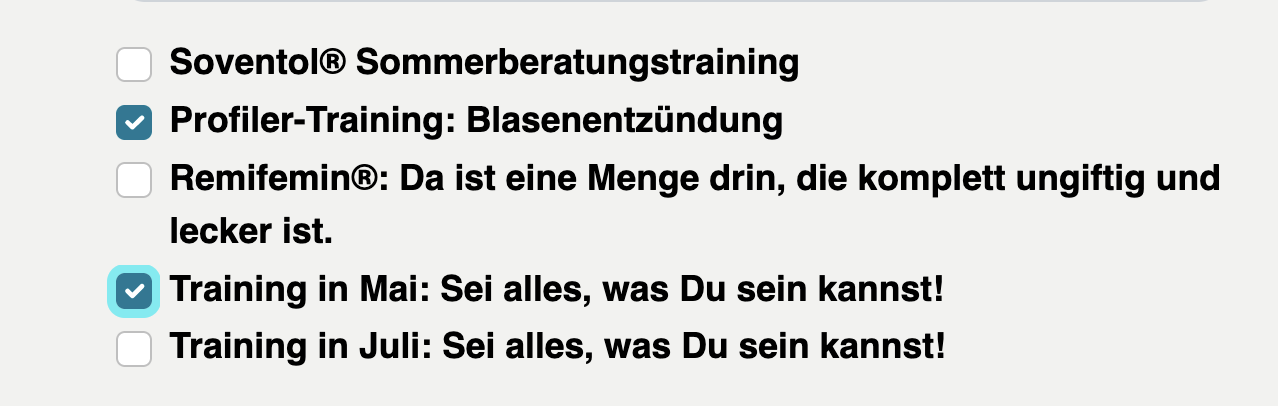
If the form was submitted and saved to my table like this then my api query might look like this –
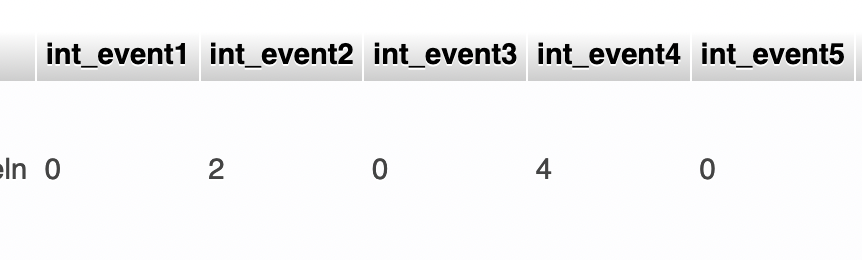
SO Much for the Backstory:

I see several tutorials for using the int_event2, for instance,

if int_event2 is greater than > 0

Now, after looking at a few docs, what are the steps YOU would take to disable and change the style of that one checkbox when the form is rendered after the query gets its results from the hosting server?

Should I start with extra steps in the query API to impact the individual checkboxes appearance?

Or should I let the query stand that gives me the values (with no more Executes in my serverconnetcion query API) and do a bootstrap or jquery action in the rendered browser code itself?

And how do I make sure that the query values arrive before the checkboxes finally render?

FYI – this is not the only query when this form page loads.

I have one to fill in the business name, address, city, zipcode.
Another query to the Events table to Loop through the field values to Dynamically generate those Checkboxes.
& of course, an insert query at submission.

Any preferred methods you choose over & over to solve this kind of situation?

Thanks for sticking with me!
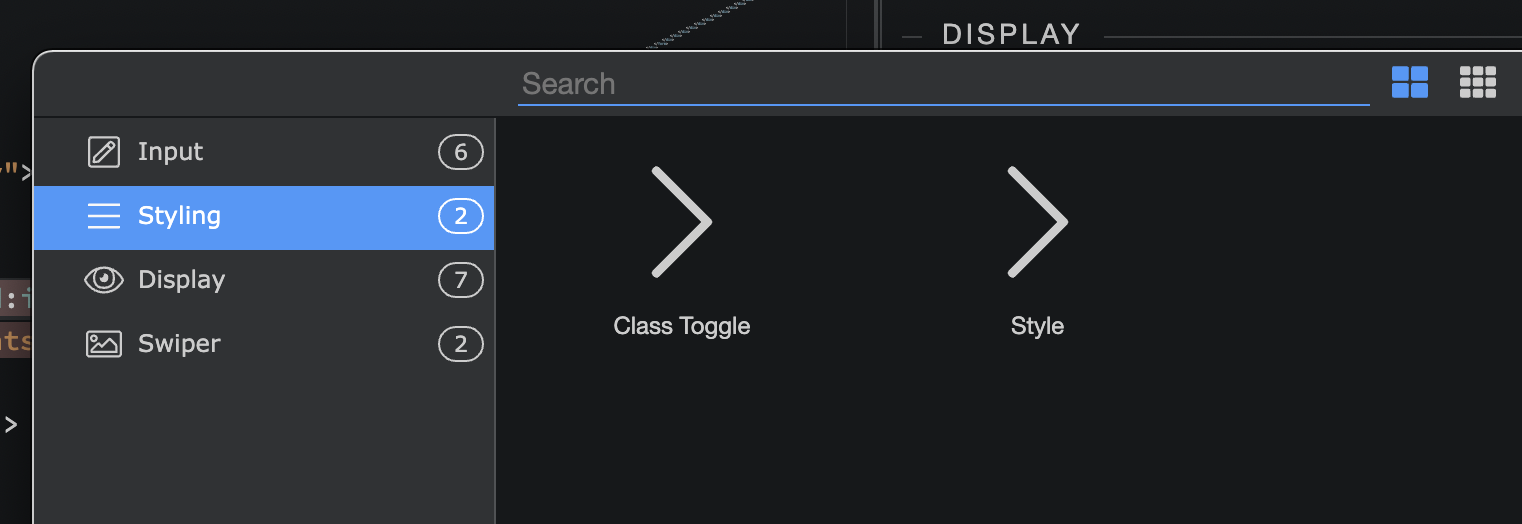
Should I be applying either “Class Toggle” or “Style”?

Your post is very confusing to someone not familiar with your particular data

I didn't understand most of it, but I'll try to throw some random advice :slight_smile:

Maybe you can dmx-show the div containing the checkboxes once the query is loaded?

Well, you have the CSS classes already made, so it's a Class Toggle

Also, for checking the checkboxes, there's this HTML attribute "checked":

You can also dynamically check the checkbox with a "dmx-" attribute. I'm thinking of dmx-bind, but maybe there's a dedicated "dmx-checked", check the "Input" tab in your last screenshot

So you can dmx-bind to a query.int_event1 expression (something like that) and the checkbox will be checked if the query has a number larger than 0

This is a client-side approach. In your topic title you said "server-side conditional", are you ok with this client-side approach?

Glad it's not only me not understanding this :slight_smile:

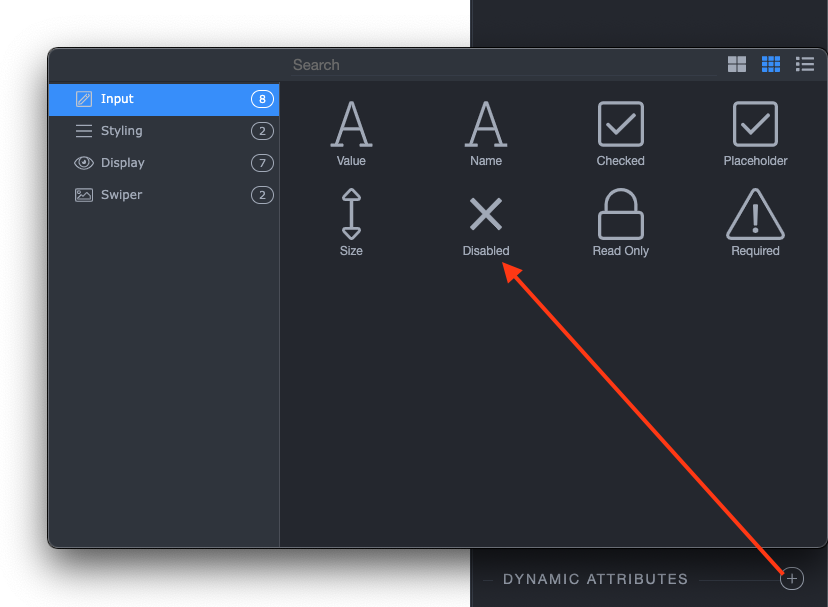
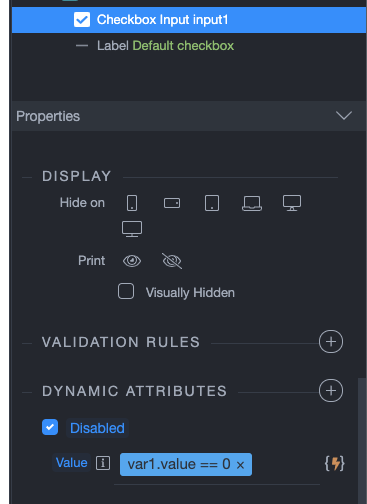
But if the question is "How to disable a checkbox/input using a dynamic condition?" then the answer is - use the dynamic attributes > disabled.

It is not that I don't understand all of the attributes of checkboxes, radio buttons, etc.

Or how to collect values from a checkbox group, etc.

Years of using them in all kinds of different scenarios.

The question is about Wappler procedures. There is a logic flow that the Team understands because they built it.

Those who have used Wappler extensively understand the flow as Wappler defines it.

One of my questions was really about API successive EXECUTES, etc.

Thank you for your responses.

As usual, nobody understands me, no matter how much I try to provide the complete background.

VERY DISCOURAGING. :slightly_frowning_face:

Should I start with extra steps in the query API to impact the individual checkboxes appearance?

Or should I let the API simply run the query that gives me the values, with no extra server actions added to this API, and leave the next actions to the browser side actions in bootstrap or jquery action in the rendered browser code itself?

Any preferred methods you choose over & over to solve this kind of situation?

Sorry about that, didn't meant to discourage you :frowning:

I'm going to attempt to throw in some more advice - I hope I get it slightly better this time

All kinds of weird processing should be done server side. You want to beautify the API response so it's easier to handle client-side? Go for it - you don't want to overload your user's 512 MB RAM smartphone with client-side processing

On the client-side Server Connect flow (sorry if I didn't get the name right) - the action that fetches the API response - setup a flow that ticks checkboxes and classes once the API response comes in, based on the data coming from the response. You can forget using dmx-bind and similar directly on your checkboxes. Make the div containing the checkboxes hidden, and remove the hidden attribute/property in the end of the flow

1 Like

This is what I figured -- @Apple !

Thanks for confirming. While working in php projects I used jquery actions or plain javascript snippets that loaded to provide the different states of checkboxes and radios.
I always had to make sure that the server had done its thing before the jquery executed.

I'm trying to use the Wappler DMX goodies combined with Bootstrap to replace, for instance, old php routines -- such as a PHP loop to grab table values to construct dynamic checkboxes.

On the client-side Server Connect flow (sorry if I didn’t get the name right) - the action that fetches the API response - setup a flow that ticks checkboxes and classes once the API response comes in, based on the data coming from the response. You can forget using dmx-bind and similar directly on your checkboxes. Make the div containing the checkboxes hidden, and remove the hidden attribute/property in the end of the flow

1 Like