Server connection with multipage api

Hello,
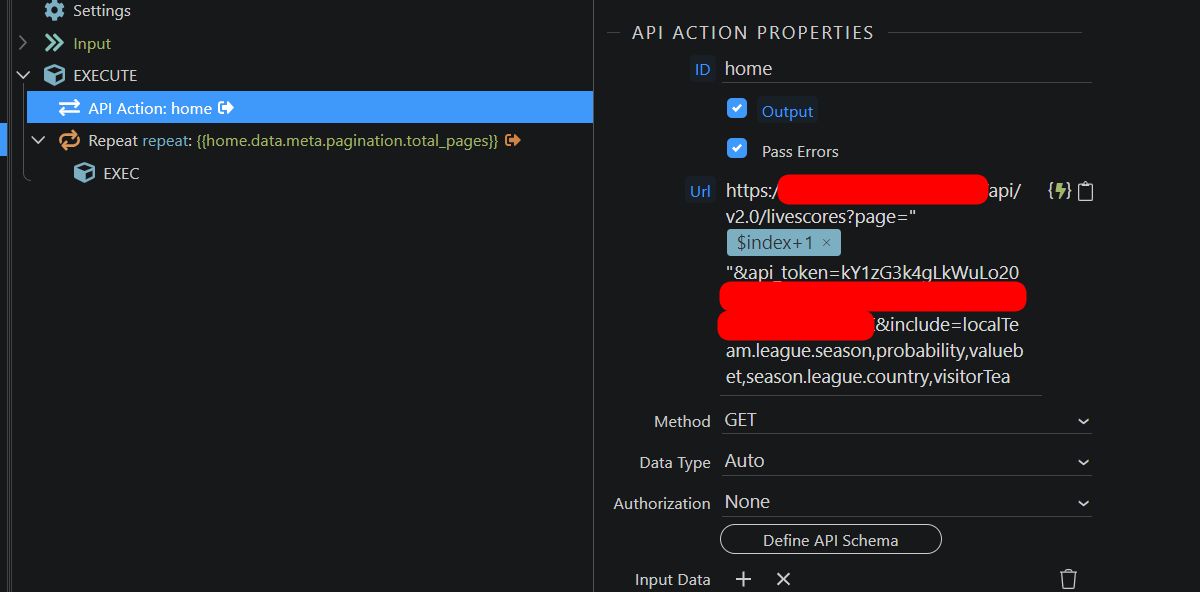
I use Server Connection to an API like this

the data is grouped 100 for each file
the file indicates the number of results, the results per page, the number of pages.

How do I (without coding) create a for loop based on the number of pages?

thanks
Roberto!

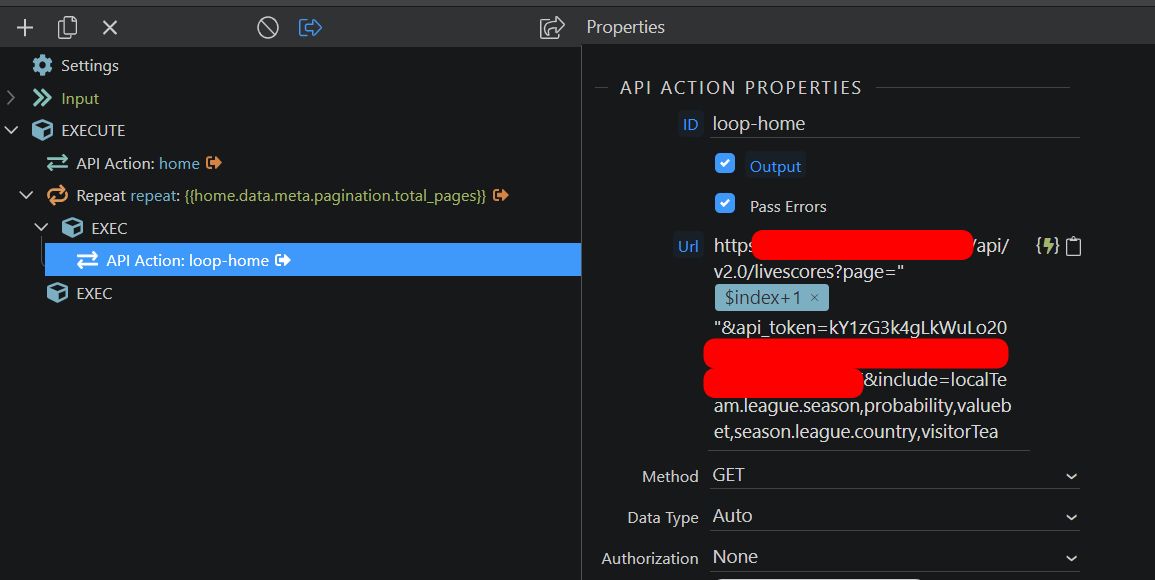
You can add a repeat step in your server action and use total_pages as an expression for it. Then inside the repeat add your api call and replace the static page=1 value with page={{$index+1}}

Thank you for your reply Teodor

like this

No, the API call with the page="{{$index+1}}" should be inside the repeat. So first a normal API call to just get the total pages and then inside the repeat call the rest with the dynamic paging.

like this?

Yes, from what i see on your screenshots this should loop through all the pages. But remove the " " around the dynamic value. They should not be there -> page={{$index+1}}

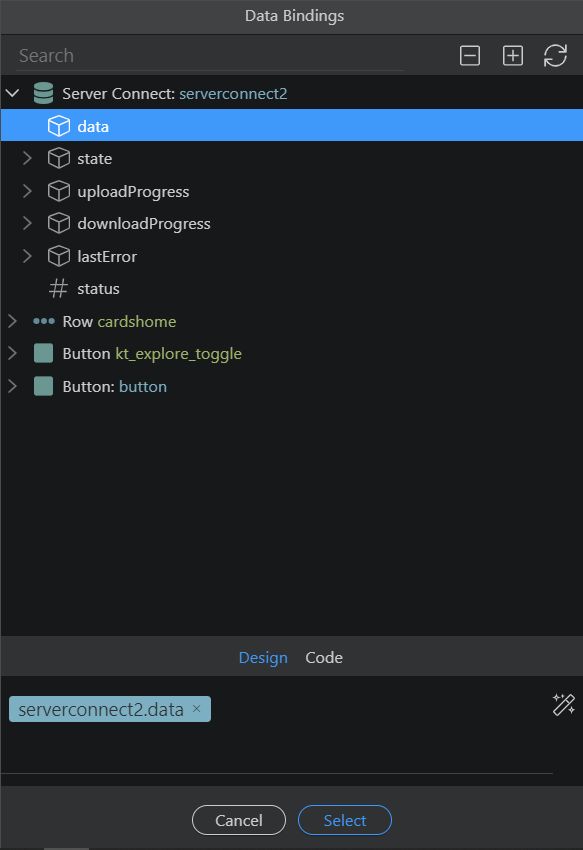
Can’t bind any data…

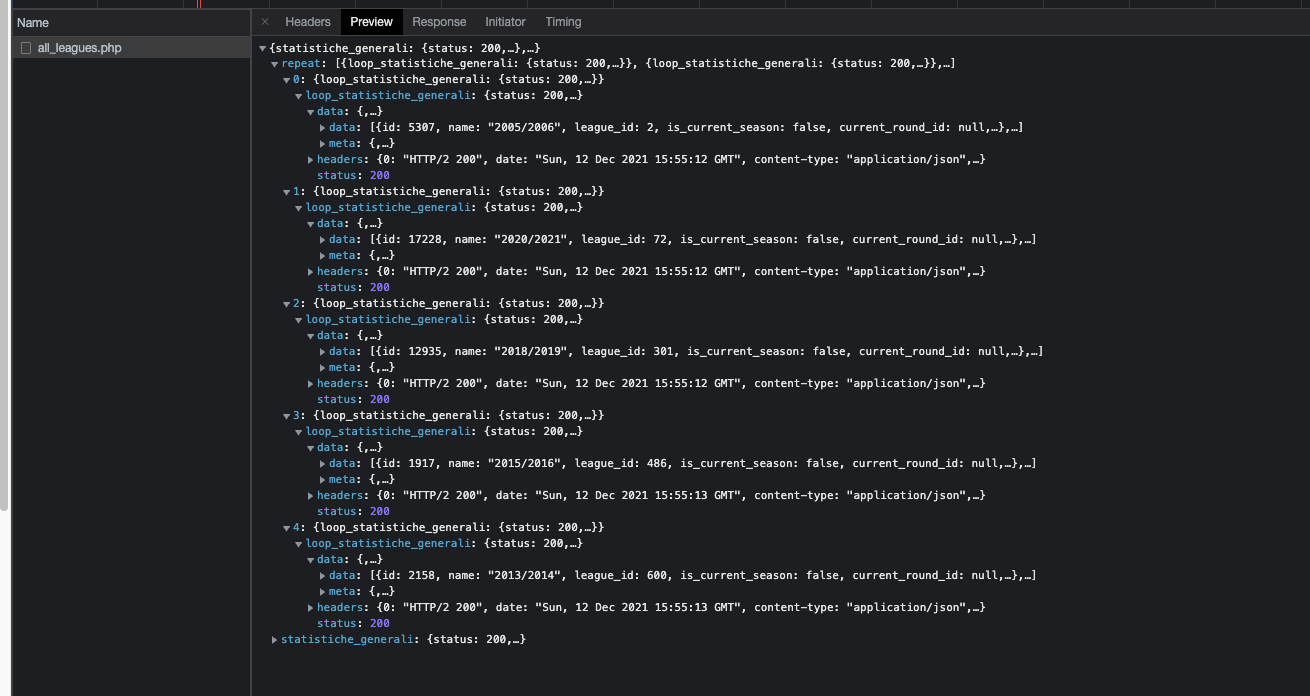
ok it works and it creates an array with every page

video

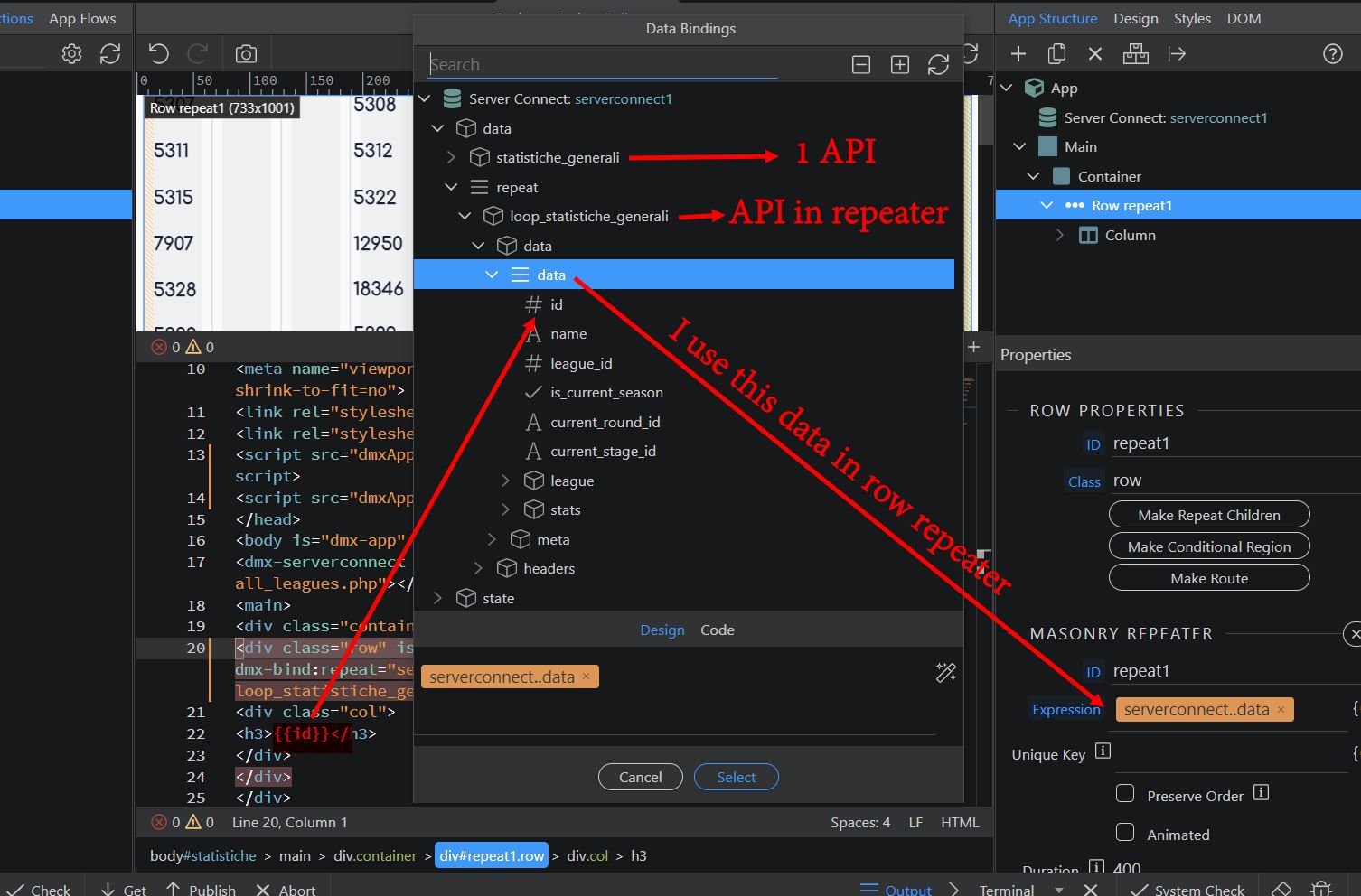
To access data I use this code

<div class="row" is="dmx-repeat" id="repeat1" dmx-bind:repeat="serverconnect1.data.repeat[0].loop_statistiche_generali.data.data">

<div class="row" is="dmx-repeat" id="repeat1" dmx-bind:repeat="serverconnect1.data.repeat[1].loop_statistiche_generali.data.data">

Is it possible to view all the data on one page?

You seem to be repeating wrong data. Run the server action directly in your browser using the run in browser button in server connect and you can see the results from the repeat there. You need to use the repeater as a source for the repeat on the page.
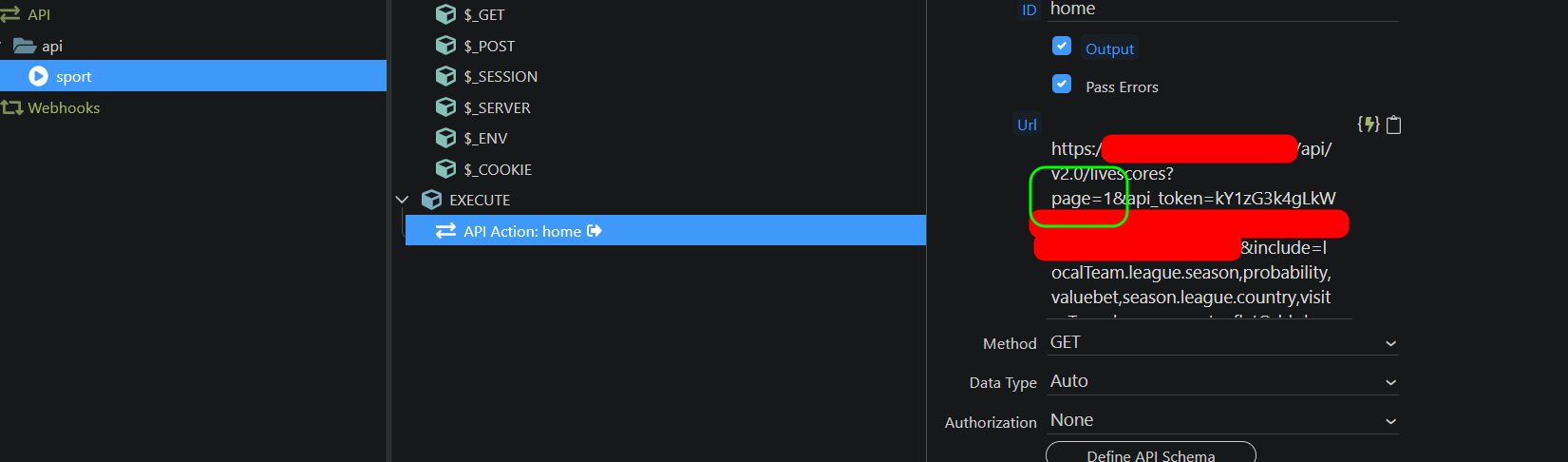
In this case, I display the first 100 results

test

Your repeat expression is wrong. You need the repeat step of your server action as it returns all the results.

Now It works

thank you!
I have set some conditions to display only some data.

Setting the Conditional Region in the column allows me not to create the elements that contain the data.

But I don’t want the column to be created, so as not to have too many elements in the DOM.