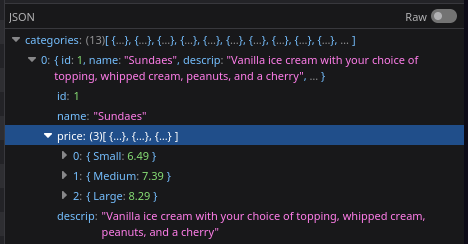
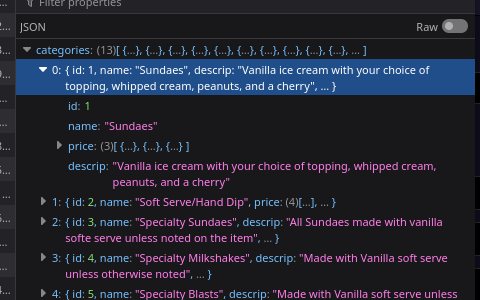
Database has a field that stores a simple json array [{"Small":6.49},{"Medium":7.39}, {"Large":8.29}], and object might be better though but i digress…
I have never messed with json in wappler and i’m struggling to figure out how to access it clientside. If I’ve overlooked a wappler doc, apologies. i read several but couldn’t find one that told me how to deal with a data query that returns records and only one of them json.
it’s not if a category has a set price per size. Some products have a price override that needs to be displayed but all milkshakes are a set price per size for example. Adding a price to each item even if the category has a price will make it very busy. Overriding the price when necessary is the long term solution. It also saves screen real estate, you only have so much room to display the menu even on a 2k LCD tv, because it has to be readable by guest standing about 10-12feet away.
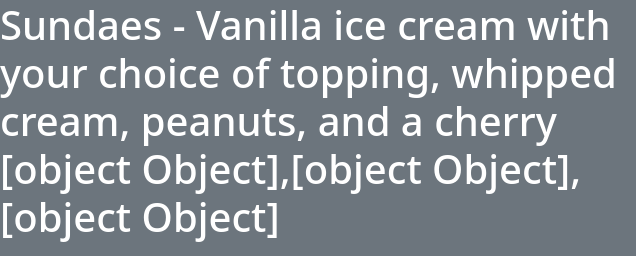
Then a repeat iterates through the categories calling the items related to that category, inside the repeat I have a header that display the category name, description and price.. Price is just showing up as an object,object. I have tried referencing the server connect data, the repeat data, etc. Always shows up the same and no options to display it.
I had some typos in my json arrays in inserted to populate data… but once i fixed that this is what allowed me to use the json array. still not sure what @Teodor meant i can use it directly… that was anything but direct lol.
maybe im missing something but using this json data seems difficult. your solution works but i want all the json values in the same paragraph. right now all i can do is repeat a paragraph with key and value, so they stack vertically.
That depends on what are you repeting, you can set repeat children on a row, or you can do it on a column with a paragraph inside, it's up to you to choose what is the element to repeat..
The repeat children property will repeat the elements inside, or you can use the repeat dynamic attribute and that will repeat that selected element
Do you have an static example to show us how should that look?
I’m trying to find the “wappler way” of iterating over the json object and creating a single string. Stringify and parse json didn’t do anything so i’m misusing it i guess. All i can do is think of how i would solve it with php,