I'm trying to create SEO tags for the different languages of the site. This is the structure I came up with:
link rel="alternate" hreflang="" dmx-bind:hreflang=“code” dmx-bind:href="‘https://’ + browser.location.host + ‘/’ + code + browser.location.pathname.replace(/^\/ [^\/]+/, ‘’)“ dmx-repeat:repeat1=”conn_langs.data.langs"
But it doesn’t work in HEAD. And as I understand it, after HEADER , these tags no longer matter....
How do I correctly set up hreflang tags?
Thank to @Teodor the solution is:
Changing the App Root to Page and adding this code in head section:
<link rel="alternate" hreflang="en" dmx-bind:hreflang="{{code}}" dmx-bind:href="{{'https://' + browser.location.host + '/' + code + browser.location.pathname.replace(/^\/[^\/]+/, '')}}" dmx-repeat:repeat1="conn_langs.data.langs">
solved the problem with the SEO tag for different languages.
If you view the source code in a browser, you can see that the SEO tags generated by Wappler itself are rendered on the server, whereas my tags are rendered on the client side.
<meta property="og:url" content="http://localhost:3000/en/about">
<link rel="alternate" hreflang="en" dmx-bind:hreflang="{{code}}" dmx-bind:href="{{'https://' + browser.location.host + '/' + code + browser.location.pathname.replace(/^\/[^\/]+/, '')}}" dmx-repeat:repeat1="conn_langs.data.langs">
In this case, my tags are useless because Google will likely see what’s in the source HTML.
Is there a way to generate my own tags on the server side as well? @Teodor
Teodor
May 14, 2026, 11:40am
4
That is not true. It's been years since Google renders the dynamically generated tags pretty well.
Okay. The main thing for me is to know whether this can be done on the server side or not. If not, I’ll leave it as is. An alternative would be to make the tags static. Google says it can process generated tags, but there are some caveats. For now, I’ll stick with what I have.
Teodor
May 14, 2026, 11:51am
6
I read this many times.
As I understand first i define some variable here:
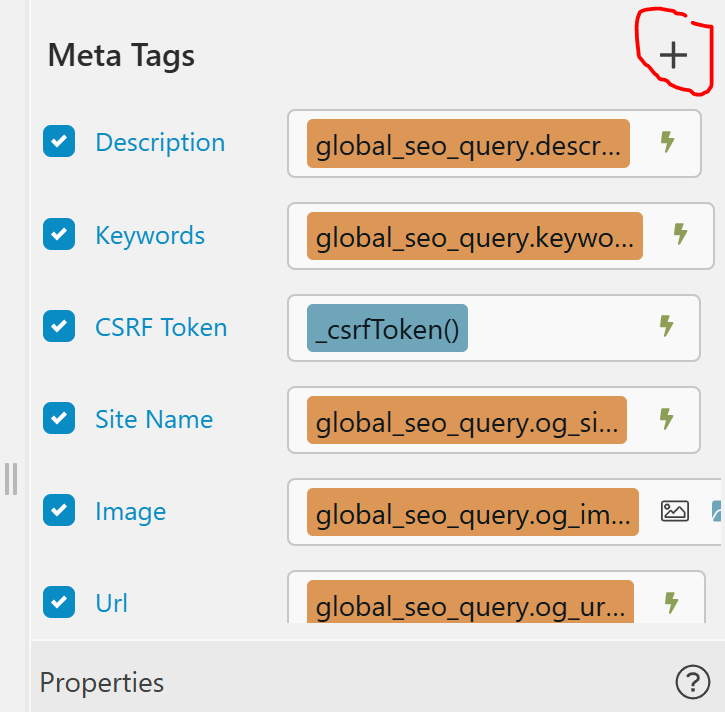
And what next? If i click add new tag i did not see MyTag:
Standart SEO tags exists, but how to add non-standart?
Teodor
May 14, 2026, 12:12pm
8
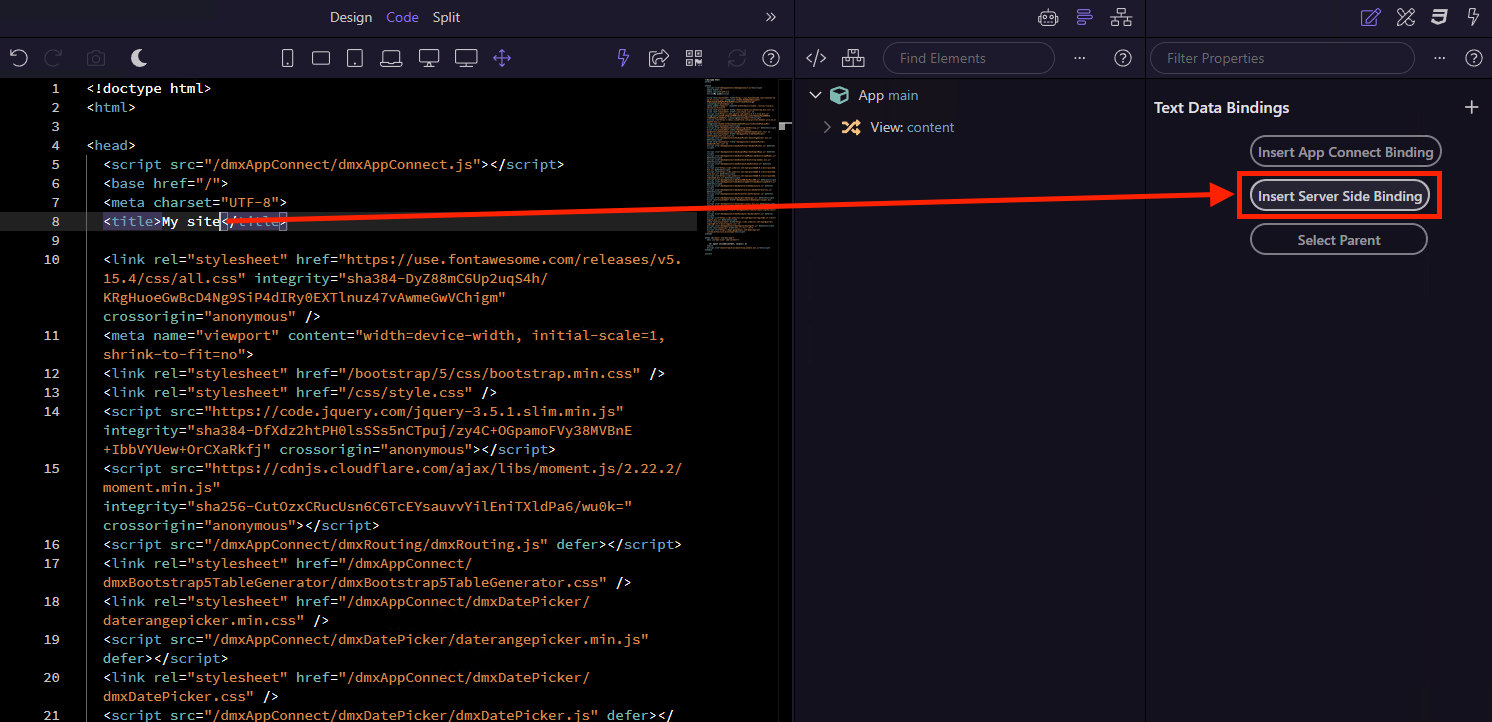
You can insert server side data bindings directly in code view:
Finally i put table request to Globals and use this code in head section:
<% langs.forEach(function(lang) { %>
<link rel="alternate" hreflang="<%= lang.code %>" href="https://<%= $_SERVER.SERVER_NAME %>/<%= lang.code %><%= $_SERVER.URL.replace(/^\/[^\/]+/, '') %>">
<% }) %>
And it’s works!!! As i need! Thanks to @Teodor again and to ChatGPT
Even more! You can combine server-side rendering and client side rendering!
<select id="sel_lang" class="form-select form-select-sm  w-auto mt-1 me-2" dmx-bind:value="query.lang" dmx-on:changed="run({run:{outputType:'text',action:`browser.goto(\'/\'+sel_lang.value+browser.location.pathname.replace(/^\\/[^\\/]+/, \'\'))`}})">
    <% langs.forEach(function(lang) { %>
        <option value="<%= lang.code %>"> <%= lang.code %> </option>
    <% }) %>
</select>
That's so cool! Wappler has become even more powerful for me. Sorry if I'm asking simple questions.