This is more of a challenge than a need, I have never worked out how to / if you can define a query within the query builder that includes a single “group by”
Always done a workaround/ custom query in the past but surely something as basic as this can be done from the GUI?
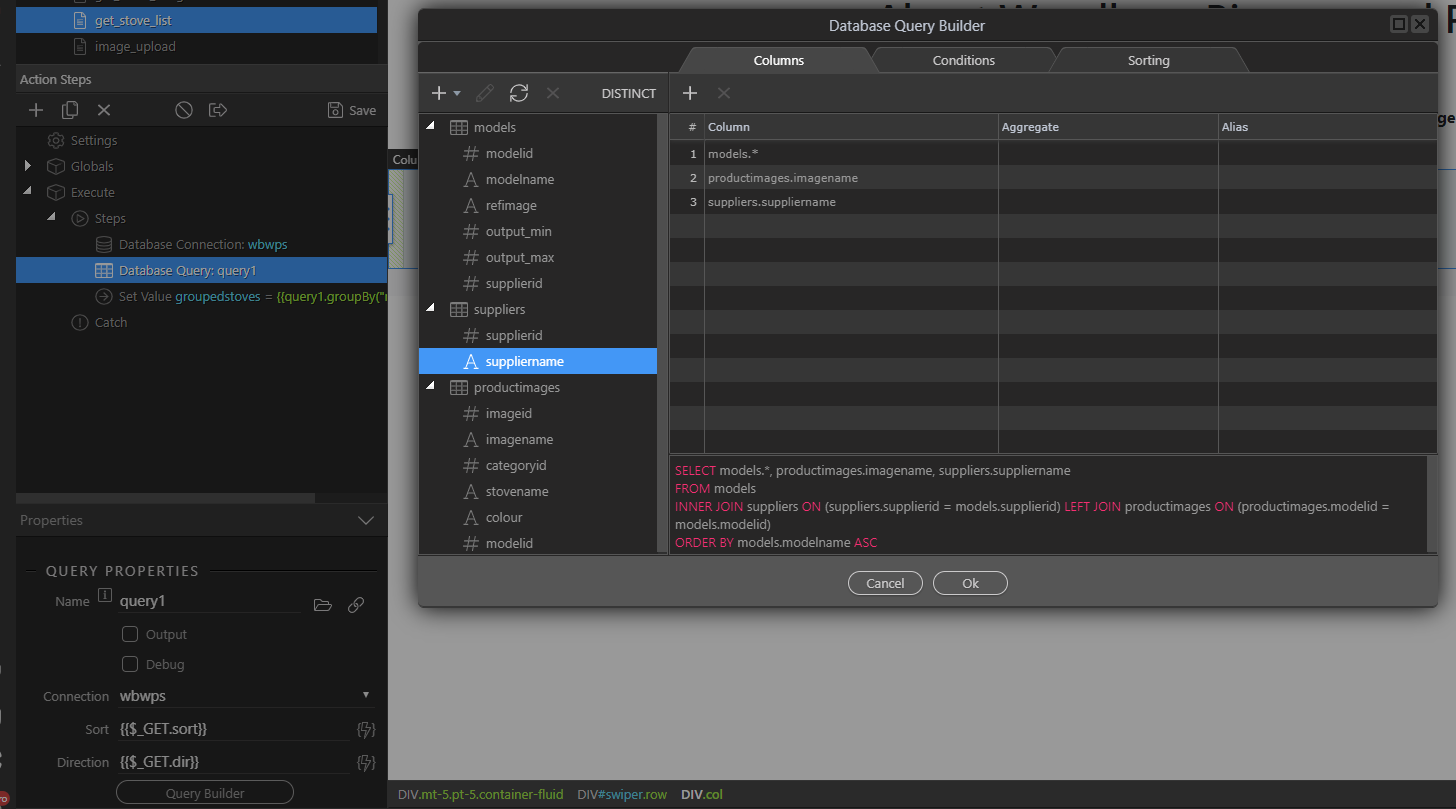
So I have two tables, “models” and “productimages” linked on a primary/ foreign key “modelid”
The query i want is::
select models.*, productimages.imagename from models
left join productimages on productimages.modelid = models.modelid
group by models.modelid
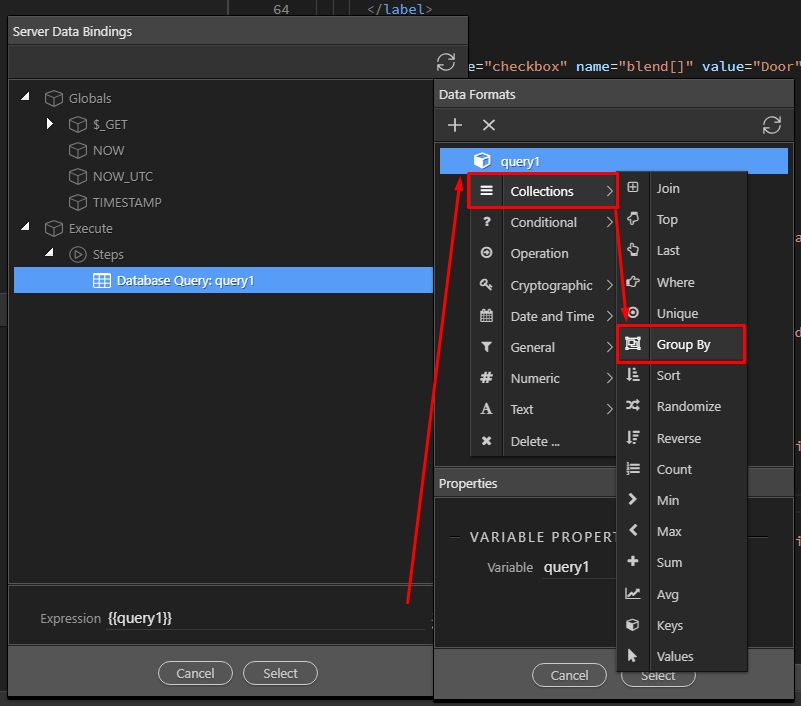
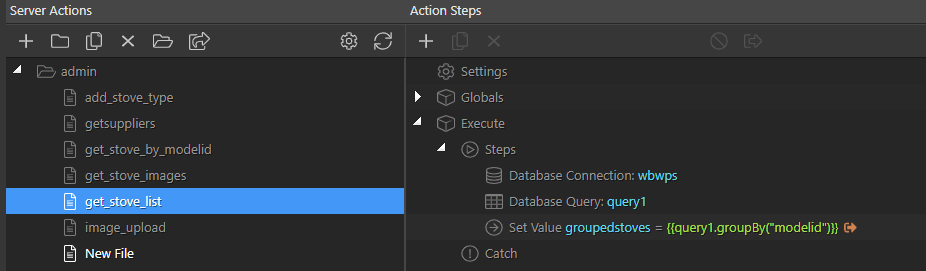
You can create your query, and then use the server data formatters to apply group by to it. So:
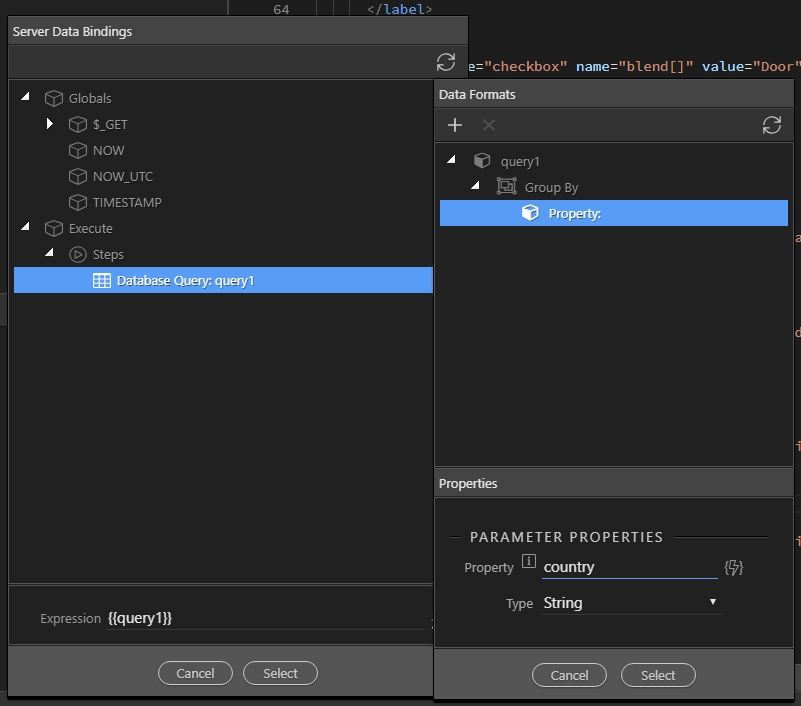
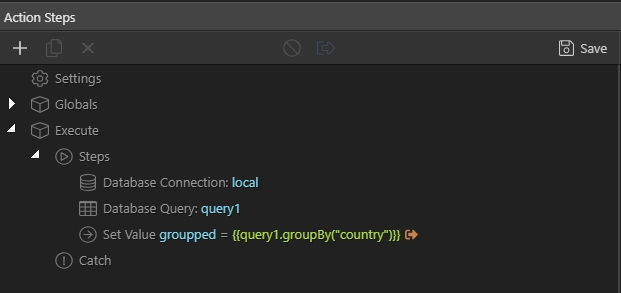
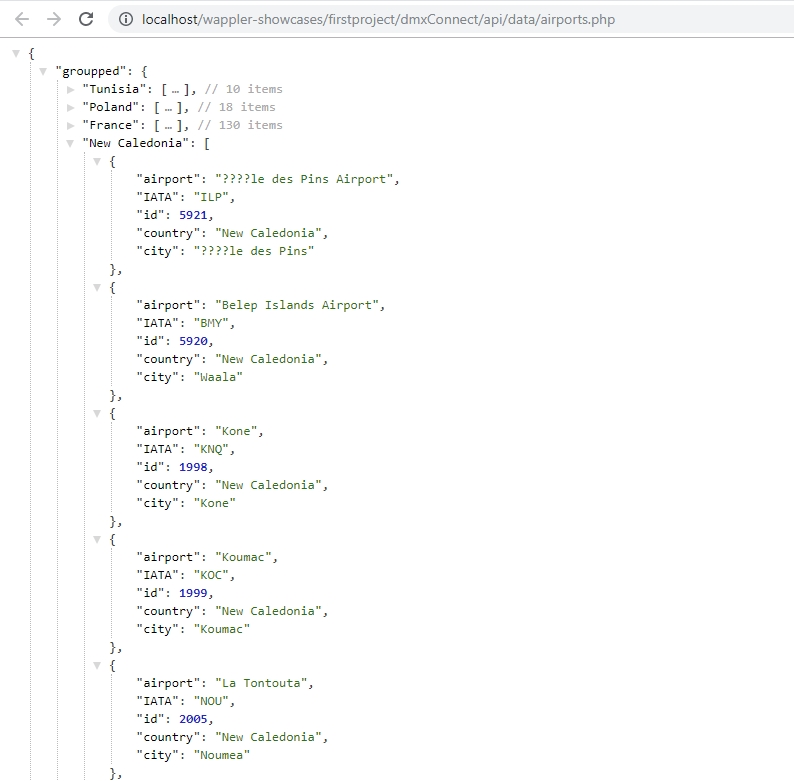
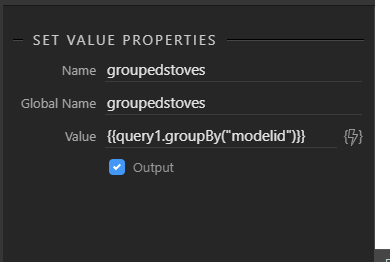
Create your query using the query builder. Add a set value step after it. Select the query as a value and open the data formatter. Under collections, select group by:
Thanks Teodor, that answered the question i posed, it cant be done directly in the query manager and needs a second stage. Personally I hate doing 2 stages when 1 will suffice so I will stick with custom queries for efficiency but nice that this has been clarified
{"groupedstoves":{"13":[{"modelid":13,"modelname":"Classic L","refimage":"http:\/\/woodpelletstove.co.uk\/sites\/default\/files\/styles\/220_square\/public\/artel_stove_6_steel_black_3.jpg?itok=TvLWQrfI","output_min":"2.64","output_max":"9.05","supplierid":1,"imagename":"class_acciaio_8-10_bianco.png"},{"modelid":13,"modelname":"Classic L","refimage":"http:\/\/woodpelletstove.co.uk\/sites\/default\/files\/styles\/220_square\/public\/artel_stove_6_steel_black_3.jpg?itok=TvLWQrfI","output_min":"2.64","output_max":"9.05","supplierid":1,"imagename":"class_acciaio_8-10_bordeaux.png"},{"modelid":13,"modelname":"Classic L","refimage":"http:\/\/woodpelletstove.co.uk\/sites\/default\/files\/styles\/220_square\/public\/artel_stove_6_steel_black_3.jpg?itok=TvLWQrfI","output_min":"2.64","output_max":"9.05","supplierid":1,"imagename":"class_acciaio_8-10_nero.png"}],"15":[{"modelid":15,"modelname":"Classic L
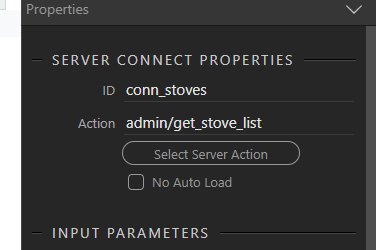
Connection in App connect set
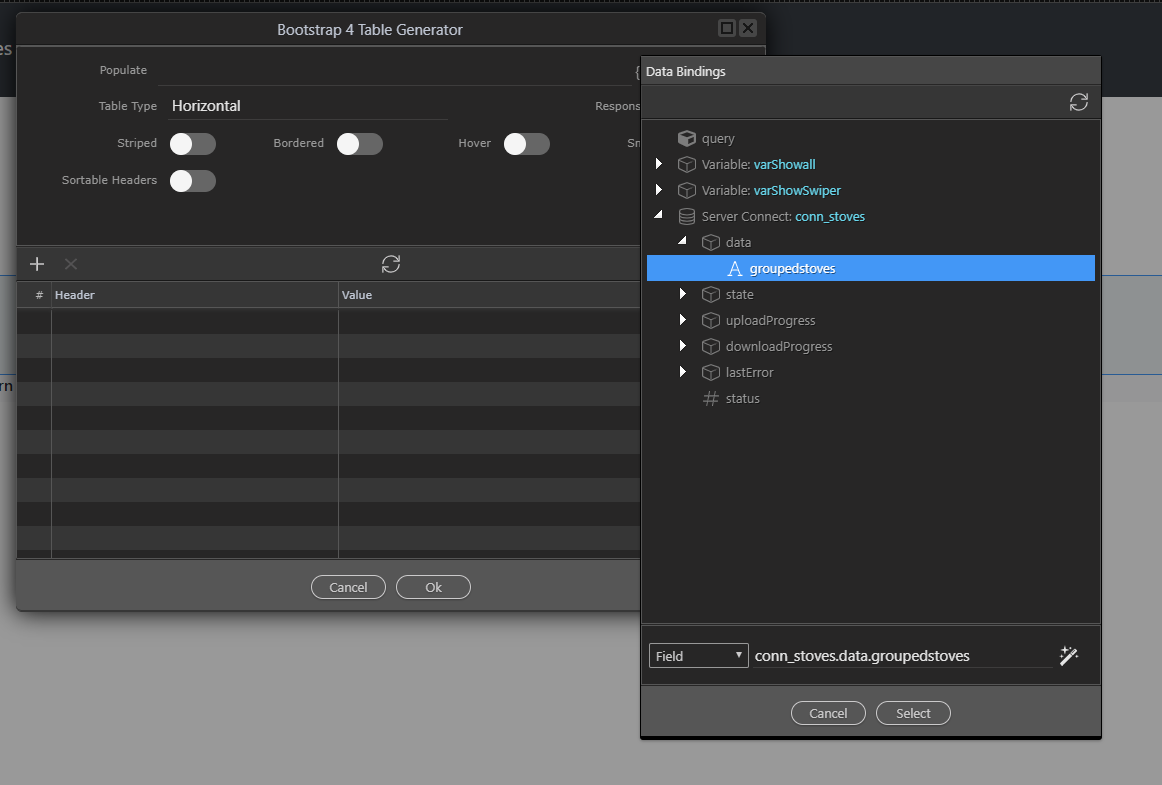
Trying to drop it into a generator table, fields in query not shown
I don’t think it would be possible to use a setvalue step as a source for the table generator. You can use the group by filter on the page if you need to do something like that, but then you need the normal query.