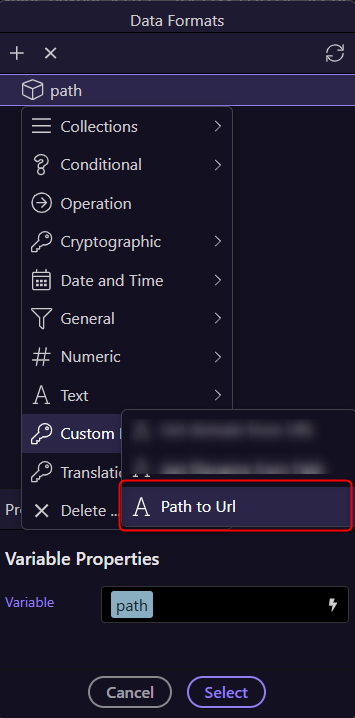
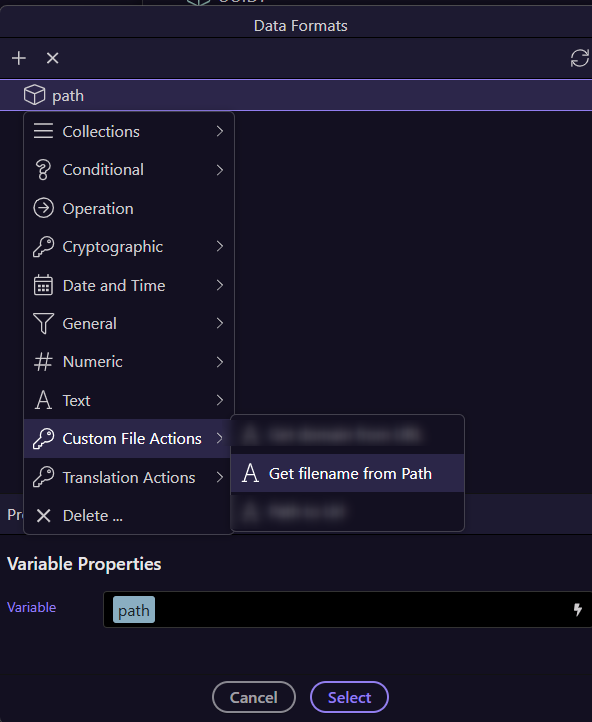
Using this logic, the path for the saved image is: /public/assets/images/upload
So storing this to the db, results in: /public/assets/images/upload/f278b400-ad2b-491e-baae-79dd3be85d19.jpg
The problem is, this url doesn't exist: http://localhost:4000/public/assets/images/upload/f278b400-ad2b-491e-baae-79dd3be85d19.jpg
It should be: http://localhost:4000/assets/images/upload/f278b400-ad2b-491e-baae-79dd3be85d19.jpg
(Which gives me the right image)
Now my problem can be solved saving on db ONLY the name of the file instead of the path.. But that is not possible, selecting Save Image only returns the whole path:
The behaviour you’re seeing is caused by how static files are served in a NodeJS project and how Wappler’s Save Image step returns the server path, not the public URL. This is because the server needs to know where the file is stored. It is not intended to be used directly as a public URL.
There are 3 valid approaches
1. Store only the filename
f278b400-ad2b-491e-baae-79dd3be85d19.jpg
2. Store the public path
/assets/images/upload/filename.jpg
3. Store the full server path
Use a formatter or replace: {{imagepath.replace('/public', '')}}
Save Image action has a field Template where I assign the name of the file, in this case {guid}{ext}.
I would like to store only the file name, but there's no output of that attribute..
Using the same name that upload.name and overwriting it is not an option since I have 4 different resizes/save image steps..
My only real workaround here is before each Save Image step, create a Set value named for example "image24x24" and then on template use: {{image24x24}}{ext} and save that on db with an specific extension.. Which is a very bad looking decision but it works..
I wonder why Save Image doesn't have a name output, should I open a FR?
@Cheese thanks but the only output here is the path, I can't store the path since it comes /public/assets/images instead of /assets/images
@patrick that could be a workaround when using only one save image step, in my case I have 4 different load image - resize - save image from the same file, so I need to store all of them, I guess I can use something like {name}_1{ext}/{name}_2{ext}
I totally get what you mean.
If it helps, the approach i use is to preserve the filename but save the images to subfolders with the same name.
So for example i have folders large, mid, small and thumb and in resize steps save to these folders under the same filename.
I find mapping folders more flexible than manipulating the file name itself
I think @ben gave some good approaches. Simply use the replace formatter to strip the /public part. I think we could probably have some file specific formatters to easy extract url, filename and extension from a path.
If you set the column value for the sourceURL (create this field in your database) with a default for your path then you don't need to save the path as it will be inserted/stored as the value by default. That is the suggestion I am making.
Sorry @Cheese, I don't get it the only thing that Wappler provides is storing the whole path: /public/assets/images/upload/filename.ext
I can't extract filename (it comes from the save image intern {guid}
I don't have any other value available than the whole path, and it's useless for storing as it won't be accesible from the browser..
Sorry again..
@patrick don't worry, I have a few ideas to continue
You can set default values within the database itself. Ignore inserting it, you enter it as the default in the database. It is nothing to do with inserting. It exists by default as is the default value if none is entered.
The only output is the complete path including /public/assets/images...... etc
I can't store that complete path because it's useless on the browser..
I can't bind a dynamic image with /public/assets/images, because the correct url is /assets/images
Sorry if my english is not the best, but I'm pretty sure that if you try to upload an image, and do some resize with {guid} as template, you'll probably be lost to bind it on the frontend
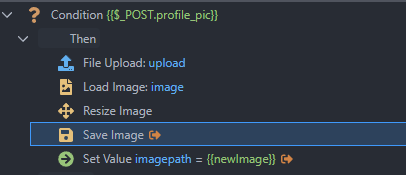
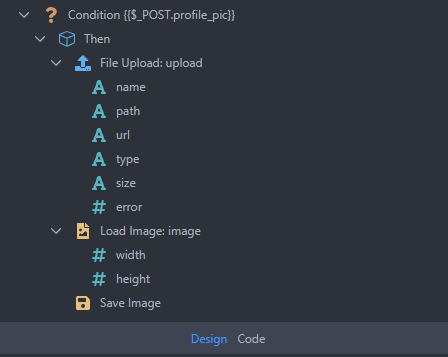




 the only thing that Wappler provides is storing the whole path: