Hi everyone,
after the login procedure, what is the best way to use the data of the logged in user while browsing?
At the moment I have made a server action that retrieves information based on identity but it doesn’t seem like the best solution since it always executes a query.
Maybe I should set a session cookie with the information I need (e.g. Name, Surname, Permissions etc…).
I need this data to make some UI elements dynamic and as a filter to make some data queries.
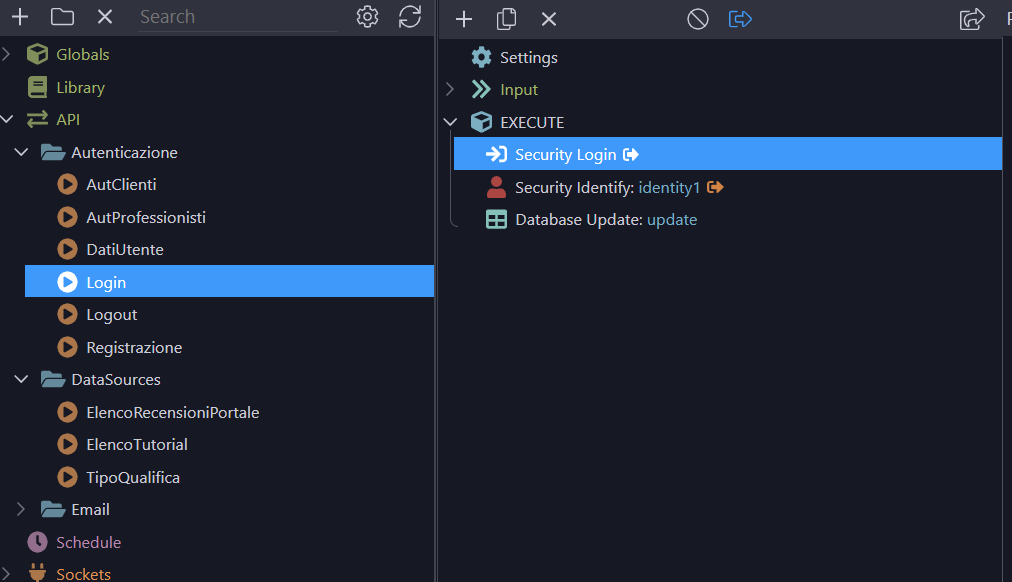
The session is the place for this.
While setting a session cookie with the information you need (e.g.: name, surname, permissions, etc.) is the most efficient approach, it’s not the most secure by default.
I once had the opportunity to view a user being banned, but because sessions weren’t purged from the server, he continued to have administrative rights.
So, I prefer to perform a database query every time instead of storing data in sessions, even if that comes with a trade-off in performance.
1 Like
DB queries are generally cached, overhead is minimal
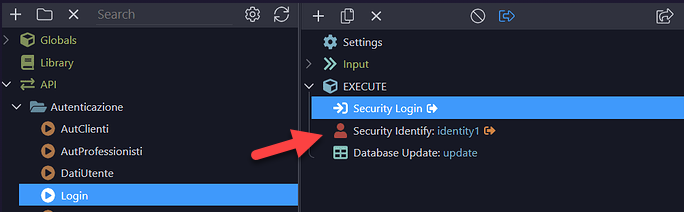
I think that you will find it useful to create the Security Indentity in the Globals section where it will be available in every API action.

1 Like
Thanks so much for the valuable advice, I’ve only been using wappler for a few days and I still have to understand some concepts.
I set the security provider in the global section and I use security identity in the various workflows to retrieve the user’s id, is this the correct approach?
Now I’ve created a userdata workflow to retrieve user data via a query so I use it in the various sections instead of using session cookies.
select firstname,lastname from user wuhere id=identity

1 Like
Correct. You are nearly hooked! 
I’m a little confused on one aspect…
I made my API to retrieve user data via a query, but shouldn’t the Security Identify step return the user ID?
I have inserted an alert and the value is always 1, how do I retrieve the ID of the logged in user to insert it in the query condition?
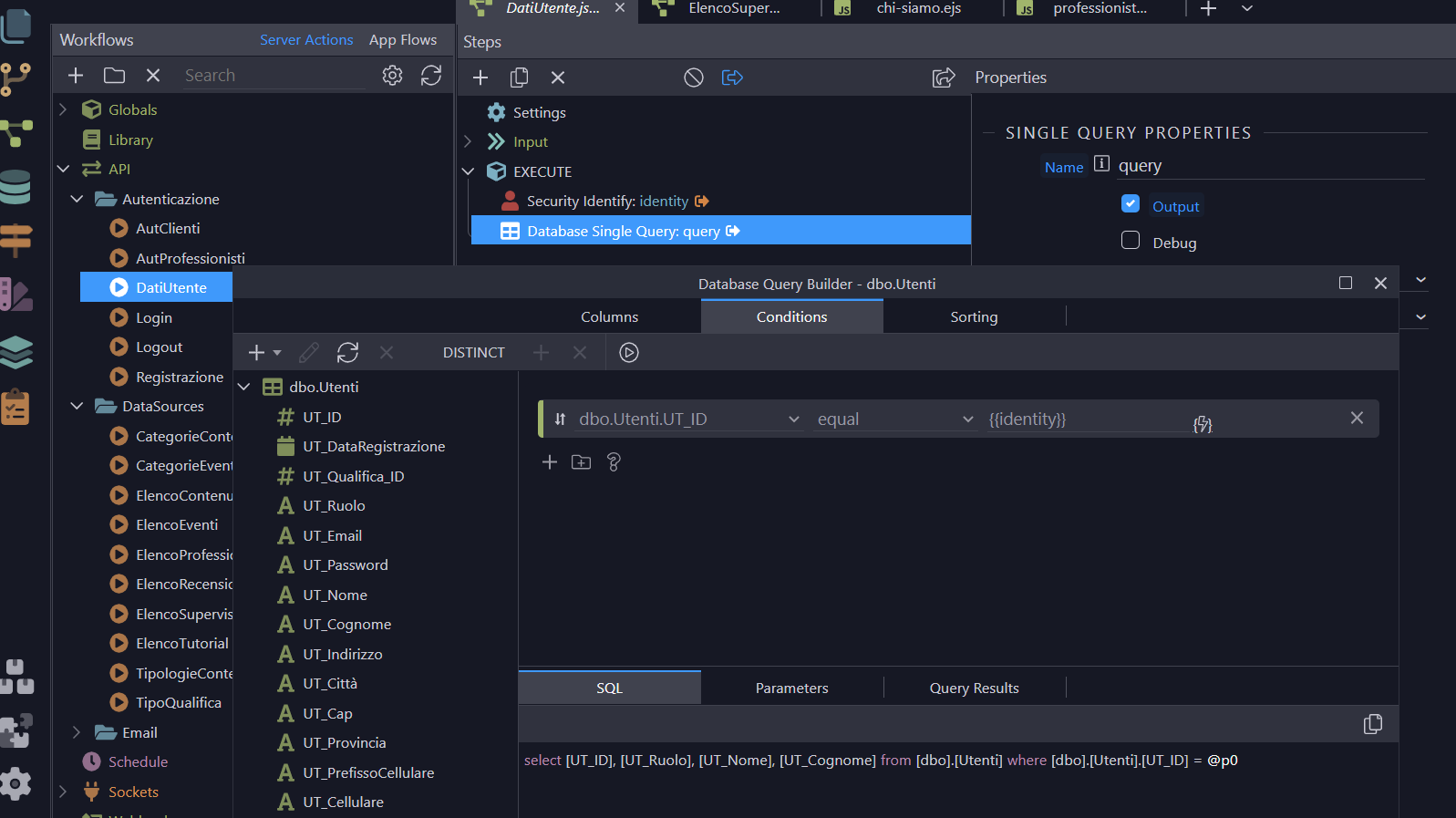
That means you’re logged in as user ID 1, nothing wrong here
You can erase your cookies or logout to get rid of that 1
1 Like
Now works!!!
Actually I had made a mistake in the alert, maybe 10 hours of wappler are starting to be a lot!
Thanks for support
1 Like