Hello,
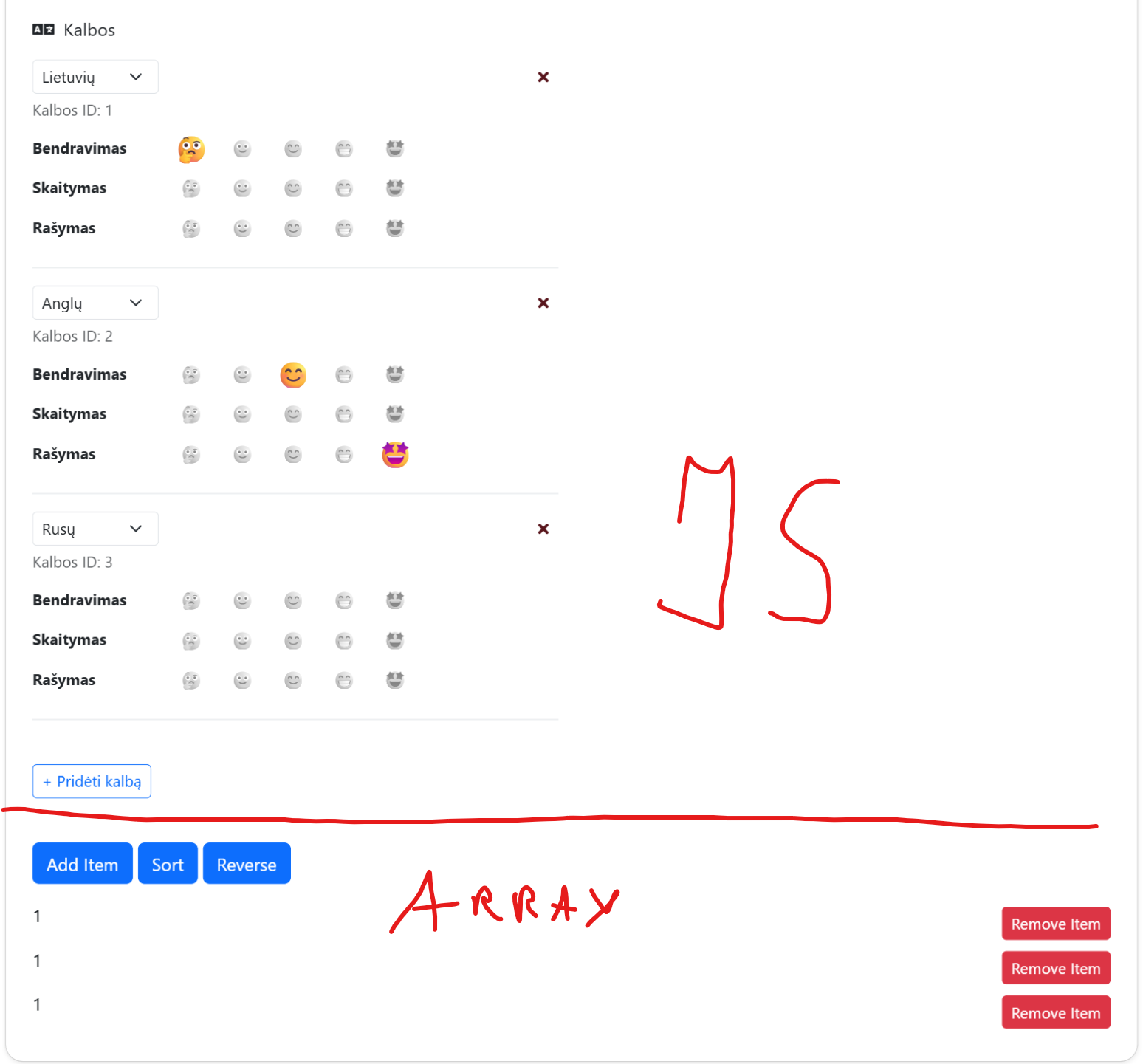
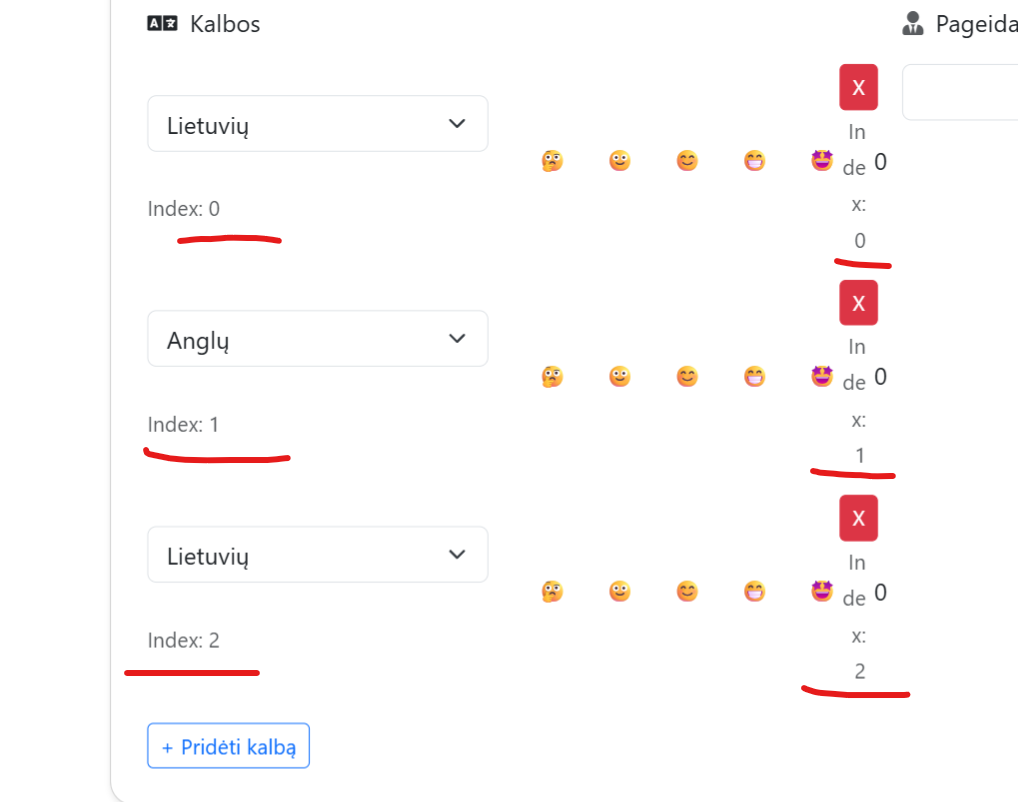
It seems that I've tried any solution that AI can suggest with this, and I can confirm that AI is uncapable of handling this, any of you pros could identify the issue and could help?: I have a code line where a have a button to dynamically add languages as an array (that comes from standard DB query as a multiple languages (DB fields: language and language_id) and I use them to populate the select field that is duplicated on button click to add new languages and building the language list like that. Each language has a delete button next to it and the main problem is that any working code I try it's deleting the last language from the list instead of needed language to delete etc. if I have 3 languages (like in the picture attached) and click to remove the second language - it removes only the last lanugage (it does not matter if I click on first lanugages delete button of second one), the index values of button and language selection fields is identified correctly but somehow it's not passed correctly to the code (AI suggests that it's a wapplers bug, but I still need a solution for that), this code line is the problem (dmx-on:click="language_array.removeAt($index)">X) it seems that it does not matter what I type instead of $index - it works the same by deleting only the last language from the list (if I try language_array.remove($index) it does not work at all). Full code part and picture attached, any thoughts?
And then uppdate them via conn_values.query_language server connect?
If array isnt predefined, and you're inserting empty values at first it does act differently. Hency why it probably doesn't even update array item with data from select element.
or is your data predefined and populated once page loaded? in this case, it should recognise your array index without any issues!
@Evaldas how did you make it work in the first video ? yes it seeems that it's empty at the first pace and then predefines fro the serverconnect, but what are the other ways then to achieve this ?
In the first video, I have populated array with server connect data, so once it's loaded and filled, you records with actual values and indexes. You can then add additional values and remove them easily! If you're using form you can use form repeat as an alternative! But the way you're using in theory should be working, for it works the way you ahve described only if I add new values to empry array element.
You can also use data store, with session selected as an altenative, it should have the data available in the client for that session only, also making it much easier manage. You can also use on insert/updated/deleted actions to handle your backend! There's load of ways to handle your logic!
Thank you @Evaldas with your suggestions, I've rethinked about this and changed the logic of it: first I start with the button and "on mouse click" I load and populate the array, and it worked do you think this solution is robust?:
If it works, it works ! However, is there a reason why you're not just loading it automatically?
All you have to do is bind the items to Server Connect and it automatically populates them for you!
So users wouldn’t have to click anything to load the languages.
Once the page loads, Server Connect runs and fills the list for you.
As long as it's populated, the array works as intended!
Thank you @Evaldas but I've found another issue with id's instead of $index as they did not update upon dropdown changes, it seems to mee that array has too many bugs/limitations everywhere, AI suggested me to build this based on pure javascript so I'm trying to move on with this, hope will not crash anything with these complex javascript AI based codes
thank you, I've tested it and failed to make it work with array component, just couldn't achieve to delete a specific language close to it on delete button click, also failed to ahieve rate button to hold the value. Is this a real limitation of an array component?
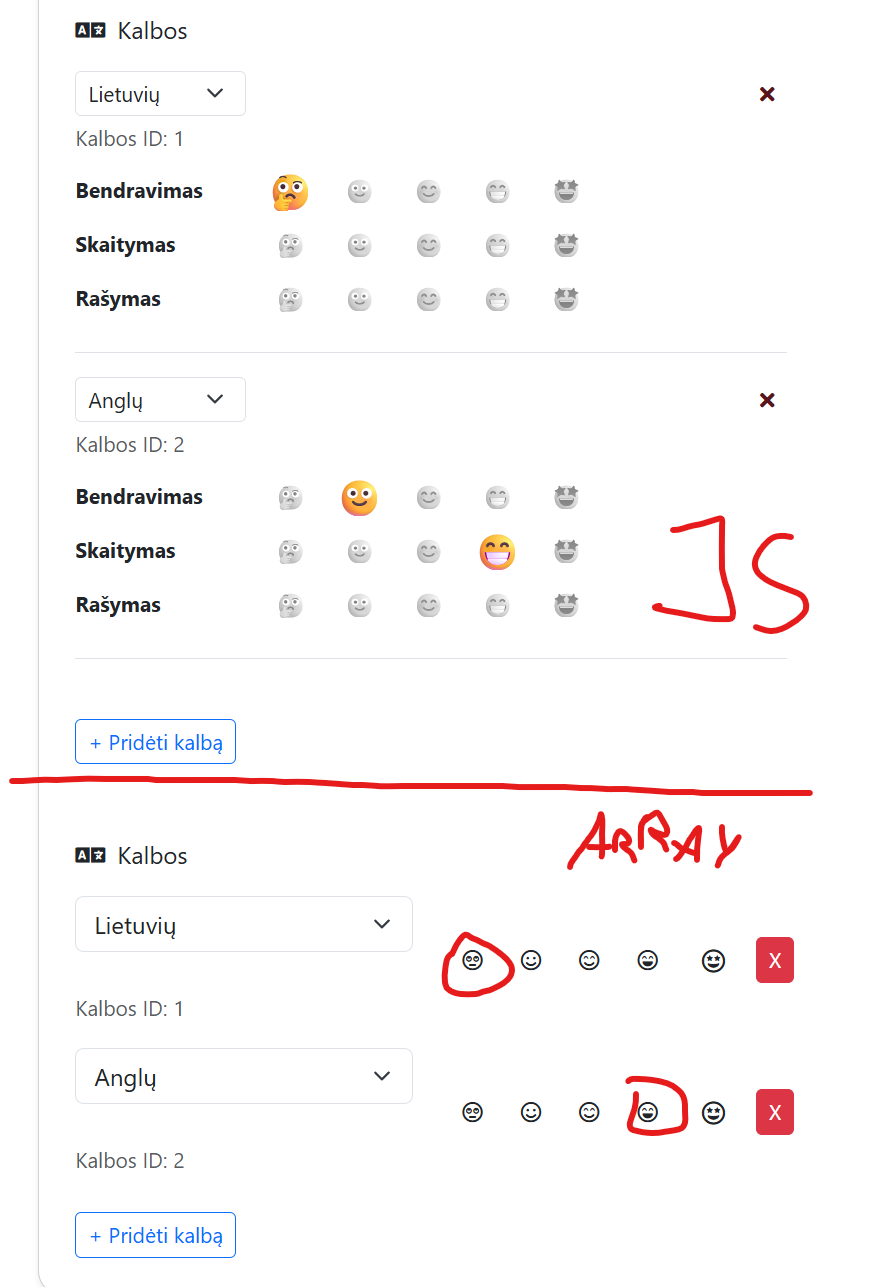
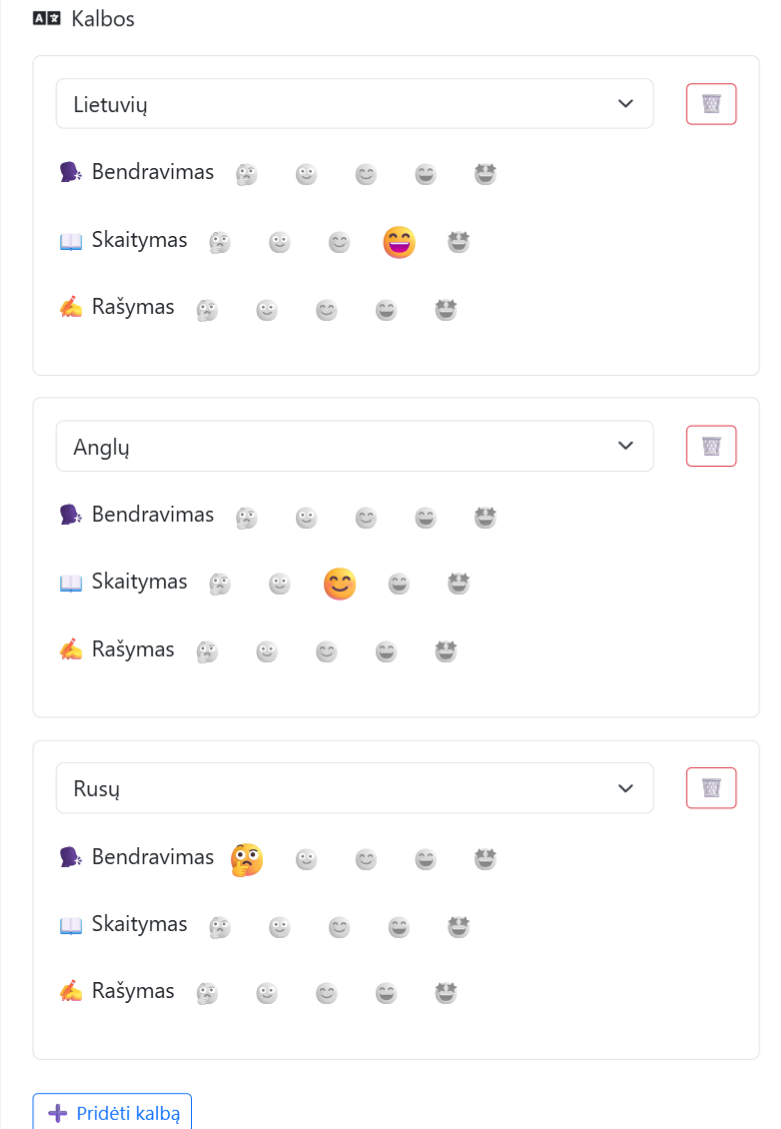
Refer to my picture where first one is the one I've built with javascript after spending long hours and trying to achieve this with basic wappler's array component and failed (I'm just trying to figure out wather I should try to use wapplers native components everywhere or mix it with javascript to achieve these similar complex user UI based system):
You are still trying to mix custom js with the array component.
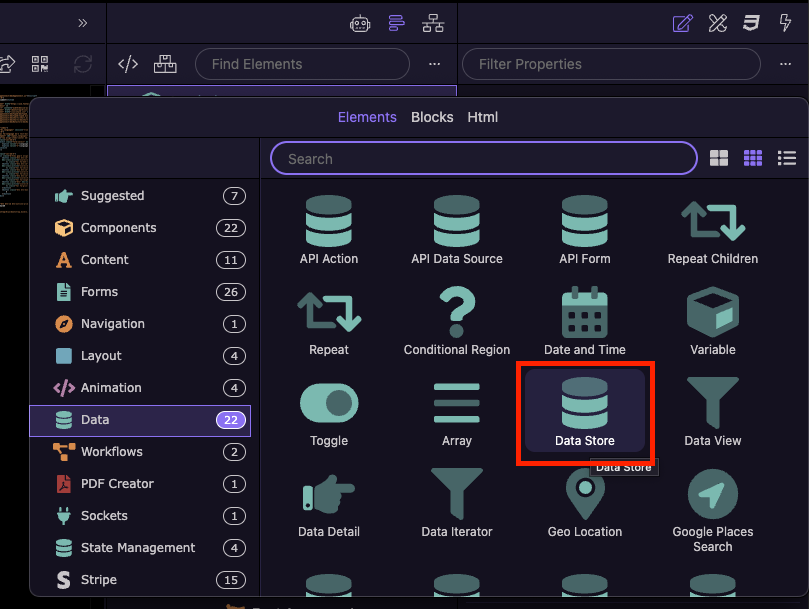
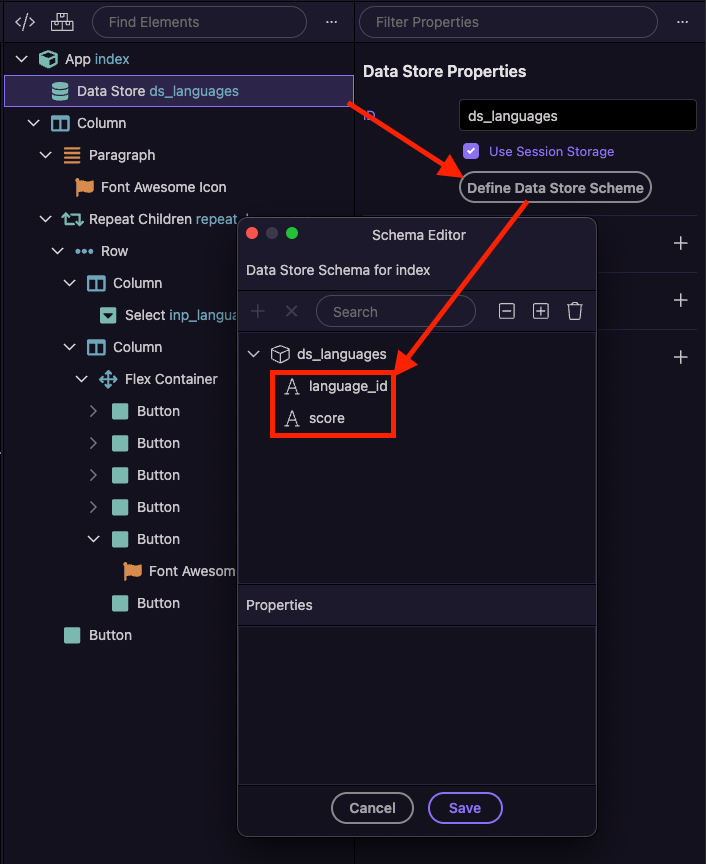
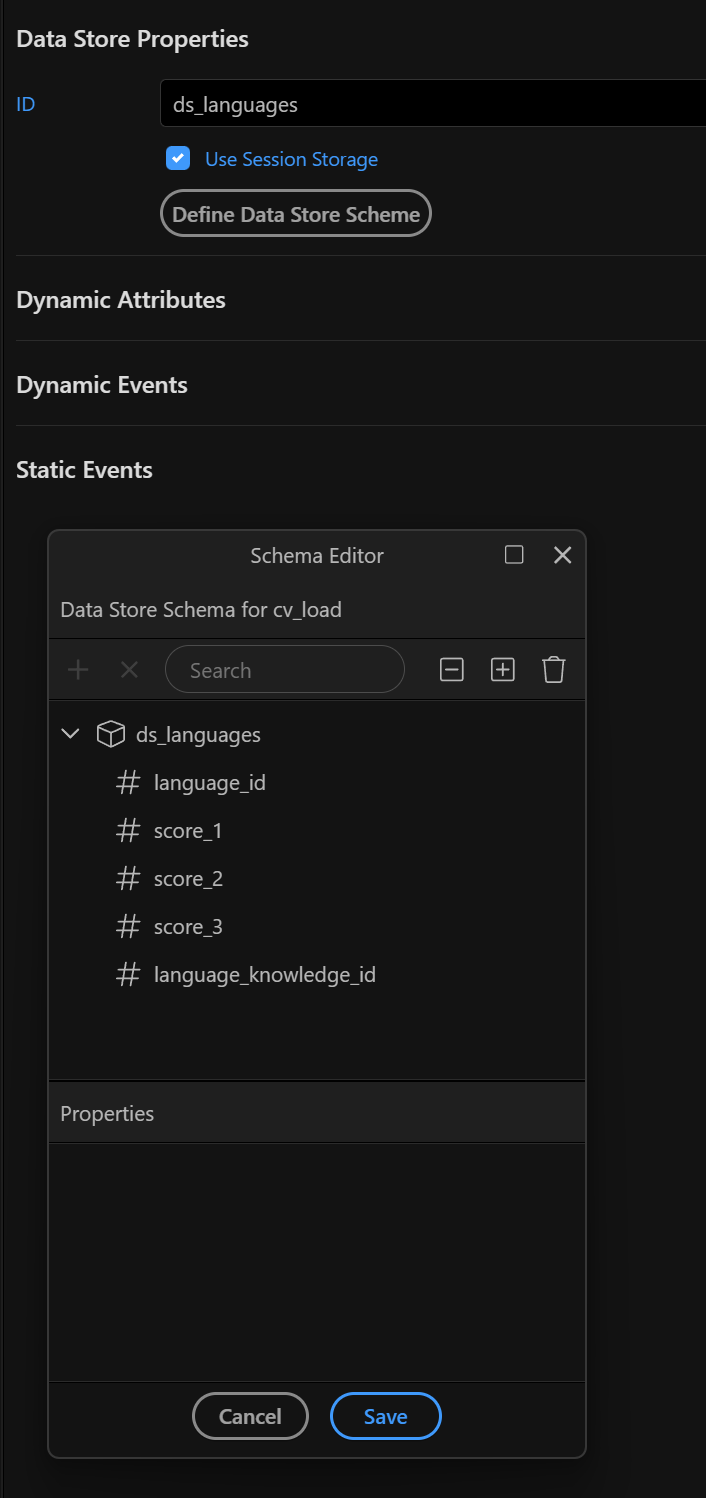
What you're trying to do, i.e. storing complex data is actually a perfect use case for the Data Store component, where you can define complex structures, insert/update/upsert/delete records.
The array component is better for for simple arrays.
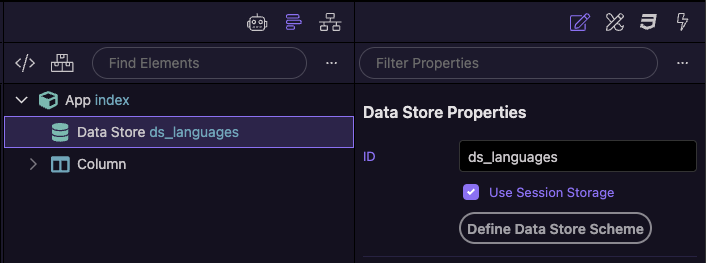
Add a data store component on the page and name it ds_languages so that it works with the code below:
Play with it in the Wappler UI to see the logic.
Don't rely too much on AI to "fix" the code, as it mixes js code with App Connect components and once it starts to make errors then it becomes a huge mess.
Once you get the logic you can build a more beautiful UI than this of course.
@Teodor thank you it's solved! but either datastore has issue or something else here I've noticed that sometimes when I add languages and click on delete specific one - it deletes the last one instead of the one it should, but sometimes it deletes corrected ones also sometimes (when having multiple different languages added) it changes some language in some field after deleting the language above could you inspect my code is it correct or is it a pure bug?:
I don't see anything wrong with your code, but i also cannot recreate the issue you are describing.
The events to update and delete work perfectly fine for me.
@Teodor I've reproduced both buggs, it seems to happen when deleting and having duplicated languages (look closely on what languages were in the fields and what left after deleting specific one) in some selects is this a bug or something else ?


 However, is there a reason why you're not just loading it automatically?