Happy holidays guys! 
I’d like my input field to accept only lowercase letters (0 to 9 numbers allowed too).
Anyone knows how I can adjust this expression? ^(?=.*?[a-z]).{2,25}$
Thank you all.
Happy holidays guys!
I’d like my input field to accept only lowercase letters (0 to 9 numbers allowed too).
Anyone knows how I can adjust this expression? ^(?=.*?[a-z]).{2,25}$
Thank you all.
/[a-z0-9]+/g
You’re the best!
Where can we learn more about the syntax, from a library of expressions?
This is a good start:
You can learn the basics and test your regular expressions.
Loving the tool!
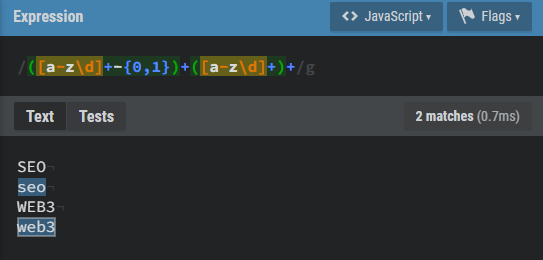
Im fine tuning the pattern: I want lowercase with or without digits and/or hyphen. So I did this and the match test results are as wished:
But I get match fails when I test it live and I suspect the input field repeat to be failing the pattern check:
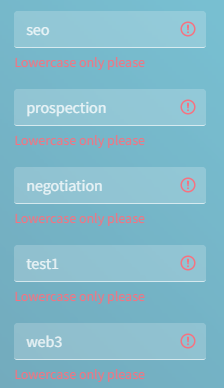
Any idea how to overcome it?
For this regex:
/[a-z0-9]+/g
Try adding this as a pattern in Wappler:
[a-z0-9]
Still gives me a no match.
Am I not supposed to use ^ at the start and $ at the end of the expression?
The ^ negates the expression. I don’t know how the pattern validator works as I don’t use it so maybe you need to include it.
[^a-z0-9]
There we go I have it right:
[a-z\d]+ for lowercase letters and digits only.
Wappler does not want the starting / nor the ending /g somehow.
Thanks for your precious help.