I’m experiencing a very strange issue which I’m unsure is related to Wappler or not…
I have a relatively straight forward data management system being used by people in various countries. I have no issues here in the US but users in Brazil, Honduras and SE Asia are experiencing a weird problem I cannot explain - when they submit entries the records are are going into the database but not showing in their browser. The weird thing is I can see the records in my browser in the US. Here’s an example…
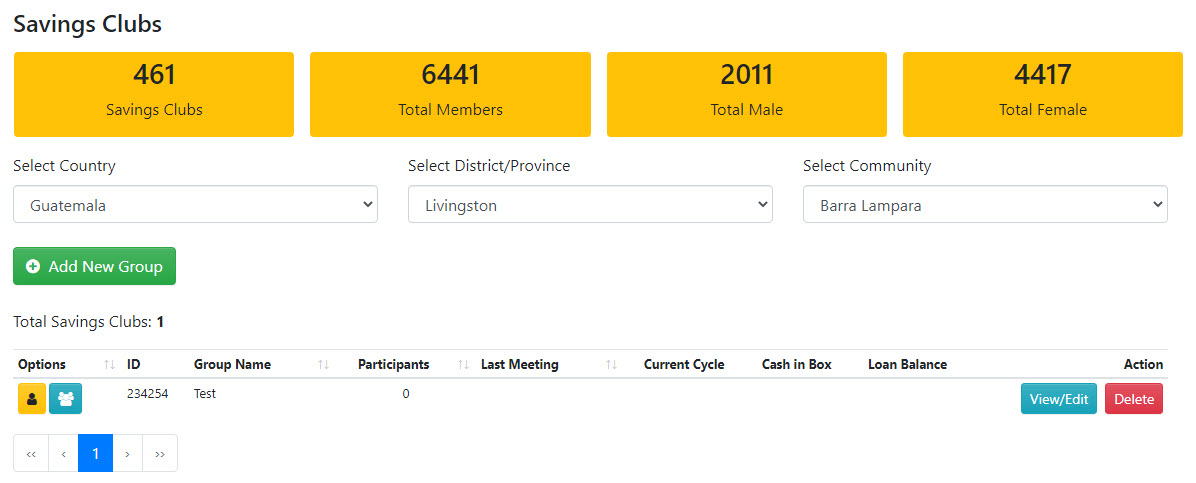
I just submitted a test record (using Teamviewer on a computer in Brazil)…
Despite the fact the record is submitted to the database it is not displayed in their browser (I’ve tested it in 3 different browsers).
When I look at the exact same page on the same browser from the US I see this…
The record is there.
This is the same for many users outside the US and nothing I do can get the records to show which makes no sense to me as it’s the same site, same browsers etc. The only difference is the location.
Like I said, I’m not sure if this is a Wappler issue or something else but it’s causing me fairly big problems - I’m really hoping someone may have some idea of what’s going on.
Thanks
It sounds strange that it’s only working in some countries. It looks to me that it is related to the hosting. If you check with devtools on that remote computer in Brasil, does it give any error on the request? Maybe some CORS error or something like that.
Hi Patrick, thanks for the quick reply.
No, there’s no CORS error - there are a few minor bootstrap javascript errors but I don’t think they’ve got anything to do with it.
You could be right that it’s a hosting issue - I’ll try reaching out to them and see if they can shed any light on it.
Thanks again.
The host (A2Hosting) claim it’s not them.
If it’s not them and not a Wappler issue it must be something to do with AWS which is where the database is hosted.
It’s a mystery!
I’m with my bucket of popcorn watching this topic 
Yes, I would look at the permissions in AWS since they have many layers and perhaps there is something there that does not allow access to the database records from outside the USA.
Have you checked the XHR section in a browser and do you cache results?
Should that make a difference though? All users are looking at the same site which is hosted on a server in Michigan - they are not interacting with the database directly.
I might get some popcorn too!
1 Like
It does sound like a VPC setting around allowed IP addresses. Have you restricted IP access and forgotten to remove it?
This might trigger an idea or two: https://docs.aws.amazon.com/AmazonRDS/latest/UserGuide/USER_VPC.Scenarios.html
Yes, XHR info is identical on both my computer and the remote computer.
When I submit a record I can see it in the headers in the serverconnect file and also in the response, but the record isn’t displayed on the computer in Brazil. It shows up straight away on my computer in the US.
Nothing is being cached as far as I know.
Thinking about it I’m not sure how it can be an AWS issue - just to clarify the setup…
The Wappler app, hosted on A2 Hosting, is the only thing connecting to AWS - AWS itself is not aware of the location of the user as requests are only coming from the A2 host which is US-based. No information about the location of the user is being passed to the database.
The database is set to public access behind a security group and I have added the IP address of the A2 host - obviously if this wasn’t done I wouldn’t be able to access it either, and in fact the site wouldn’t work at all.
The fact that everything works 100% fine for me but not for people in certain countries is really confusing. Added to this confusion, users in these countries do see some records from the database so it’s not blocking the connection, it’s just when they submit new records they don’t see them, despite the fact they are in the database.
I should also add that users in other countries (e.g. Indonesia) are not experiencing this problem.
So I’m still unsure if this is a Wappler issue or a hosting issue, but I’m fairly sure it can’t be AWS.
I definitely stand to be corrected though.
You may have done this already but you could always eliminate the security settings as an issue by changing your outbound setting to 0.0.0.0/0 if it fixes the issue with those in other countries you know its the security settings, if not you know it’s isolated to the app.
The other thing it could be is if you are using the timezone of the account user there maybe something that you are missing on pulling the data from the database?
Yes, outbound is already set to 0.0.0.0/0.
Thanks for the timezone suggestion - maybe there’s something going on there.
I’ll do some more research.
1 Like
I finally found the culprit - turns out it was the host after all.
They have caching on the server called LiteSpeed - I checked it this morning and it was all turned off but somehow the LiteSpeed directives had found their way into the .htaccess file so, although it was “turned off” in cpanel it was actually running!
I deleted them and now everything is fine.
Thanks for all your suggestions - that was a pretty obscure issue but hopefully this thread will be useful to someone.
3 Likes