Hi,
I’m not sure of the progress bar can be used in this context as the examples I have seen are related to the upload procedure.
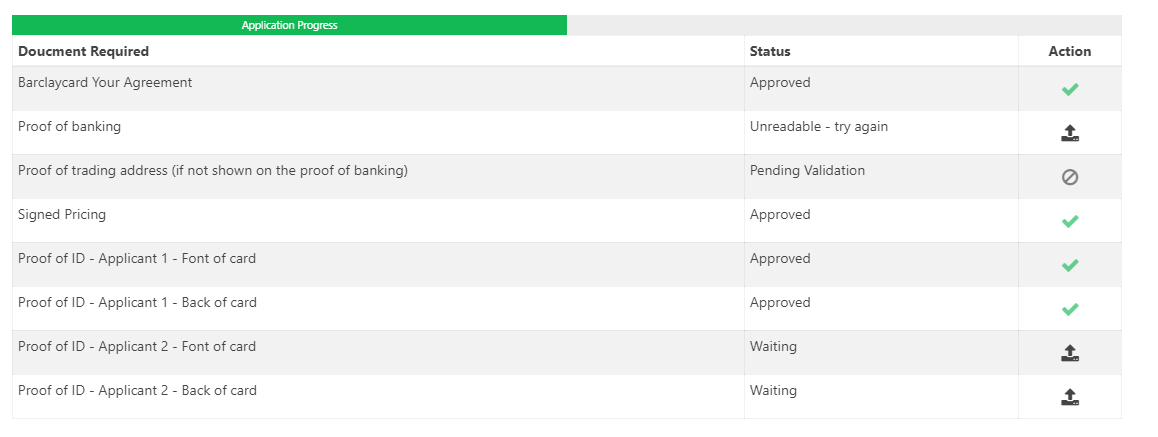
I have a SQL table which list all the files a user is required to upload in order to complete their application.
I show this onscreen with a upload function.
Now, what I want to do is that for every document that is uploaded and approved, the progress bar will dynamically change. See example.
I’m sure I will need to preform some sort of query to get the percentage value of completion and then update the progress bar.
Any help would be greatful.
Thanks,
1 Like
OK, so I have managed to get the percent completed via the below SQL query.
Select [COLUMN], (Count([COLUMN]) * 100 / (Select Count(*) From [TABLE] )) as Status
From [TABLE] WHERE [COLUMN] = 2
Group By [COLUMN]
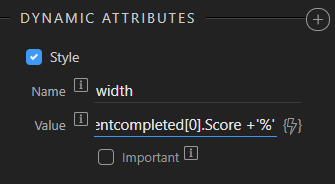
So, my only remaining question is, how do I update the progress bar to show this percent?
Teodor
September 30, 2019, 9:53am
3
Hello Ray,
You already know HOW TO CREATE AN UPLOAD FORM and upload files to your server. Sometimes, for large files it is useful to have some kind of indication, that the file is uploading. The progress bar component is really useful here! We’d like to add the...
Then reload the percentage server action every time a file is uploaded (on success of its server action) so that the query value updates.
1 Like
Hi Teodor,
Worked exactly as you outlined!
Prefect, Thank you.
2 Likes