After upgrading to v4, I was expecting some problems with Bootstrap themes. With the first site I opened, the custom them (Bootstrap 4) had been replaced by the default theme. Clicking the space rocket icon in Theme Manager fixed the problem.
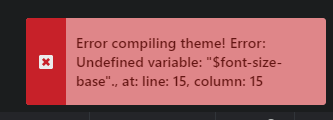
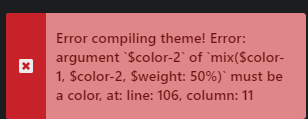
In another site, I’m not sure what the solution is. Again the custom theme was not applied, but regenerating gave this error message:
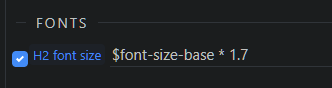
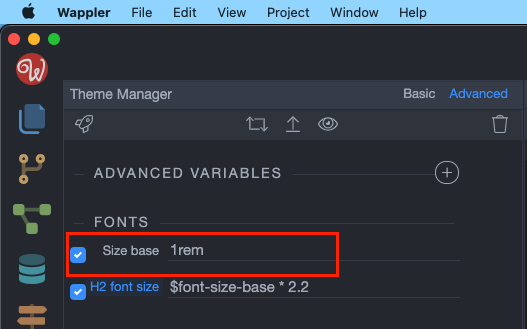
Under Advanced Variables, I have:
(which I had entered when creating the theme originally, using Wappler v3).
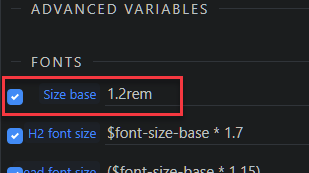
I noticed in the other site (where I could fix the theme), also included:
… so I added this to the theme, but it didn’t help.
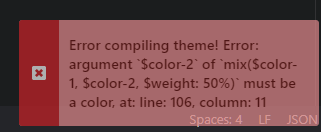
I then deleted all advanced variables, but this results in this:
I suppose I could try starting from scratch, but hopefullly there is a way to fix this.
The solution for this problem is defining the font-size as well:
As for this:
What do you have in the advanced section of the theme manager?
What is the bootstrap version used in this project?
Is the design framework properly set in the project settings?
I renamed the Bootstrap folder (XXBootstrap) and tried to recreate the theme. No Bootstrap folder was created. I renamed theme.json too but that didn’t help. The first two still show:
… so perhaps something is cached or still needs deleting.
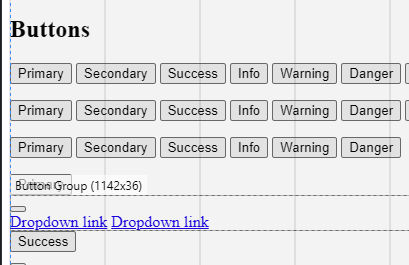
The button to create a preview produces an unstyled page - not surprisingly as there are no Bootstrap .css files:
Thanks - that indeed recreated the Bootstrap folder. However, if I try to recreate the custom theme, I still get the error message shown in my last reply.